 Roger Barreto
dd29f9aa65
Roger Barreto
dd29f9aa65
* .NET: Add Hosted-Toolbox-AuthPaths sample and auto-map /readiness with toolbox health gating (#5777)

Add a new hosted agent sample demonstrating five MCP tool authentication paths
(API key, agent MI, project MI, custom OAuth, literal token) via a Foundry Toolbox.

Package changes (Microsoft.Agents.AI.Foundry.Hosting):
- MapFoundryResponses now auto-maps GET /readiness via MapHealthChecks, idempotent
  across Tier 1/2 (AgentHost, already mapped) and Tier 3 (WebApplication, gap filled).
- AddFoundryResponses registers AddHealthChecks() so the pipeline is available.
- AddFoundryToolboxes registers FoundryToolboxHealthCheck on the /readiness aggregate,
  gating readiness on pre-registered toolbox startup outcome (per spec section 3.1).
- FoundryToolboxService now exposes StartupStatus and FailedToolboxNames properties.

New types:
- FoundryToolboxStartupStatus (public enum): Pending, Healthy, Failed, NoEndpoint.
- FoundryToolboxHealthCheck (internal IHealthCheck): adapts startup status to the
  AspNetCore HealthChecks pipeline with failed toolbox names in result data.

Tests:
- 3 new tests for /readiness auto-mapping (Tier 3 default, pre-mapped skip, idempotent).
- 4 new tests for FoundryToolboxHealthCheck (Pending, NoEndpoint, Failed, Healthy).
- 3 enhanced FoundryToolboxServiceTests with StartupStatus assertions.

* .NET: Align FoundryToolboxService with tools-integration-spec (#5777 Part A)

Bring Microsoft.Agents.AI.Foundry.Hosting's toolbox path into compliance with
tools-integration-spec.md sections 2-4, 6.3, and 9. Empirically validated
against tao-foundry-prj: the previous code (reading FOUNDRY_AGENT_TOOLSET_ENDPOINT,
which the platform never injects) silently registered zero tools in production.

Package changes (Microsoft.Agents.AI.Foundry.Hosting):

- FoundryToolboxService.StartAsync now derives the toolbox proxy base URL from
  the platform-injected FOUNDRY_PROJECT_ENDPOINT and constructs the per-toolbox
  URL as {FOUNDRY_PROJECT_ENDPOINT}/toolboxes/{name}/mcp?api-version={ApiVersion}
  per spec sections 2-3. The legacy FOUNDRY_AGENT_TOOLSET_ENDPOINT env var is
  removed outright (preview package, no production consumers).
- FoundryToolboxOptions.ApiVersion default flipped to 'v1' to match spec example.
- FoundryToolboxBearerTokenHandler always sends the mandatory
  Foundry-Features: Toolboxes=V1Preview header per spec section 2, merging any
  additional flags supplied via the FOUNDRY_AGENT_TOOLSET_FEATURES env var.
- FoundryToolboxBearerTokenHandler token scope changed from
  https://cognitiveservices.azure.com/.default to https://ai.azure.com/.default
  per spec section 4.
- FoundryToolboxBearerTokenHandler propagates W3C trace context (traceparent,
  tracestate, baggage) from Activity.Current per spec section 6.3.

Sample changes:

- Hosted-Toolbox-AuthPaths and Hosted-Toolbox Program.cs, README.md, and
  .env.example corrected to describe the actual env-var contract
  (FOUNDRY_PROJECT_ENDPOINT auto-injected; AZURE_AI_PROJECT_ENDPOINT as the
  local-dev fallback). Removes the misleading 'auto-injected by Foundry runtime'
  claims for FOUNDRY_AGENT_TOOLSET_ENDPOINT.
- Hosted-Toolbox-AuthPaths/agent.manifest.yaml declares the toolbox and model
  dependencies under resources[] per the AgentManifest schema so azd ai agent
  init users get them provisioned automatically.

Tests:

- 4 new FoundryToolboxServiceTests covering env-var derivation, EndpointOverride
  precedence, trailing-slash normalization, and the existing NoEndpoint behavior
  under the new env var name.
- 4 new FoundryToolboxBearerTokenHandlerTests covering token scope, mandatory
  feature header always present, header merging with override, no duplicate
  mandatory flag, trace context propagation from Activity.Current, and no
  override of caller-set traceparent.
- New FoundryProjectEndpointEnvFixture xUnit collection definition serializes
  env-var-mutating tests across FoundryToolboxServiceTests and
  FoundryToolboxHealthCheckTests, preventing parallel-execution races.
- FoundryToolboxHealthCheckTests adjusted for the new env var name.

* .NET: Drop ACA prereq from Hosted-Toolbox-AuthPaths README (#5777 Part B)

Empirically verified that any Azure Cognitive Services MCP endpoint already in
the Foundry project (e.g., a Language service MCP) accepts Entra tokens and can
serve Paths 2 and 3 without deploying a separate Azure MCP Server to ACA.

README updates:
- Step 0 rewritten: 'Identify an Entra-authenticated MCP target in your project'
  instead of 'Deploy Azure MCP Server to Azure Container Apps' (the original
  azmcp-foundry-aca-mi setup is now optional, not required).
- Auth-paths matrix updated to describe AAD-based connections targeting a
  Cognitive Services MCP URL (e.g., Language service) instead of an ACA URL.
- Step 2 connections table updated: the Entra ID category is now a single 'AAD'
  authType. The original 'Agent Identity' vs 'Project Managed Identity' as
  selectable connection sub-types is NOT exposed via the ARM control plane
  today; the platform selects the calling principal contextually. Both
  connections in the walkthrough share the same shape and target.
- Added an explicit RBAC note: the agent identity AND project MI must hold the
  required role (typically Cognitive Services User) on the target resource;
  without it the MCP server returns HTTP 401 even though the connection wiring
  is correct.
- Toolbox tool entries renamed lang_entra_agent / lang_entra_project to
  match the new connection names.

Empirical validation supporting these changes is captured in the session
plan.md (Part B addendum).

* .NET: Document correct connection shape for Hosted-Toolbox-AuthPaths Paths 2/3 (#5777)

Updates the sample README with the verified connection shape and RBAC procedure
for Microsoft Entra agent-identity and project-managed-identity MCP authentication:

- Connection authType values: AgenticIdentityToken (agent identity) and
  ProjectManagedIdentity (project MI), both with category=RemoteTool.
- Top-level audience property required; for Cognitive Services targets the value
  is https://cognitiveservices.azure.com.
- Connections created via ARM REST (the Foundry portal wizard does not yet
  expose these authTypes).
- RBAC grants target the project's shared agent identity blueprint principal
  (project.properties.agentIdentity.agentIdentityId) for Path 2 and the
  project's system-assigned MI (project.identity.principalId) for Path 3.
- Troubleshooting table updated with the audience-mismatch symptom and the
  startup-cache behavior of FoundryToolboxService.

* .NET: Drop Path 3 (project MI) and align with new agent model in Hosted-Toolbox-AuthPaths (#5777)

Updates the sample to use only the new Foundry agent object model and removes
the project managed identity path:

- Auth-path matrix reduced to four paths: key, Entra agent identity, custom
  OAuth, inline authorization. Project managed identity is moved into a note
  describing when it applies (multiple agents sharing access) rather than as
  a documented sample path.
- RBAC instructions reference the agent's own instance_identity.principal_id
  from the agent ARM resource (new agent object model) instead of the
  project's shared agent identity blueprint (legacy model).
- Step 2 (connections) creates only the AgenticIdentityToken connection.
- Step 3 (toolbox tools) lists four tool entries instead of five.
- Sample prompts and troubleshooting table updated to match.

* .NET: Restore Path 3 (project MI) to Hosted-Toolbox-AuthPaths matrix (#5777)

The sample's purpose is to enumerate every authentication path a Foundry toolbox
can drive, not to pick one. Path 3 belongs alongside the other four with
explicit guidance for when each path is the right choice.

- Path 3 (project managed identity, authType=ProjectManagedIdentity) restored
  to the matrix with a 'When to pick this' column.
- Step 2 (connections) provisions both lang-mcp-agent-id and lang-mcp-project-mi
  via ARM REST.
- Step 3 (toolbox) lists five tool entries (one per path).
- RBAC instructions cover both the agent's instance identity (Path 2) and the
  project's system-assigned MI (Path 3).
- Sample prompts include all five paths.
- Troubleshooting table updated accordingly.

* .NET: Fix duplicate line in Hosted-Toolbox-AuthPaths README (#5777)

* .NET: Fix broken markdown link to ToolCallingApprovalHostedAgentFixture (#5777)

* .NET: Fix relative path depth in markdown link (#5777)

* .NET: Address Copilot review feedback for #5777

- FoundryToolboxHealthCheck description: rename FOUNDRY_AGENT_TOOLSET_ENDPOINT
  → FOUNDRY_PROJECT_ENDPOINT (stale reference; operator-facing in /readiness body).
- FoundryToolboxStartupStatus.NoEndpoint XML doc: same rename.
- ServiceCollectionExtensions XML docs: same rename + URL shape update.
- Foundry.Hosting.IntegrationTests.TestContainer: remove explicit
  app.MapGet('/readiness') — now redundant + would conflict with the
  auto-mapped readiness route from MapFoundryResponses.
- Hosted-Toolbox-AuthPaths agent.manifest.yaml: parameterize TOOLBOX_NAME via
  {{TOOLBOX_NAME}} template substitution and declare it under parameters with a
  default of 'auth-paths-toolbox' so the README's 'use any name' guidance
  actually works for hosted deployments.

* .NET: Address Copilot review round 2 — fallback env + dedup + naming (#5777)

- FoundryToolboxService.StartAsync: fall back to AZURE_AI_PROJECT_ENDPOINT when
  FOUNDRY_PROJECT_ENDPOINT is absent. Matches the local-dev convention used by
  the samples and resolves the doc/code mismatch flagged in review.
- FoundryToolboxHealthCheck description updated for the fallback.
- AddFoundryToolboxes: guard against duplicate health-check registration via an
  explicit name-uniqueness check on HealthCheckServiceOptions.Registrations.
  AddCheck<T>(name, ...) does not dedupe by name, so repeated AddFoundryToolboxes
  calls would have registered multiple instances.
- FoundryToolboxOptions.EndpointOverride doc: clarify URL becomes
  {EndpointOverride}/toolboxes/{name}/mcp (was missing /toolboxes/ segment).
- Hosted-Toolbox sample (Program.cs + README): switch FOUNDRY_TOOLBOX_NAME to
  TOOLBOX_NAME (the FOUNDRY_* prefix is reserved by the platform), default
  changed from 'my-toolset' to 'my-toolbox', terminology updated from 'Toolset'
  to 'Toolbox'.
- FoundryToolboxServiceTests: 2 test renames to reflect what they actually
  assert (StartupStatus + FailedToolboxNames, not URL shape directly).
- Tests adjusted to clear both env vars in NoEndpoint scenarios.

* .NET: Fix stale NoEndpoint XML doc and misleading test comment (#5777)

Update FoundryToolboxStartupStatus.NoEndpoint XML doc to mention both
FOUNDRY_PROJECT_ENDPOINT and AZURE_AI_PROJECT_ENDPOINT (the service
checks both since the fallback was added).

Fix test comment that claimed URL derivation validation when the test
only asserts on StartupStatus and FailedToolboxNames.

* Remove OAuth consent path from AuthPaths sample, keep four working auth paths

The interactive OAuth identity passthrough path needs a protocol gap closed in the
hosting package (the proprietary oauth_consent_request item is not representable
through the OpenAI/MEAI abstractions), so it is deferred to a separate spike branch.

This strips the OAuth path from the AuthPaths sample, the companion REPL client, the
agent manifest, and the docs, then renumbers the inline Authorization path so the
sample teaches four contiguous paths: API key via connection, Entra agent identity,
Entra project managed identity, and inline Authorization (anti-pattern).

Package code is unchanged; the consent infrastructure already present in main stays
as baseline. Both samples build with --warnaserror and all 246 hosting unit tests pass.

* .NET: Drop project MI auth path and dedicated client from Hosted-Toolbox-AuthPaths (#5777)

Live validation against tao-foundry-prj showed the ProjectManagedIdentity
path failing with an unresolved token audience 401, so the sample now ships
three working auth paths instead of four: connection key, agent managed
identity, and inline Authorization.

Changes:
- Remove the project managed identity path from the AuthPaths sample matrix,
  prerequisites, connections, toolbox table, prompts, Program.cs instructions
  and agent.manifest.yaml.
- Delete the near duplicate Hosted-Toolbox-AuthPaths-Client project and remove
  it from the solution. The README now drives the agent with the shared
  SimpleAgent REPL via AsAIAgent(agentEndpoint).
- Correct the troubleshooting note: the Foundry toolbox tools/list is all or
  nothing, so one bad source returns -32007, fails startup, and returns 424
  for every path. Add the allowed_tools caveat that names must match the
  upstream server.
- Mark the toolbox startup status and health check experimental under
  AgentsAIExperiments (MAAI001) instead of AIOpenAIResponses, and update the
  package NoWarn set accordingly.

* .NET: Address PR review nits for Hosted-Toolbox-AuthPaths (#5777)

- Remove duplicated NU1903 comment in Foundry.Hosting csproj.

- Fix stale 'four-tool' cross-links in Hosted-Toolbox and Hosted-McpTools READMEs to describe the three-path toolbox driven by the shared SimpleAgent REPL.

Co-authored-by: Copilot <223556219+Copilot@users.noreply.github.com>

* .NET: Address toolbox startup-status review feedback (#5777)

- Rename FoundryToolboxStartupStatus.Failed to Unhealthy so it is the proper opposite of Healthy, and clarify the doc comment covers the partial-failure case.

- Raise the missing-endpoint toolbox log from Information to Warning, since enabling toolboxes is an explicit opt-in and a silently disabled toolbox warrants a higher-severity signal.

- Update unit tests and the AuthPaths README troubleshooting row accordingly.

Co-authored-by: Copilot <223556219+Copilot@users.noreply.github.com>

* .NET: Reword toolbox-wiring comment to avoid hosting-layer internals (#5777)

Address PR review feedback: explain how a Foundry Toolbox is attached using the public API (AddFoundryToolboxes vs the CreateHostedMcpToolbox marker) and observable behavior, instead of naming the internal AgentFrameworkResponseHandler type and FoundryToolboxService.Tools property.

Co-authored-by: Copilot <223556219+Copilot@users.noreply.github.com>

---------

Co-authored-by: Copilot <223556219+Copilot@users.noreply.github.com>

Welcome to Microsoft Agent Framework!




Microsoft Agent Framework (MAF) is an open, multi-language framework for building production-grade AI agents and multi-agent workflows in .NET and Python.
Microsoft Agent Framework is built for teams taking agents from prototype to production. It provides a consistent foundation for building, orchestrating, and operating agent systems across Python and .NET, while keeping architecture choices open as requirements evolve, and supports a broad ecosystem including Microsoft Foundry, Azure OpenAI, OpenAI, and the GitHub Copilot SDK, with samples and hosting patterns for both local development and cloud deployment.
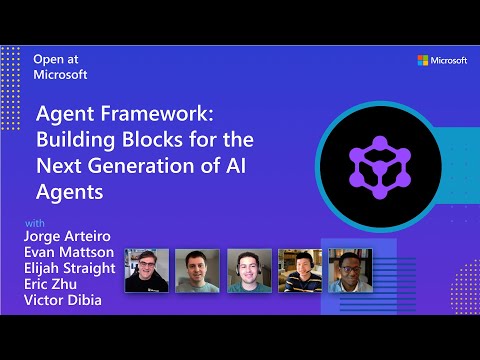
Watch the full Agent Framework introduction (30 min)
Is this the right framework for you?
MAF is a strong fit if you:
- are building agents and workflows you expect to run in production,
- need orchestration beyond a single prompt or stateless chat loop,
- want graph-based patterns such as sequential, concurrent, handoff, and group collaboration,
- care about durability, restartability, observability, governance, or human-in-the-loop control,
- need provider flexibility so your architecture can evolve without major rewrites.
Key Features
Explore new MAF capabilities and real implementation patterns on the official blog.
- Python and C#/.NET Support: Full framework support for both Python and C#/.NET implementations with consistent APIs
- Multiple Agent Provider Support: Support for various LLM providers with more being added continuously
- Middleware: Flexible middleware system for request/response processing, exception handling, and custom pipelines
- Orchestration Patterns & Workflows: Build multi-agent systems with graph-based workflows supporting sequential, concurrent, handoff, and group collaboration patterns; includes checkpointing, streaming, human-in-the-loop, and time-travel
- Foundry Hosted Agents (new): Deploy and host your agents to Foundry-hosted infrastructure with just 2 additional lines of code
- Observability: Built-in OpenTelemetry integration for distributed tracing, monitoring, and debugging
- Declarative Agents: Define agents using YAML for faster setup and versioning
- Agent Skills: Build domain-specific knowledge bases from multiple sources—files, inline code, class libraries—for agents to discover and use
- AF Labs: Experimental packages for cutting-edge features including benchmarking, reinforcement learning, and research initiatives
- DevUI: Interactive developer UI for agent development, testing, and debugging workflows
Table of Contents
Getting Started
Installation
Python
pip install agent-framework
# This will install all sub-packages, see `python/packages` for individual packages.
# It may take a minute on first install on Windows.
.NET
dotnet add package Microsoft.Agents.AI
# For Foundry integration (used in the .NET quickstart below):
dotnet add package Microsoft.Agents.AI.Foundry
dotnet add package Azure.AI.Projects
dotnet add package Azure.Identity
Learning Resources
- Overview - High level overview of the framework
- Quick Start - Get started with a simple agent
- Tutorials - Step by step tutorials
- User Guide - In-depth user guide for building agents and workflows
- Migration from Semantic Kernel - Guide to migrate from Semantic Kernel
- Migration from AutoGen - Guide to migrate from AutoGen
Quickstart
Basic Agent - Python
Create a simple Azure Responses Agent that writes a haiku about the Microsoft Agent Framework
# pip install agent-framework
# Use `az login` to authenticate with Azure CLI
import os
import asyncio
from agent_framework import Agent
from agent_framework.foundry import FoundryChatClient
from azure.identity import AzureCliCredential


async def main():
    # Initialize a chat agent with Microsoft Foundry
    # the endpoint, deployment name, and api version can be set via environment variables
    # or they can be passed in directly to the FoundryChatClient constructor
    agent = Agent(
      client=FoundryChatClient(
          credential=AzureCliCredential(),
          # project_endpoint=os.environ["FOUNDRY_PROJECT_ENDPOINT"],
          # model=os.environ["FOUNDRY_MODEL_DEPLOYMENT_NAME"],
      ),
      name="HaikuAgent",
      instructions="You are an upbeat assistant that writes beautifully.",
    )

    print(await agent.run("Write a haiku about Microsoft Agent Framework."))

if __name__ == "__main__":
    asyncio.run(main())
Basic Agent - .NET
Create a simple Agent, using Microsoft Foundry that writes a haiku about the Microsoft Agent Framework
// This sample shows how to create and run a basic agent with AIProjectClient.AsAIAgent(...).

using Azure.AI.Projects;
using Azure.Identity;
using Microsoft.Agents.AI;

string endpoint = Environment.GetEnvironmentVariable("AZURE_AI_PROJECT_ENDPOINT") ?? throw new InvalidOperationException("AZURE_AI_PROJECT_ENDPOINT is not set.");
string deploymentName = Environment.GetEnvironmentVariable("AZURE_AI_MODEL_DEPLOYMENT_NAME") ?? "gpt-5.4-mini";

AIAgent agent =
    new AIProjectClient(new Uri(endpoint), new DefaultAzureCredential())
    .AsAIAgent(model: deploymentName, instructions: "You are an upbeat assistant that writes beautifully.", name: "HaikuAgent");

// Once you have the agent, you can invoke it like any other AIAgent.
Console.WriteLine(await agent.RunAsync("Write a haiku about Microsoft Agent Framework."));
More Examples & Samples
Python
- Getting Started: progressive tutorial from hello-world to hosting
- Agent Concepts: deep-dive samples by topic (tools, middleware, providers, etc.)
- Workflows: workflow creation and integration with agents
- Hosting: A2A, Azure Functions, Durable Task hosting
- End-to-End: full applications, evaluation, and demos
.NET
- Getting Started: progressive tutorial from hello agent to hosting
- Agent Concepts: basic agent creation and tool usage
- Agent Providers: samples showing different agent providers
- Workflows: advanced multi-agent patterns and workflow orchestration
- Hosting: A2A, Durable Agents, Durable Workflows
- End-to-End: full applications and demos
Community & Feedback
- Found a bug? File a GitHub issue to help us improve.
- Enjoying MAF?
to show your support and help others discover the project.
- Have questions? Join our Discord or visit weekly office hours.
Troubleshooting
Authentication
| Problem | Cause | Fix |
|---|---|---|
| Authentication errors when using Azure credentials | Not signed in to Azure CLI | Run az login before starting your app |
| API key errors | Wrong or missing API key | Verify the key and ensure it's for the correct resource/provider |
Tip:
DefaultAzureCredentialis convenient for development but in production, consider using a specific credential (e.g.,ManagedIdentityCredential) to avoid latency issues, unintended credential probing, and potential security risks from fallback mechanisms.
Environment Variables
For environment variable configuration specific to each sample, refer to the README in the sample directory (Python samples | .NET samples).
Contributor Resources
Important Notes
Important
If you use Microsoft Agent Framework to build applications that operate with any third-party servers, agents, code, or non-Azure Direct models (“Third-Party Systems”), you do so at your own risk. Third-Party Systems are Non-Microsoft Products under the Microsoft Product Terms and are governed by their own third-party license terms. You are responsible for any usage and associated costs.
We recommend reviewing all data being shared with and received from Third-Party Systems and being cognizant of third-party practices for handling, sharing, retention and location of data. It is your responsibility to manage whether your data will flow outside of your organization’s Azure compliance and geographic boundaries and any related implications, and that appropriate permissions, boundaries and approvals are provisioned.
You are responsible for carefully reviewing and testing applications you build using Microsoft Agent Framework in the context of your specific use cases, and making all appropriate decisions and customizations. This includes implementing your own responsible AI mitigations such as metaprompt, content filters, or other safety systems, and ensuring your applications meet appropriate quality, reliability, security, and trustworthiness standards. See also: Transparency FAQ