

 cbcdb2d29e
* .NET: [Feature Branch] Add basic durable workflow support (#3648)

* Add basic durable workflow support.

* PR feedback fixes

* Add conditional edge sample.

* PR feedback fixes.

* Minor cleanup.

* Minor cleanup

* Minor formatting improvements.

* Improve comments/documentation on the execution flow.

* .NET: [Feature Branch] Add Azure Functions hosting support for durable workflows (#3935)

* Adding azure functions workflow support.

* - PR feedback fixes.
- Add example to demonstrate complex Object as payload.

* rename instanceId to runId.

* Use custom ITaskOrchestrator to run orchestrator function.

* .NET: [Feature Branch] Adding support for events & shared state in durable workflows (#4020)

* Adding support for events & shared state in durable workflows.

* PR feedback fixes

* PR feedback fixes.

* Add YieldOutputAsync calls to 05_WorkflowEvents sample executors

The integration test asserts that WorkflowOutputEvent is found in the
stream, but the sample executors only used AddEventAsync for custom
events and never called YieldOutputAsync. Since WorkflowOutputEvent is
only emitted via explicit YieldOutputAsync calls, the assertion would
fail. Added YieldOutputAsync to each executor to match the test
expectation and demonstrate the API in the sample.

Co-authored-by: Copilot <223556219+Copilot@users.noreply.github.com>

* Fix deserialization to use shared serializer options.

* PR feedback updates.

* Sample cleanup

* PR feedback fixes

* Addressing PR review feedback for DurableStreamingWorkflowRun

   - Use -1 instead of 0 for taskId in TaskFailedException when task ID is not relevant.
   - Add [NotNullWhen(true)] to TryParseWorkflowResult out parameter following .NET TryXXX conventions.

---------

Co-authored-by: Copilot <223556219+Copilot@users.noreply.github.com>

* .NET: [Feature Branch]  Add nested sub-workflow support for durable workflows (#4190)

* .NET: [Feature Branch] Add nested sub-workflow support for durable workflows

* fix readme path

* Switch Orchestration output from string to DurableWorkflowResult.

* PR feedback fixes

* Minor cleanup based on PR feedback.

* .NET: [Feature Branch] Add Human In the Loop support for durable workflows (#4358)

* Add Azure Functions HITL workflow sample

Add 06_WorkflowHITL Azure Functions sample demonstrating Human-in-the-Loop
workflow support with HTTP endpoints for status checking and approval responses.

The sample includes:
- ExpenseReimbursement workflow with RequestPort for manager approval
- Custom HTTP endpoint to check workflow status and pending approvals
- Custom HTTP endpoint to send approval responses via RaiseEventAsync
- demo.http file with step-by-step interaction examples

* PR feedback fixes

* Minor comment cleanup

* Minor comment clReverted the `!context.IsReplaying` guards on `PendingEvents.Add`/`RemoveAll` and `SetCustomStatus` in `ExecuteRequestPortAsync`. The guards broke fan-out scenarios where parallel RequestPorts      need to be discoverable after replay. `SetCustomStatus` is idempotent metadata that doesn't affect replay determinism.eanup

* fix  for PR feedback

* PR feedback updates

* Improvements to samples

* Improvements to README

* Update samples to use parallel request ports.

* Unit tests

* Introduce local variables to improve readability of Workflows.Workflows access patter

* Use GitHub-style callouts and add PowerShell command variants in HITL sample README

* Add changelog entries for durable workflow support (#4436)

Co-authored-by: Copilot <223556219+Copilot@users.noreply.github.com>

* Bump Microsoft.DurableTask.Worker to 1.19.1 to fix version downgrade

Microsoft.Azure.Functions.Worker.Extensions.DurableTask 1.13.1 requires
Microsoft.DurableTask.Worker >= 1.19.1 via its transitive dependency on
Microsoft.DurableTask.Worker.Grpc 1.19.1.

Co-authored-by: Copilot <223556219+Copilot@users.noreply.github.com>

* Fix broken markdown links in durable workflow sample READMEs

- Create Workflow/README.md with environment setup docs
- Fix ../README.md -> ../../README.md in ConsoleApps 01, 02, 03, 08
- Fix SubWorkflows relative path (3 levels -> 4 levels up)
- Fix dead Durable Task Scheduler URL

Co-authored-by: Copilot <223556219+Copilot@users.noreply.github.com>

* Fix build errors from main merge: Throw conflict, ExecuteAsync rename, GetNewSessionAsync rename

- Remove InjectSharedThrow from DurableTask csproj (uses Workflows' internal Throw via InternalsVisibleTo)
- Update ExecuteAsync -> ExecuteCoreAsync with WorkflowTelemetryContext.Disabled
- Update GetNewSessionAsync -> CreateSessionAsync

Co-authored-by: Copilot <223556219+Copilot@users.noreply.github.com>

* Move durable workflow samples to 04-hosting/DurableWorkflows

Aligns with main branch sample reorganization where durable samples
live under 04-hosting/ (alongside DurableAgents/).

- Move samples/Durable/Workflow/ -> samples/04-hosting/DurableWorkflows/
- Add Directory.Build.props matching DurableAgents pattern
- Update slnx project paths
- Update integration test sample paths
- Update README cd paths and cross-references

Co-authored-by: Copilot <223556219+Copilot@users.noreply.github.com>

* Fix build errors: remove duplicate base class members, update renamed APIs

- Remove duplicate OutputLog, WriteInputAsync, CreateTestTimeoutCts, etc. from
  ConsoleAppSamplesValidation (already in SamplesValidationBase)
- Update AddFanInEdge -> AddFanInBarrierEdge in workflow samples
- Update GetNewSessionAsync -> CreateSessionAsync in workflow samples
- Update SourceId -> ExecutorId (obsolete) in workflow samples

Co-authored-by: Copilot <223556219+Copilot@users.noreply.github.com>

* Fix dotnet format issues: add UTF-8 BOM and remove unused using

- Add UTF-8 BOM to 20 .cs files across DurableTask, AzureFunctions,
  unit tests, and workflow samples
- Remove unnecessary using directive in 07_SubWorkflows/Executors.cs

Co-authored-by: Copilot <223556219+Copilot@users.noreply.github.com>

* Fix typo PaymentProcesser -> PaymentProcessor and garbled arrows in README

Co-authored-by: Copilot <223556219+Copilot@users.noreply.github.com>

* Fix GetExecutorName to handle agent names with underscores

Split on last underscore instead of first, and validate that the
suffix is a 32-char hex string (sanitized GUID) before stripping it.
This prevents truncation of agent names like 'my_agent' when the
executor ID is 'my_agent_<guid>'.

Co-authored-by: Copilot <223556219+Copilot@users.noreply.github.com>

* Align DurableTask.Client.AzureManaged to 1.19.1

Co-authored-by: Copilot <223556219+Copilot@users.noreply.github.com>

* Bump DurableTask and Azure Functions extension package versions

- DurableTask.* packages: 1.19.1 -> 1.22.0
- Functions.Worker.Extensions.DurableTask: 1.13.1 -> 1.16.0
- Functions.Worker.Extensions.DurableTask.AzureManaged: 1.0.1 -> 1.5.0 (telemetry bug fix)

Co-authored-by: Copilot <223556219+Copilot@users.noreply.github.com>

* Bump DurableTask SDK packages to 1.22.0

- DurableTask.Client: 1.19.1 -> 1.22.0
- DurableTask.Client.AzureManaged: 1.19.1 -> 1.22.0
- DurableTask.Worker: 1.19.1 -> 1.22.0
- DurableTask.Worker.AzureManaged: 1.19.1 -> 1.22.0
- Azure Functions extensions kept at original versions (1.13.1/1.0.1) due to
  host-side DurableTask.Core 3.7.0 incompatibility with newer extensions

Co-authored-by: Copilot <223556219+Copilot@users.noreply.github.com>

* Update Microsoft.Azure.Functions.Worker.Extensions.DurableTask to "1.16.0"

* Add the local.settings.json files to the sample which were previously ignored. This aligns with our other samples.

* Increase timeout for tests as CI has them failing transiently.

* increaset timeout value for azure functions integration tests.

* Add YieldsOutput(string) to workflow shared state sample executors

ValidateOrder and EnrichOrder call YieldOutputAsync with string messages,
but only their TOutput (OrderDetails) was in the allowed yield types.
This caused TargetInvocationException in the WorkflowSharedState sample
validation integration test.

* Downgrade the durable packages to 1.18.0

* Downgrading Worker.Extensions.DurableTask to 1.12.1

---------

Co-authored-by: Copilot <223556219+Copilot@users.noreply.github.com>

Welcome to Microsoft Agent Framework!



Welcome to Microsoft's comprehensive multi-language framework for building, orchestrating, and deploying AI agents with support for both .NET and Python implementations. This framework provides everything from simple chat agents to complex multi-agent workflows with graph-based orchestration.
Watch the full Agent Framework introduction (30 min)
📋 Getting Started
📦 Installation
Python
pip install agent-framework --pre
# This will install all sub-packages, see `python/packages` for individual packages.
# It may take a minute on first install on Windows.
.NET
dotnet add package Microsoft.Agents.AI
📚 Documentation
- Overview - High level overview of the framework
- Quick Start - Get started with a simple agent
- Tutorials - Step by step tutorials
- User Guide - In-depth user guide for building agents and workflows
- Migration from Semantic Kernel - Guide to migrate from Semantic Kernel
- Migration from AutoGen - Guide to migrate from AutoGen
Still have questions? Join our weekly office hours or ask questions in our Discord channel to get help from the team and other users.
✨ Highlights
- Graph-based Workflows: Connect agents and deterministic functions using data flows with streaming, checkpointing, human-in-the-loop, and time-travel capabilities
- AF Labs: Experimental packages for cutting-edge features including benchmarking, reinforcement learning, and research initiatives
- DevUI: Interactive developer UI for agent development, testing, and debugging workflows
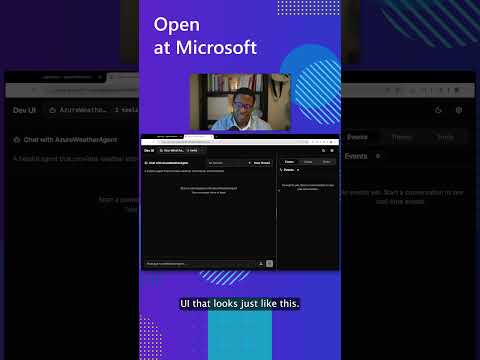
See the DevUI in action (1 min)
- Python and C#/.NET Support: Full framework support for both Python and C#/.NET implementations with consistent APIs
- Observability: Built-in OpenTelemetry integration for distributed tracing, monitoring, and debugging
- Multiple Agent Provider Support: Support for various LLM providers with more being added continuously
- Middleware: Flexible middleware system for request/response processing, exception handling, and custom pipelines
💬 We want your feedback!
- For bugs, please file a GitHub issue.
Quickstart
Basic Agent - Python
Create a simple Azure Responses Agent that writes a haiku about the Microsoft Agent Framework
# pip install agent-framework --pre
# Use `az login` to authenticate with Azure CLI
import os
import asyncio
from agent_framework.azure import AzureOpenAIResponsesClient
from azure.identity import AzureCliCredential


async def main():
    # Initialize a chat agent with Azure OpenAI Responses
    # the endpoint, deployment name, and api version can be set via environment variables
    # or they can be passed in directly to the AzureOpenAIResponsesClient constructor
    agent = AzureOpenAIResponsesClient(
        # endpoint=os.environ["AZURE_OPENAI_ENDPOINT"],
        # deployment_name=os.environ["AZURE_OPENAI_RESPONSES_DEPLOYMENT_NAME"],
        # api_version=os.environ["AZURE_OPENAI_API_VERSION"],
        # api_key=os.environ["AZURE_OPENAI_API_KEY"],  # Optional if using AzureCliCredential
        credential=AzureCliCredential(), # Optional, if using api_key
    ).as_agent(
        name="HaikuBot",
        instructions="You are an upbeat assistant that writes beautifully.",
    )

    print(await agent.run("Write a haiku about Microsoft Agent Framework."))

if __name__ == "__main__":
    asyncio.run(main())
Basic Agent - .NET
Create a simple Agent, using OpenAI Responses, that writes a haiku about the Microsoft Agent Framework
// dotnet add package Microsoft.Agents.AI.OpenAI --prerelease
using Microsoft.Agents.AI;
using OpenAI;
using OpenAI.Responses;

// Replace the <apikey> with your OpenAI API key.
var agent = new OpenAIClient("<apikey>")
    .GetResponsesClient("gpt-4o-mini")
    .AsAIAgent(name: "HaikuBot", instructions: "You are an upbeat assistant that writes beautifully.");

Console.WriteLine(await agent.RunAsync("Write a haiku about Microsoft Agent Framework."));
Create a simple Agent, using Azure OpenAI Responses with token based auth, that writes a haiku about the Microsoft Agent Framework
// dotnet add package Microsoft.Agents.AI.OpenAI --prerelease
// dotnet add package Azure.Identity
// Use `az login` to authenticate with Azure CLI
using System.ClientModel.Primitives;
using Azure.Identity;
using Microsoft.Agents.AI;
using OpenAI;
using OpenAI.Responses;

// Replace <resource> and gpt-4o-mini with your Azure OpenAI resource name and deployment name.
var agent = new OpenAIClient(
    new BearerTokenPolicy(new AzureCliCredential(), "https://ai.azure.com/.default"),
    new OpenAIClientOptions() { Endpoint = new Uri("https://<resource>.openai.azure.com/openai/v1") })
    .GetResponsesClient("gpt-4o-mini")
    .AsAIAgent(name: "HaikuBot", instructions: "You are an upbeat assistant that writes beautifully.");

Console.WriteLine(await agent.RunAsync("Write a haiku about Microsoft Agent Framework."));
More Examples & Samples
Python
- Getting Started with Agents: progressive tutorial from hello-world to hosting
- Agent Concepts: deep-dive samples by topic (tools, middleware, providers, etc.)
- Getting Started with Workflows: workflow creation and integration with agents
.NET
- Getting Started with Agents: basic agent creation and tool usage
- Agent Provider Samples: samples showing different agent providers
- Workflow Samples: advanced multi-agent patterns and workflow orchestration
Contributor Resources
Important Notes
If you use the Microsoft Agent Framework to build applications that operate with third-party servers or agents, you do so at your own risk. We recommend reviewing all data being shared with third-party servers or agents and being cognizant of third-party practices for retention and location of data. It is your responsibility to manage whether your data will flow outside of your organization's Azure compliance and geographic boundaries and any related implications.