

 c5ed8209df
* Fix #4371: Propagate session to manager agent in StandardMagenticManager

StandardMagenticManager._complete() was calling self._agent.run(messages)
without passing a session. This caused context providers (e.g.
RedisHistoryProvider) configured on the manager agent to silently fail,
as each call created a new ephemeral session with a different session_id.

Changes:
- Create an AgentSession in StandardMagenticManager.__init__()
- Pass session=self._session in _complete() calls to agent.run()
- Persist/restore the session in checkpoint save/restore methods
- Add regression tests for session propagation and checkpoint round-trip

Co-authored-by: Copilot <223556219+Copilot@users.noreply.github.com>

* Add type: ignore[reportPrivateUsage] to private attribute assertions in tests

Address PR review feedback: add # type: ignore[reportPrivateUsage] comments
to _session attribute accesses in the new regression tests, matching the
existing convention used elsewhere in test_magentic.py (e.g., lines 401-406).

The @pytest.mark.asyncio decorator is not needed because pyproject.toml
sets asyncio_mode = "auto".

Fixes #4371

Co-authored-by: Copilot <223556219+Copilot@users.noreply.github.com>

* Address review: use getattr for private _session access in tests (#4371)

Replace direct mgr._session access with getattr(mgr, "_session") to avoid
reportPrivateUsage type-checking warnings without needing type: ignore comments.

Co-authored-by: Copilot <223556219+Copilot@users.noreply.github.com>

* Apply pre-commit auto-fixes

* Address PR review: fix session restore guard and improve test robustness (#4371)

- Use 'is not None' instead of truthiness check for session_payload restore
- Use getattr() for private _session attribute access in tests
- Add backward-compatibility test for on_checkpoint_restore with empty state

Co-authored-by: Copilot <223556219+Copilot@users.noreply.github.com>

* Make non-async tests plain def to avoid pytest-asyncio dependency (#4409)

Tests that never await anything don't need to be async. Using plain def
ensures they always run regardless of pytest-asyncio configuration.

Co-authored-by: Copilot <223556219+Copilot@users.noreply.github.com>

* Apply pre-commit auto-fixes

---------

Co-authored-by: Copilot <223556219+Copilot@users.noreply.github.com>

Welcome to Microsoft Agent Framework!



Welcome to Microsoft's comprehensive multi-language framework for building, orchestrating, and deploying AI agents with support for both .NET and Python implementations. This framework provides everything from simple chat agents to complex multi-agent workflows with graph-based orchestration.
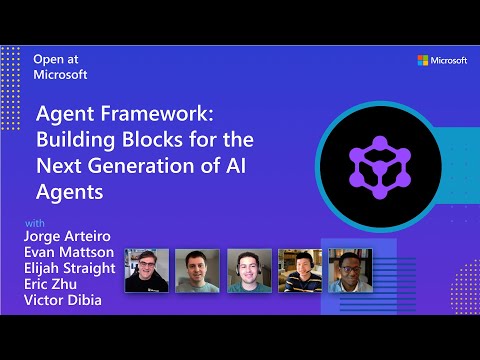
Watch the full Agent Framework introduction (30 min)
📋 Getting Started
📦 Installation
Python
pip install agent-framework --pre
# This will install all sub-packages, see `python/packages` for individual packages.
# It may take a minute on first install on Windows.
.NET
dotnet add package Microsoft.Agents.AI
📚 Documentation
- Overview - High level overview of the framework
- Quick Start - Get started with a simple agent
- Tutorials - Step by step tutorials
- User Guide - In-depth user guide for building agents and workflows
- Migration from Semantic Kernel - Guide to migrate from Semantic Kernel
- Migration from AutoGen - Guide to migrate from AutoGen
Still have questions? Join our weekly office hours or ask questions in our Discord channel to get help from the team and other users.
✨ Highlights
- Graph-based Workflows: Connect agents and deterministic functions using data flows with streaming, checkpointing, human-in-the-loop, and time-travel capabilities
- AF Labs: Experimental packages for cutting-edge features including benchmarking, reinforcement learning, and research initiatives
- DevUI: Interactive developer UI for agent development, testing, and debugging workflows
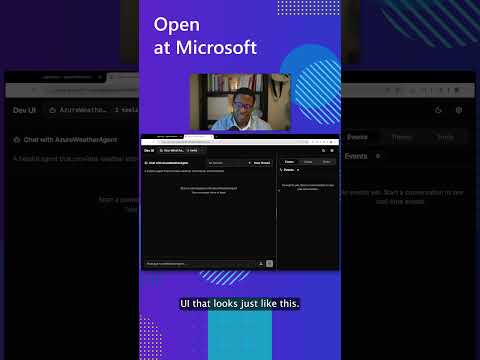
See the DevUI in action (1 min)
- Python and C#/.NET Support: Full framework support for both Python and C#/.NET implementations with consistent APIs
- Observability: Built-in OpenTelemetry integration for distributed tracing, monitoring, and debugging
- Multiple Agent Provider Support: Support for various LLM providers with more being added continuously
- Middleware: Flexible middleware system for request/response processing, exception handling, and custom pipelines
💬 We want your feedback!
- For bugs, please file a GitHub issue.
Quickstart
Basic Agent - Python
Create a simple Azure Responses Agent that writes a haiku about the Microsoft Agent Framework
# pip install agent-framework --pre
# Use `az login` to authenticate with Azure CLI
import os
import asyncio
from agent_framework.azure import AzureOpenAIResponsesClient
from azure.identity import AzureCliCredential


async def main():
    # Initialize a chat agent with Azure OpenAI Responses
    # the endpoint, deployment name, and api version can be set via environment variables
    # or they can be passed in directly to the AzureOpenAIResponsesClient constructor
    agent = AzureOpenAIResponsesClient(
        # endpoint=os.environ["AZURE_OPENAI_ENDPOINT"],
        # deployment_name=os.environ["AZURE_OPENAI_RESPONSES_DEPLOYMENT_NAME"],
        # api_version=os.environ["AZURE_OPENAI_API_VERSION"],
        # api_key=os.environ["AZURE_OPENAI_API_KEY"],  # Optional if using AzureCliCredential
        credential=AzureCliCredential(), # Optional, if using api_key
    ).as_agent(
        name="HaikuBot",
        instructions="You are an upbeat assistant that writes beautifully.",
    )

    print(await agent.run("Write a haiku about Microsoft Agent Framework."))

if __name__ == "__main__":
    asyncio.run(main())
Basic Agent - .NET
Create a simple Agent, using OpenAI Responses, that writes a haiku about the Microsoft Agent Framework
// dotnet add package Microsoft.Agents.AI.OpenAI --prerelease
using Microsoft.Agents.AI;
using OpenAI;
using OpenAI.Responses;

// Replace the <apikey> with your OpenAI API key.
var agent = new OpenAIClient("<apikey>")
    .GetResponsesClient("gpt-4o-mini")
    .AsAIAgent(name: "HaikuBot", instructions: "You are an upbeat assistant that writes beautifully.");

Console.WriteLine(await agent.RunAsync("Write a haiku about Microsoft Agent Framework."));
Create a simple Agent, using Azure OpenAI Responses with token based auth, that writes a haiku about the Microsoft Agent Framework
// dotnet add package Microsoft.Agents.AI.OpenAI --prerelease
// dotnet add package Azure.Identity
// Use `az login` to authenticate with Azure CLI
using System.ClientModel.Primitives;
using Azure.Identity;
using Microsoft.Agents.AI;
using OpenAI;
using OpenAI.Responses;

// Replace <resource> and gpt-4o-mini with your Azure OpenAI resource name and deployment name.
var agent = new OpenAIClient(
    new BearerTokenPolicy(new AzureCliCredential(), "https://ai.azure.com/.default"),
    new OpenAIClientOptions() { Endpoint = new Uri("https://<resource>.openai.azure.com/openai/v1") })
    .GetResponsesClient("gpt-4o-mini")
    .AsAIAgent(name: "HaikuBot", instructions: "You are an upbeat assistant that writes beautifully.");

Console.WriteLine(await agent.RunAsync("Write a haiku about Microsoft Agent Framework."));
More Examples & Samples
Python
- Getting Started with Agents: progressive tutorial from hello-world to hosting
- Agent Concepts: deep-dive samples by topic (tools, middleware, providers, etc.)
- Getting Started with Workflows: workflow creation and integration with agents
.NET
- Getting Started with Agents: basic agent creation and tool usage
- Agent Provider Samples: samples showing different agent providers
- Workflow Samples: advanced multi-agent patterns and workflow orchestration
Contributor Resources
Important Notes
If you use the Microsoft Agent Framework to build applications that operate with third-party servers or agents, you do so at your own risk. We recommend reviewing all data being shared with third-party servers or agents and being cognizant of third-party practices for retention and location of data. It is your responsibility to manage whether your data will flow outside of your organization's Azure compliance and geographic boundaries and any related implications.