


 b559545fa4
* Fix declarative workflow regressions for hosted agents

Three regressions surfaced when running a declarative workflow as a
Foundry hosted agent. Together they caused every condition group to fall
through to elseActions and the raw agent JSON to leak to the caller.

1. AgentProviderExtensions.InvokeAgentAsync forced autoSend to true
   whenever the agent ran on the workflow conversation, which overrode
   the explicit autoSend: false declared in workflow.yaml and streamed
   the raw structured-output JSON straight to the user. Honor the
   caller-supplied autoSend instead.

2. IWorkflowContextExtensions.ReadState / QueueStateUpdateAsync /
   QueueStateResetAsync took the variable name and namespace alias
   directly from PropertyPath.VariableName / NamespaceAlias. Against
   Microsoft.Agents.ObjectModel 2026.2.4.1 those properties return null
   for a dotted reference such as `Local.Triage` even when
   SegmentCount == 2 and IsValid == true, so every assignment threw
   ArgumentNullException via Throw.IfNull. Fall back to Segments() to
   reconstruct the name and alias when the parser returns null.

3. The same ObjectModel version no longer recognizes the user-facing
   `Local` scope alias: VariableScopeNames.IsValidName(`Local`)
   returns false and GetNamespaceFromName(`Local`) returns Unknown, so
   the declarative interpreter's IsManagedScope check fails and the
   State.Set call is silently skipped. Translate the `Local` alias to
   its canonical `Topic` form before forwarding to
   QueueStateUpdateAsync; WorkflowFormulaState.Bind continues to expose
   it as `Local` to PowerFx.

Verified end-to-end against a deployed Foundry hosted agent: the
declarative triage workflow now routes Technical / Billing / General
inputs correctly and only the autoSend-eligible messages reach the
caller.

Co-authored-by: Copilot <223556219+Copilot@users.noreply.github.com>

* Hosted-agent HITL: persist session across previous_response_id chains; run approved local AIFunctions

Two regressions hit declarative workflows that use require_approval=true when
the client chains turns via previous_response_id (no conversation_id):

1. AgentFrameworkResponseHandler keyed the AgentSession store solely on
   conversation_id, so when only previous_response_id was present the
   StateBag (which holds ToolApprovalIdMap) was discarded after each turn.
   The next turn then threw 'No approval mapping recorded for wire id ...'
   in InputConverter.ConvertMcpApprovalResponse.

   Fix: fall back to previous_response_id on load and to context.ResponseId
   on save so the response-id chain becomes a valid session key. Conversation
   id remains preferred when present.

2. InvokeFunctionToolExecutor.CaptureResponseAsync only acted on
   FunctionResultContent. In the hosted Foundry path the approval response
   arrives as a ToolApprovalResponseContent with no FunctionResultContent,
   so the local AIFunction never ran and downstream PropertyPath/SendActivity
   consumers (e.g. {Local.RefundResult}) saw empty values.

   Fix: when no FunctionResultContent matches but an approved
   ToolApprovalResponseContent does, look up the registered AIFunction by
   name on agentProvider.Functions and invoke it with the evaluated
   arguments, surfacing the result through the existing assignment path.

Co-authored-by: Copilot <223556219+Copilot@users.noreply.github.com>

* Apply PropertyPath workaround to initialization path; share + tidy helpers

Address PR #5905 review feedback:

* Move the PropertyPath VariableName/NamespaceAlias fallback and 'Local'
  -> 'Topic' scope remap into a shared internal PropertyPathExtensions
  helper. Materializes Segments() once, names the magic 'Local' alias
  as a const, and carries a TODO referencing the tracking issue.

* Apply the same helper in WorkflowDiagnostics.InitializeDefaults so a
  declared default for a dotted variable like 'Local.Triage' is no
  longer silently skipped at workflow startup (closes the gap flagged
  by the reviewer: runtime ReadState/QueueStateUpdateAsync worked but
  state.Initialize did not).

* Restore the previous strict failure mode on namespace alias by
  wrapping GetNamespaceAlias() in Throw.IfNull at call sites so a
  malformed single-segment path keeps failing fast rather than
  silently passing null to State.Get/Set.

All 821 unit tests pass.

Co-authored-by: Copilot <223556219+Copilot@users.noreply.github.com>

* Add tests for AgentProviderExtensions.InvokeAgentAsync autoSend behavior

Covers the autoSend regression fix: when the agent runs on the workflow conversation with autoSend=false, no AgentResponseUpdateEvent or AgentResponseEvent is added to the context. Also covers autoSend=true (events emitted) and autoSend=false on a non-workflow conversation.

Co-authored-by: Copilot <223556219+Copilot@users.noreply.github.com>

* Surface SendActivity output via AgentResponseUpdateEvent

SendActivityExecutor previously only emitted the activity text via YieldOutputAsync, which the runtime converts to an AgentResponseEvent. WorkflowSession gates AgentResponseEvent behind includeWorkflowOutputsInResponse, so when a host opts out of summary outputs (the default for AsAIAgent) the SendActivity reply is silently dropped.

Mirror the pattern used by AgentProviderExtensions for autoSend agent invocations: also emit an AgentResponseUpdateEvent, which WorkflowSession yields unconditionally. This makes SendActivity reliably reach chat-protocol clients without requiring includeWorkflowOutputsInResponse = true (which would also duplicate autoSend agent output).

Co-authored-by: Copilot <223556219+Copilot@users.noreply.github.com>

* Revert previous_response_id session-key fallback

The fallback let a session be keyed by an unbroken previous_response_id chain,
but conversation_id is the right way to thread state across turns: it survives
shared/branched chains (e.g. when another agent generates a response in between)
and is the documented model for stateful clients. Restore conversation_id as the
sole session key and rely on the client to thread it. The InvokeFunctionTool
approval/local-function half of 1baf4af4d remains.

Co-authored-by: Copilot <223556219+Copilot@users.noreply.github.com>

* Set Foundry ProductContext per-executor instead of via PropertyPath workaround

ObjectModel 2026.2.4.1 resolves PropertyPath.VariableName / NamespaceAlias and VariableScopeNames.IsValidName against AsyncLocal<ProductContext> at access time. In hosted-agent scenarios each HTTP request runs on a fresh async context where that AsyncLocal is default, so dotted refs like Local.Triage returned null and the Local scope alias was rejected.

Replace the PropertyPathExtensions helper (which papered over both symptoms) with a single WorkflowDiagnostics.SetFoundryProduct() call at the entry of DeclarativeActionExecutor.HandleAsync. The set writes to the request's logical async context before any code reads PropertyPath, letting the existing parser and scope resolver work as designed.

Validated: 824/824 declarative unit tests pass; technical/billing/general routes all dispatch correctly against a deployed Foundry hosted agent.

Co-authored-by: Copilot <223556219+Copilot@users.noreply.github.com>

* Address review feedback on InvokeFunctionToolExecutor

- Surface registered-function lookup failures and invocation exceptions via FunctionResultContent.Exception instead of returning the error text as a successful Result, so downstream {Local.X} assignments can distinguish failures from successes.

- Use AIJsonUtilities.DefaultOptions to JSON-serialize non-string function results (matching FunctionInvokingChatClient / ToolBridge), so complex types stay consumable by PropertyPath consumers instead of degrading to Object.ToString().

- Drop the explicit System. prefix on StringComparison / Exception now that the file imports System.

- Add AutoSendTrueOnExternalConversationEmitsResponseEventsAndCopiesMessagesAsync to cover the (autoSend: true, external conversation) quadrant, asserting that response events are emitted and that messages are mirrored to the workflow conversation.

Co-authored-by: Copilot <223556219+Copilot@users.noreply.github.com>

* Honor AutoSendIsDefaultValue when computing autoSend

AzureAgentOutput.AutoSend and InvokeToolOutput.AutoSend in
Microsoft.Agents.ObjectModel 2026.2.4.1 are never null — they
return a literal-false default when the YAML omits the field.
The previous null check in Get/AutoSendValue therefore always
fell through to evaluating the literal false, so every action
whose YAML had any output block but no explicit autoSend was
treated as autoSend = false. This was previously masked by
`autoSend |= isWorkflowConversation` in AgentProviderExtensions
(removed earlier in this PR to honor explicit autoSend: false),
which silently re-enabled autoSend on the workflow conversation.

Use AutoSendIsDefaultValue to distinguish an explicit autoSend
value from the implicit default and treat the implicit default
as true, restoring the historical behavior for ValidateCaseAsync
InvokeAgent.yaml (3 InvokeAzureAgent actions, last one captures
to Local.RatingResponse via output.messages with no autoSend
specified) while keeping the hosted-agent fix that honors an
explicit autoSend: false.

Co-authored-by: Copilot <223556219+Copilot@users.noreply.github.com>

---------

Co-authored-by: Ben Thomas <25218250+alliscode@users.noreply.github.com>
Co-authored-by: Copilot <223556219+Copilot@users.noreply.github.com>

Welcome to Microsoft Agent Framework!




Microsoft Agent Framework (MAF) is an open, multi-language framework for building production-grade AI agents and multi-agent workflows in .NET and Python.
Microsoft Agent Framework is built for teams taking agents from prototype to production. It provides a consistent foundation for building, orchestrating, and operating agent systems across Python and .NET, while keeping architecture choices open as requirements evolve, and supports a broad ecosystem including Microsoft Foundry, Azure OpenAI, OpenAI, and the GitHub Copilot SDK, with samples and hosting patterns for both local development and cloud deployment.
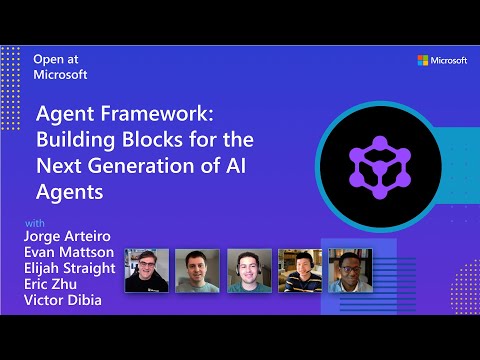
Watch the full Agent Framework introduction (30 min)
Is this the right framework for you?
MAF is a strong fit if you:
- are building agents and workflows you expect to run in production,
- need orchestration beyond a single prompt or stateless chat loop,
- want graph-based patterns such as sequential, concurrent, handoff, and group collaboration,
- care about durability, restartability, observability, governance, or human-in-the-loop control,
- need provider flexibility so your architecture can evolve without major rewrites.
Key Features
Explore new MAF capabilities and real implementation patterns on the official blog.
- Python and C#/.NET Support: Full framework support for both Python and C#/.NET implementations with consistent APIs
- Multiple Agent Provider Support: Support for various LLM providers with more being added continuously
- Middleware: Flexible middleware system for request/response processing, exception handling, and custom pipelines
- Orchestration Patterns & Workflows: Build multi-agent systems with graph-based workflows supporting sequential, concurrent, handoff, and group collaboration patterns; includes checkpointing, streaming, human-in-the-loop, and time-travel
- Foundry Hosted Agents (new): Deploy and host your agents to Foundry-hosted infrastructure with just 2 additional lines of code
- Observability: Built-in OpenTelemetry integration for distributed tracing, monitoring, and debugging
- Declarative Agents: Define agents using YAML for faster setup and versioning
- Agent Skills: Build domain-specific knowledge bases from multiple sources—files, inline code, class libraries—for agents to discover and use
- AF Labs: Experimental packages for cutting-edge features including benchmarking, reinforcement learning, and research initiatives
- DevUI: Interactive developer UI for agent development, testing, and debugging workflows
Table of Contents
Getting Started
Installation
Python
pip install agent-framework
# This will install all sub-packages, see `python/packages` for individual packages.
# It may take a minute on first install on Windows.
.NET
dotnet add package Microsoft.Agents.AI
# For Foundry integration (used in the .NET quickstart below):
dotnet add package Microsoft.Agents.AI.Foundry
dotnet add package Azure.AI.Projects
dotnet add package Azure.Identity
Learning Resources
- Overview - High level overview of the framework
- Quick Start - Get started with a simple agent
- Tutorials - Step by step tutorials
- User Guide - In-depth user guide for building agents and workflows
- Migration from Semantic Kernel - Guide to migrate from Semantic Kernel
- Migration from AutoGen - Guide to migrate from AutoGen
Quickstart
Basic Agent - Python
Create a simple Azure Responses Agent that writes a haiku about the Microsoft Agent Framework
# pip install agent-framework
# Use `az login` to authenticate with Azure CLI
import os
import asyncio
from agent_framework import Agent
from agent_framework.foundry import FoundryChatClient
from azure.identity import AzureCliCredential


async def main():
    # Initialize a chat agent with Microsoft Foundry
    # the endpoint, deployment name, and api version can be set via environment variables
    # or they can be passed in directly to the FoundryChatClient constructor
    agent = Agent(
      client=FoundryChatClient(
          credential=AzureCliCredential(),
          # project_endpoint=os.environ["FOUNDRY_PROJECT_ENDPOINT"],
          # model=os.environ["FOUNDRY_MODEL_DEPLOYMENT_NAME"],
      ),
      name="HaikuAgent",
      instructions="You are an upbeat assistant that writes beautifully.",
    )

    print(await agent.run("Write a haiku about Microsoft Agent Framework."))

if __name__ == "__main__":
    asyncio.run(main())
Basic Agent - .NET
Create a simple Agent, using Microsoft Foundry that writes a haiku about the Microsoft Agent Framework
// This sample shows how to create and run a basic agent with AIProjectClient.AsAIAgent(...).

using Azure.AI.Projects;
using Azure.Identity;
using Microsoft.Agents.AI;

string endpoint = Environment.GetEnvironmentVariable("AZURE_AI_PROJECT_ENDPOINT") ?? throw new InvalidOperationException("AZURE_AI_PROJECT_ENDPOINT is not set.");
string deploymentName = Environment.GetEnvironmentVariable("AZURE_AI_MODEL_DEPLOYMENT_NAME") ?? "gpt-5.4-mini";

AIAgent agent =
    new AIProjectClient(new Uri(endpoint), new DefaultAzureCredential())
    .AsAIAgent(model: deploymentName, instructions: "You are an upbeat assistant that writes beautifully.", name: "HaikuAgent");

// Once you have the agent, you can invoke it like any other AIAgent.
Console.WriteLine(await agent.RunAsync("Write a haiku about Microsoft Agent Framework."));
More Examples & Samples
Python
- Getting Started: progressive tutorial from hello-world to hosting
- Agent Concepts: deep-dive samples by topic (tools, middleware, providers, etc.)
- Workflows: workflow creation and integration with agents
- Hosting: A2A, Azure Functions, Durable Task hosting
- End-to-End: full applications, evaluation, and demos
.NET
- Getting Started: progressive tutorial from hello agent to hosting
- Agent Concepts: basic agent creation and tool usage
- Agent Providers: samples showing different agent providers
- Workflows: advanced multi-agent patterns and workflow orchestration
- Hosting: A2A, Durable Agents, Durable Workflows
- End-to-End: full applications and demos
Community & Feedback
- Found a bug? File a GitHub issue to help us improve.
- Enjoying MAF?
to show your support and help others discover the project.
- Have questions? Join our Discord or visit weekly office hours.
Troubleshooting
Authentication
| Problem | Cause | Fix |
|---|---|---|
| Authentication errors when using Azure credentials | Not signed in to Azure CLI | Run az login before starting your app |
| API key errors | Wrong or missing API key | Verify the key and ensure it's for the correct resource/provider |
Tip:
DefaultAzureCredentialis convenient for development but in production, consider using a specific credential (e.g.,ManagedIdentityCredential) to avoid latency issues, unintended credential probing, and potential security risks from fallback mechanisms.
Environment Variables
For environment variable configuration specific to each sample, refer to the README in the sample directory (Python samples | .NET samples).
Contributor Resources
Important Notes
Important
If you use Microsoft Agent Framework to build applications that operate with any third-party servers, agents, code, or non-Azure Direct models (“Third-Party Systems”), you do so at your own risk. Third-Party Systems are Non-Microsoft Products under the Microsoft Product Terms and are governed by their own third-party license terms. You are responsible for any usage and associated costs.
We recommend reviewing all data being shared with and received from Third-Party Systems and being cognizant of third-party practices for handling, sharing, retention and location of data. It is your responsibility to manage whether your data will flow outside of your organization’s Azure compliance and geographic boundaries and any related implications, and that appropriate permissions, boundaries and approvals are provisioned.
You are responsible for carefully reviewing and testing applications you build using Microsoft Agent Framework in the context of your specific use cases, and making all appropriate decisions and customizations. This includes implementing your own responsible AI mitigations such as metaprompt, content filters, or other safety systems, and ensuring your applications meet appropriate quality, reliability, security, and trustworthiness standards. See also: Transparency FAQ