

 b00465d7be
* feat: Add Agent Framework to A2A bridge support

- Implement A2A event adapter for converting agent messages to A2A protocol
- Add A2A execution context for managing agent execution state
- Implement A2A executor for running agents in A2A environment
- Add comprehensive unit tests for event adapter, execution context, and executor
- Update agent framework core A2A module exports and type stubs
- Integrate thread management utilities for async execution
- Add getting started sample for A2A agent framework integration
- Update dependencies in uv.lock

This integration enables agent framework agents to communicate and execute within the A2A (Agent to Agent) infrastructure.

* fix: Update references from agent_thread_storage to _agent_thread_storage in A2A executor tests

* Refactor A2A agent framework and improve code structure

- Reordered imports in various files for consistency and clarity.
- Updated `__all__` definitions to maintain a consistent order across modules.
- Simplified method signatures by removing unnecessary line breaks.
- Enhanced readability by adjusting formatting in several sections.
- Removed redundant comments and example scenarios in the execution context.
- Improved handling of agent messages in the event adapter.
- Added type hints for better clarity and type checking.
- Cleaned up test cases for better organization and readability.

* fix: Lint fix new line added

* test: Add unit tests for AgentThreadStorage and InMemoryAgentThreadStorage

* refactor: Update type hints to use new syntax for Union and List

* fix: Validate RequestContext for context_id and message before execution

* Refactor tests and remove A2aExecutionContext references

- Deleted the test file for A2aExecutionContext as it is no longer needed.
- Updated A2aExecutor tests to remove dependencies on A2aExecutionContext and adjusted method calls accordingly.
- Modified event adapter tests to use ChatMessage instead of AgentRunResponseUpdate.
- Removed A2aExecutionContext from imports in agent_framework.a2a module and updated type hints accordingly.

* Refactor A2AExecutor tests and remove event adapter

- Updated test cases to use A2AExecutor instead of A2aExecutor for consistency.
- Removed mock_event_adapter fixture and related tests as A2aEventAdapter is deprecated.
- Consolidated event handling tests into TestA2AExecutorEventAdapter.
- Adjusted imports in various files to reflect the removal of deprecated components.
- Ensured all references to A2aExecutor are updated to A2AExecutor across the codebase.

* refactor: Remove AgentThreadStorage and InMemoryAgentThreadStorage classes from threads and tests

* feat: A2AExecutor to have its own override able save and get threads methods for persistent storage.

* fix: linter bugs

* removed unnecessary changes form core package

* new line added

* Refactor A2AExecutor tests and update imports

- Consolidated mock agent fixtures in test_a2a_executor.py to simplify agent mocking.
- Removed redundant tests related to thread storage and agent types, focusing on A2AExecutor's core functionality.
- Updated test assertions to reflect changes in message handling with new Message and Content classes.
- Enhanced integration tests to ensure compatibility with the new agent framework structure.
- Added A2AExecutor to the module exports in __init__.py and __init__.pyi for better accessibility.

* Update A2A documentation: enhance usage examples for A2AAgent and A2AExecutor

* Updated uv lock

* Fix metadata assertion in TestA2AExecutorHandleEvents and reorder load_dotenv call in agent_framework_to_a2a.py

* Update agent card configuration: add default input and output modes, and fix agent creation method

* Fix assertion for metadata in TestA2AExecutorHandleEvents

* Fix formatting issues in TestA2AExecutorExecute and TestA2AExecutorIntegration

* Enhance A2AExecutor documentation with examples and clarify agent execution process

* Revert uv lock to main

* Refactor A2AExecutor: Improve formatting and streamline constructor parameters

* Apply suggestions from code review

Co-authored-by: Eduard van Valkenburg <eavanvalkenburg@users.noreply.github.com>

* Refactor A2AExecutor to use SupportsAgentRun and enhance logging; update agent framework sample for flight and hotel booking capabilities

* Enhance A2AExecutor with streaming support and custom run arguments; update tests for initialization and execution scenarios

* Enhance A2AExecutor event handling with streamed artifact tracking; update tests for new behavior

* Refactor A2AExecutor to enforce type hints for stream and run_kwargs attributes

* Refactor A2AExecutor and tests: replace AsyncMock with MagicMock for response stream handling; clean up imports in agent_framework_to_a2a.py

* refactor: streamline imports and improve code readability across multiple files

* feat: enhance A2AExecutor cancel method with context validation and fixed review comments

* feat: implement get_uri_data utility function for extracting base64 data from data URIs and update references

* fix: update import path for get_uri_data utility function in A2AExecutor and A2AAgent

* fix: correct error message handling in A2AExecutor and update test assertions

---------

Co-authored-by: Eduard van Valkenburg <eavanvalkenburg@users.noreply.github.com>

Welcome to Microsoft Agent Framework!



Welcome to Microsoft's comprehensive multi-language framework for building, orchestrating, and deploying AI agents with support for both .NET and Python implementations. This framework provides everything from simple chat agents to complex multi-agent workflows with graph-based orchestration.
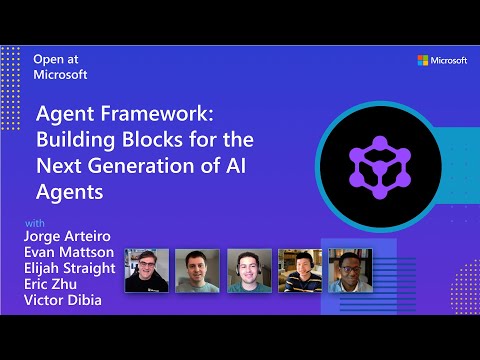
Watch the full Agent Framework introduction (30 min)
📋 Getting Started
📦 Installation
Python
pip install agent-framework
# This will install all sub-packages, see `python/packages` for individual packages.
# It may take a minute on first install on Windows.
.NET
dotnet add package Microsoft.Agents.AI
📚 Documentation
- Overview - High level overview of the framework
- Quick Start - Get started with a simple agent
- Tutorials - Step by step tutorials
- User Guide - In-depth user guide for building agents and workflows
- Migration from Semantic Kernel - Guide to migrate from Semantic Kernel
- Migration from AutoGen - Guide to migrate from AutoGen
Still have questions? Join our weekly office hours or ask questions in our Discord channel to get help from the team and other users.
✨ Highlights
- Graph-based Workflows: Connect agents and deterministic functions using data flows with streaming, checkpointing, human-in-the-loop, and time-travel capabilities
- AF Labs: Experimental packages for cutting-edge features including benchmarking, reinforcement learning, and research initiatives
- DevUI: Interactive developer UI for agent development, testing, and debugging workflows
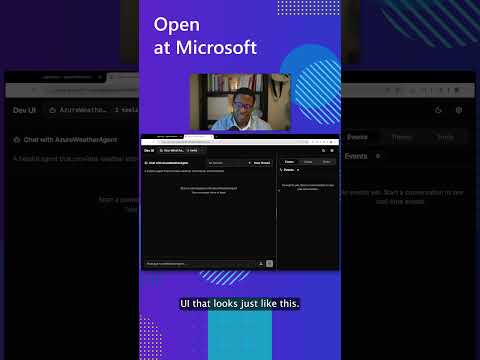
See the DevUI in action (1 min)
- Python and C#/.NET Support: Full framework support for both Python and C#/.NET implementations with consistent APIs
- Observability: Built-in OpenTelemetry integration for distributed tracing, monitoring, and debugging
- Multiple Agent Provider Support: Support for various LLM providers with more being added continuously
- Middleware: Flexible middleware system for request/response processing, exception handling, and custom pipelines
💬 We want your feedback!
- For bugs, please file a GitHub issue.
Quickstart
Basic Agent - Python
Create a simple Azure Responses Agent that writes a haiku about the Microsoft Agent Framework
# pip install agent-framework
# Use `az login` to authenticate with Azure CLI
import os
import asyncio
from agent_framework import Agent
from agent_framework.foundry import FoundryChatClient
from azure.identity import AzureCliCredential


async def main():
    # Initialize a chat agent with Microsoft Foundry
    # the endpoint, deployment name, and api version can be set via environment variables
    # or they can be passed in directly to the FoundryChatClient constructor
    agent = Agent(
      client=FoundryChatClient(
          credential=AzureCliCredential(),
          # project_endpoint=os.environ["FOUNDRY_PROJECT_ENDPOINT"],
          # model=os.environ["FOUNDRY_MODEL_DEPLOYMENT_NAME"],
      ),
      name="HaikuBot",
      instructions="You are an upbeat assistant that writes beautifully.",
    )

    print(await agent.run("Write a haiku about Microsoft Agent Framework."))

if __name__ == "__main__":
    asyncio.run(main())
Basic Agent - .NET
Create a simple Agent, using Microsoft Foundry with token-based auth, that writes a haiku about the Microsoft Agent Framework
// dotnet add package Microsoft.Agents.AI.Foundry
// Use `az login` to authenticate with Azure CLI
using Azure.AI.Projects;
using Azure.Identity;
using System;
using Azure.AI.Projects;
using Azure.Identity;

var endpoint = Environment.GetEnvironmentVariable("AZURE_AI_PROJECT_ENDPOINT") ?? throw new InvalidOperationException("AZURE_AI_PROJECT_ENDPOINT is not set.");
var deploymentName = Environment.GetEnvironmentVariable("AZURE_AI_MODEL_DEPLOYMENT_NAME") ?? "gpt-5.4-mini";

var agent = new AIProjectClient(new Uri(endpoint), new DefaultAzureCredential())
    .AsAIAgent(model: deploymentName, name: "HaikuBot", instructions: "You are an upbeat assistant that writes beautifully.");

Console.WriteLine(await agent.RunAsync("Write a haiku about Microsoft Agent Framework."));
Create a simple Agent, using OpenAI Responses, that writes a haiku about the Microsoft Agent Framework
// dotnet add package Microsoft.Agents.AI.OpenAI
using System;
using OpenAI;
using OpenAI.Responses;

// Replace the <apikey> with your OpenAI API key.
var agent = new OpenAIClient("<apikey>")
    .GetResponsesClient()
    .AsAIAgent(model: "gpt-5.4-mini", name: "HaikuBot", instructions: "You are an upbeat assistant that writes beautifully.");

Console.WriteLine(await agent.RunAsync("Write a haiku about Microsoft Agent Framework."));
More Examples & Samples
Python
- Getting Started: progressive tutorial from hello-world to hosting
- Agent Concepts: deep-dive samples by topic (tools, middleware, providers, etc.)
- Workflows: workflow creation and integration with agents
- Hosting: A2A, Azure Functions, Durable Task hosting
- End-to-End: full applications, evaluation, and demos
.NET
- Getting Started: progressive tutorial from hello agent to hosting
- Agent Concepts: basic agent creation and tool usage
- Agent Providers: samples showing different agent providers
- Workflows: advanced multi-agent patterns and workflow orchestration
- Hosting: A2A, Durable Agents, Durable Workflows
- End-to-End: full applications and demos
Troubleshooting
Authentication
| Problem | Cause | Fix |
|---|---|---|
| Authentication errors when using Azure credentials | Not signed in to Azure CLI | Run az login before starting your app |
| API key errors | Wrong or missing API key | Verify the key and ensure it's for the correct resource/provider |
Tip:
DefaultAzureCredentialis convenient for development but in production, consider using a specific credential (e.g.,ManagedIdentityCredential) to avoid latency issues, unintended credential probing, and potential security risks from fallback mechanisms.
Environment Variables
The samples typically read configuration from environment variables. Common required variables:
| Variable | Used by | Purpose |
|---|---|---|
AZURE_OPENAI_ENDPOINT |
Azure OpenAI samples | Your Azure OpenAI resource URL |
AZURE_OPENAI_DEPLOYMENT_NAME |
Azure OpenAI samples | Model deployment name (e.g. gpt-4o-mini) |
AZURE_AI_PROJECT_ENDPOINT |
Microsoft Foundry samples | Your Microsoft Foundry project endpoint |
AZURE_AI_MODEL_DEPLOYMENT_NAME |
Microsoft Foundry samples | Model deployment name |
OPENAI_API_KEY |
OpenAI (non-Azure) samples | Your OpenAI platform API key |
Contributor Resources
Important Notes
Important
If you use Microsoft Agent Framework to build applications that operate with any third-party servers, agents, code, or non-Azure Direct models (“Third-Party Systems”), you do so at your own risk. Third-Party Systems are Non-Microsoft Products under the Microsoft Product Terms and are governed by their own third-party license terms. You are responsible for any usage and associated costs.
We recommend reviewing all data being shared with and received from Third-Party Systems and being cognizant of third-party practices for handling, sharing, retention and location of data. It is your responsibility to manage whether your data will flow outside of your organization’s Azure compliance and geographic boundaries and any related implications, and that appropriate permissions, boundaries and approvals are provisioned.
You are responsible for carefully reviewing and testing applications you build using Microsoft Agent Framework in the context of your specific use cases, and making all appropriate decisions and customizations. This includes implementing your own responsible AI mitigations such as metaprompt, content filters, or other safety systems, and ensuring your applications meet appropriate quality, reliability, security, and trustworthiness standards. See also: Transparency FAQ