 Ben Thomas
aee1acbf8b
Ben Thomas
aee1acbf8b
* Foundry Evals integration for .NET

- Core evaluation framework: EvalItem, LocalEvaluator, FunctionEvaluator, EvalChecks
- IAgentEvaluator interface with MeaiEvaluatorAdapter bridge
- AgentEvaluationExtensions for agent.EvaluateAsync() overloads
- FoundryEvals wrapping MEAI quality/safety evaluators
- ConversationSplitters (LastTurn, Full) and IConversationSplitter
- EvalItem.PerTurnItems() for multi-turn decomposition
- HasImageContent for multimodal content detection
- WorkflowEvaluationExtensions for per-agent workflow evaluation
- 7 eval samples mirroring Python parity:
  02-agents/Evaluation: SimpleEval, ExpectedOutputs, Multimodal
  03-workflows/Evaluation: WorkflowEval
  05-end-to-end/Evaluation: FoundryQuality, MixedProviders, ConversationSplits
- Comprehensive unit tests (1958 passing)

Co-authored-by: Copilot <223556219+Copilot@users.noreply.github.com>

* Rewrite FoundryEvals to use real Foundry Evals API

Replace MEAI evaluator shim with actual OpenAI EvaluationClient protocol
methods. FoundryEvals now creates eval definitions, submits runs, polls
for completion, and fetches per-item results server-side.

- New constructor: FoundryEvals(AIProjectClient, model, evaluators)
- Add FoundryEvalConverter for MEAI ChatMessage -> Foundry JSON format
- Add EvalId, RunId, ReportUrl to AgentEvaluationResults
- All 20 built-in evaluator constants now work (agent, tool, quality, safety)
- Remove Microsoft.Extensions.AI.Evaluation.Quality/Safety dependencies
- Update all samples for new constructor (no more ChatConfiguration)
- Replace BuildEvaluators tests with ResolveEvaluator tests

Co-authored-by: Copilot <223556219+Copilot@users.noreply.github.com>

* Add response output to CustomEvals and ExpectedOutputs samples

Co-authored-by: Copilot <223556219+Copilot@users.noreply.github.com>

* Address review: pagination, validation, error handling, tests

FoundryEvals fixes:
- Add pagination for output items (has_more/after cursor)
- Add guard clauses for pollIntervalSeconds/timeoutSeconds <= 0
- Fix double TryGetProperty for passed field parsing
- Throw on all-tool-evaluators with no tool definitions
- Fix XML doc (default 300s, not 180s)

New tests (30 added, 1989 total):
- EvalChecks: NonEmpty, ContainsExpected (pass/fail/skip/case),
  HasImageContent, ToolCallsPresent
- FoundryEvalConverter: ConvertMessage (text, image, function call,
  function results fan-out, empty fallback, mixed content),
  ConvertEvalItem, BuildTestingCriteria (quality/agent/tool/groundedness
  data mappings), BuildItemSchema

Co-authored-by: Copilot <223556219+Copilot@users.noreply.github.com>

* Fix review: null-refs, Data.ToString() bug, ContainsExpected, add tests

- Fix NullReferenceException in sample Response display (pattern matching)
- Fix WorkflowEvaluationExtensions Data?.ToString() producing type names
  instead of message text (pattern-match ChatMessage/AgentResponse/list)
- Change EvalChecks.ContainsExpected to return Passed=false when no
  ExpectedOutput (was silently passing, masking misconfiguration)
- Add EvalItem constructor tests with LastTurn/Full/null splitters
- Add FoundryEvalConverter.ConvertMessage DataContent (base64 image) test
- Add ExtractAgentData tests with ChatMessage, list, and AgentResponse data

Co-authored-by: Copilot <223556219+Copilot@users.noreply.github.com>

* Fix review: conversation fidelity, eval caching, fallback tests

- WorkflowEvaluationExtensions: preserve full response messages (tool calls,
  intermediate) instead of synthetic 2-message conversation. Cast completed
  Data to AgentResponse and use Messages when available, fallback to text.
- FoundryEvals: cache evalId per schema shape (hasContext, hasTools) so
  subsequent EvaluateAsync calls create runs under the same eval definition.
- MeaiEvaluatorAdapter: code already correctly passes queryMessages (not full
  conversation) to IEvaluator — no change needed, verified by inspection.
- Add tests: AgentResponse full messages preservation, unknown object
  ToString() fallback for ExtractAgentData.

Co-authored-by: Copilot <223556219+Copilot@users.noreply.github.com>

* Rename AzureAI→Foundry: move eval files, update references

- Move FoundryEvals.cs and FoundryEvalConverter.cs from
  Microsoft.Agents.AI.AzureAI to Microsoft.Agents.AI.Foundry
- Update namespace from AzureAI to Foundry in both files
- Add explicit usings required by Foundry project (no implicit usings)
- Move FoundryEvalConverter tests to Foundry.UnitTests project
  (avoids ReplacingRedactor type conflict from dual project refs)
- Update all sample csproj references and using statements
- Remove Foundry project reference from AI UnitTests

Co-authored-by: Copilot <223556219+Copilot@users.noreply.github.com>

* PR review round 4: wire up tool extraction, remove eval cache, fix null safety

- BuildEvalItem: extract tools from agent via GetService<ChatOptions>() into EvalItem.Tools (Python parity)
- FoundryEvals: remove eval ID cache - each call creates fresh definition (matches Python behavior)
- FoundryEvals: replace null-forgiving operators with descriptive InvalidOperationException
- MixedProviders sample: remove unnecessary explicit PackageReferences (transitively provided)
- FoundryEvalConverter: document that tool results take precedence over text content
- Add LocalEvaluator zero-checks test documenting 0 metrics = failed behavior

Co-authored-by: Copilot <223556219+Copilot@users.noreply.github.com>

* Python-dotnet parity: 9 feature gaps filled

New checks:
- ToolCallArgsMatch() — verify tool call names + argument subset match
- ToolCalledCheck(ToolCalledMode.Any, ...) — match any of the specified tools
- ToolCalledMode enum (All/Any)

FoundryEvals enhancements:
- Default evaluators now [Relevance, Coherence, TaskAdherence] (was Relevance, Coherence)
- Auto-add ToolCallAccuracy when items have tool definitions
- EvaluateTracesAsync — evaluate by response_ids, trace_ids, or agent_id
- EvaluateFoundryTargetAsync — evaluate deployed Foundry targets

Result type enrichment:
- AgentEvaluationResults: added Status, Error, PerEvaluator, DetailedItems
- New EvalItemResult/EvalScoreResult/PerEvaluatorResult types
- FoundryEvals populates all new fields from API responses

Workflow fix:
- Skip internal executors (_*, input-conversation, end-conversation, end)

Tests: 8 new tests covering ToolCallArgsMatch, ToolCalledMode.Any, internal executor filtering

Co-authored-by: Copilot <223556219+Copilot@users.noreply.github.com>

* Add MeaiEvaluatorAdapter and PerTurnItems edge case tests

- 3 tests for MeaiEvaluatorAdapter: query message forwarding, synthetic
  response fallback, multiple items aggregation
- 3 tests for EvalItem.PerTurnItems: empty conversation, no user messages,
  system+assistant only
- StubEvaluator and StubChatClient test helpers

Co-authored-by: Copilot <223556219+Copilot@users.noreply.github.com>

* Blocking link check for outdated package in DevUI.

* Replace Dictionary<string, object> payloads with typed wire models

Introduce internal FoundryEvalWireModels.cs with compile-time-safe types
for the OpenAI Evals API wire format. The OpenAI .NET SDK (2.9.1) only
provides protocol-level methods with BinaryContent/ClientResult — no
typed request models. These internal models replace scattered dictionary
literals with [JsonPropertyName]-annotated classes, giving:

- Compile-time safety (typos become build errors)
- Single point of change when the API evolves
- IntelliSense discoverability
- Cleaner serialization via JsonPolymorphic for content items

Models: WireContentItem hierarchy (text, image, tool_call, tool_result),
WireMessage, WireEvalItemPayload, WireTestingCriterion, WireItemSchema,
WireCreateEvalRequest, WireCreateRunRequest, and data source variants.

Co-authored-by: Copilot <223556219+Copilot@users.noreply.github.com>

* Skip metric when Foundry returns neither score nor passed

When an evaluator returns no score and no passed value, the previous
code created BooleanMetric(name, false), which falsely failed items
via ItemPassed. Now we skip the MEAI metric entirely for indeterminate
results — the raw data remains available in DetailedItems for diagnostics.

Co-authored-by: Copilot <223556219+Copilot@users.noreply.github.com>

* Address PR #4914 review comments: fix tool evaluator bug and add tests

- Fix duplicate ToolCallAccuracy: resolve evaluator names before checking
  against ToolEvaluators set (Comment 2)
- Make FilterToolEvaluators internal for testability; add tests for the
  ArgumentException edge case when all evaluators are tool-type (Comment 3)
- Add CancellationToken test for LocalEvaluator (Comment 4)
- Add EvaluateAsync integration test on Run with sequential workflow and
  per-agent SubResults verification (Comment 5)

Co-authored-by: Copilot <223556219+Copilot@users.noreply.github.com>

* Address Peter's review comments on PR #4914

- Add trailing newline to Evaluation_FoundryQuality.csproj (Comment 6)
- Make evaluator name lookups case-insensitive: switch BuiltinEvaluators,
  ToolEvaluators, AgentEvaluators, and ResolveEvaluator's StartsWith check
  from Ordinal to OrdinalIgnoreCase (Comment 7)
- Add Trace.TraceWarning when Foundry returns fewer results than submitted
  items, indicating expected vs actual count before padding (Comment 8)

Co-authored-by: Copilot <223556219+Copilot@users.noreply.github.com>

* Add Microsoft.Extensions.AI.Evaluation packages to Directory.Packages.props

These were removed in #5269 as unused, but are needed by the Foundry
and core evaluation integration added in this PR.

Co-authored-by: Copilot <223556219+Copilot@users.noreply.github.com>

---------

Co-authored-by: alliscode <bentho@microsoft.com>
Co-authored-by: Copilot <223556219+Copilot@users.noreply.github.com>

Welcome to Microsoft Agent Framework!



Welcome to Microsoft's comprehensive multi-language framework for building, orchestrating, and deploying AI agents with support for both .NET and Python implementations. This framework provides everything from simple chat agents to complex multi-agent workflows with graph-based orchestration.
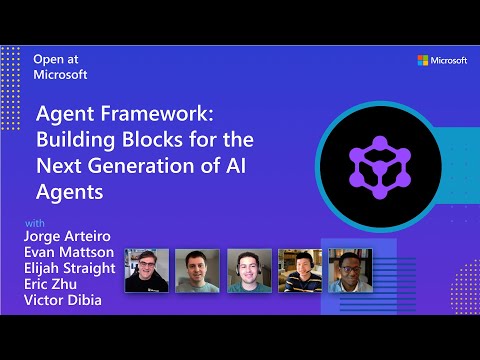
Watch the full Agent Framework introduction (30 min)
📋 Getting Started
📦 Installation
Python
pip install agent-framework
# This will install all sub-packages, see `python/packages` for individual packages.
# It may take a minute on first install on Windows.
.NET
dotnet add package Microsoft.Agents.AI
📚 Documentation
- Overview - High level overview of the framework
- Quick Start - Get started with a simple agent
- Tutorials - Step by step tutorials
- User Guide - In-depth user guide for building agents and workflows
- Migration from Semantic Kernel - Guide to migrate from Semantic Kernel
- Migration from AutoGen - Guide to migrate from AutoGen
Still have questions? Join our weekly office hours or ask questions in our Discord channel to get help from the team and other users.
✨ Highlights
- Graph-based Workflows: Connect agents and deterministic functions using data flows with streaming, checkpointing, human-in-the-loop, and time-travel capabilities
- AF Labs: Experimental packages for cutting-edge features including benchmarking, reinforcement learning, and research initiatives
- DevUI: Interactive developer UI for agent development, testing, and debugging workflows
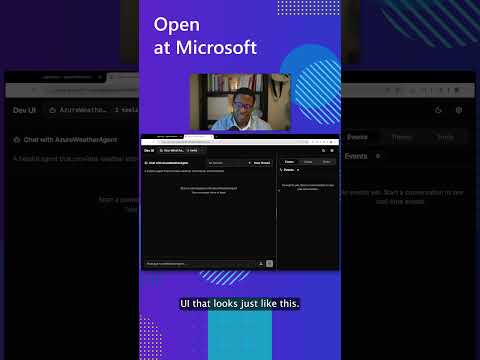
See the DevUI in action (1 min)
- Python and C#/.NET Support: Full framework support for both Python and C#/.NET implementations with consistent APIs
- Observability: Built-in OpenTelemetry integration for distributed tracing, monitoring, and debugging
- Multiple Agent Provider Support: Support for various LLM providers with more being added continuously
- Middleware: Flexible middleware system for request/response processing, exception handling, and custom pipelines
💬 We want your feedback!
- For bugs, please file a GitHub issue.
Quickstart
Basic Agent - Python
Create a simple Azure Responses Agent that writes a haiku about the Microsoft Agent Framework
# pip install agent-framework
# Use `az login` to authenticate with Azure CLI
import os
import asyncio
from agent_framework import Agent
from agent_framework.foundry import FoundryChatClient
from azure.identity import AzureCliCredential


async def main():
    # Initialize a chat agent with Microsoft Foundry
    # the endpoint, deployment name, and api version can be set via environment variables
    # or they can be passed in directly to the FoundryChatClient constructor
    agent = Agent(
      client=FoundryChatClient(
          credential=AzureCliCredential(),
          # project_endpoint=os.environ["FOUNDRY_PROJECT_ENDPOINT"],
          # model=os.environ["FOUNDRY_MODEL_DEPLOYMENT_NAME"],
      ),
      name="HaikuBot",
      instructions="You are an upbeat assistant that writes beautifully.",
    )

    print(await agent.run("Write a haiku about Microsoft Agent Framework."))

if __name__ == "__main__":
    asyncio.run(main())
Basic Agent - .NET
Create a simple Agent, using Microsoft Foundry with token-based auth, that writes a haiku about the Microsoft Agent Framework
// dotnet add package Microsoft.Agents.AI.Foundry
// Use `az login` to authenticate with Azure CLI
using Azure.AI.Projects;
using Azure.Identity;
using System;
using Azure.AI.Projects;
using Azure.Identity;

var endpoint = Environment.GetEnvironmentVariable("AZURE_AI_PROJECT_ENDPOINT") ?? throw new InvalidOperationException("AZURE_AI_PROJECT_ENDPOINT is not set.");
var deploymentName = Environment.GetEnvironmentVariable("AZURE_AI_MODEL_DEPLOYMENT_NAME") ?? "gpt-5.4-mini";

var agent = new AIProjectClient(new Uri(endpoint), new DefaultAzureCredential())
    .AsAIAgent(model: deploymentName, name: "HaikuBot", instructions: "You are an upbeat assistant that writes beautifully.");

Console.WriteLine(await agent.RunAsync("Write a haiku about Microsoft Agent Framework."));
Create a simple Agent, using OpenAI Responses, that writes a haiku about the Microsoft Agent Framework
// dotnet add package Microsoft.Agents.AI.OpenAI
using System;
using OpenAI;
using OpenAI.Responses;

// Replace the <apikey> with your OpenAI API key.
var agent = new OpenAIClient("<apikey>")
    .GetResponsesClient()
    .AsAIAgent(model: "gpt-5.4-mini", name: "HaikuBot", instructions: "You are an upbeat assistant that writes beautifully.");

Console.WriteLine(await agent.RunAsync("Write a haiku about Microsoft Agent Framework."));
More Examples & Samples
Python
- Getting Started: progressive tutorial from hello-world to hosting
- Agent Concepts: deep-dive samples by topic (tools, middleware, providers, etc.)
- Workflows: workflow creation and integration with agents
- Hosting: A2A, Azure Functions, Durable Task hosting
- End-to-End: full applications, evaluation, and demos
.NET
- Getting Started: progressive tutorial from hello agent to hosting
- Agent Concepts: basic agent creation and tool usage
- Agent Providers: samples showing different agent providers
- Workflows: advanced multi-agent patterns and workflow orchestration
- Hosting: A2A, Durable Agents, Durable Workflows
- End-to-End: full applications and demos
Troubleshooting
Authentication
| Problem | Cause | Fix |
|---|---|---|
| Authentication errors when using Azure credentials | Not signed in to Azure CLI | Run az login before starting your app |
| API key errors | Wrong or missing API key | Verify the key and ensure it's for the correct resource/provider |
Tip:
DefaultAzureCredentialis convenient for development but in production, consider using a specific credential (e.g.,ManagedIdentityCredential) to avoid latency issues, unintended credential probing, and potential security risks from fallback mechanisms.
Environment Variables
The samples typically read configuration from environment variables. Common required variables:
| Variable | Used by | Purpose |
|---|---|---|
AZURE_OPENAI_ENDPOINT |
Azure OpenAI samples | Your Azure OpenAI resource URL |
AZURE_OPENAI_DEPLOYMENT_NAME |
Azure OpenAI samples | Model deployment name (e.g. gpt-4o-mini) |
AZURE_AI_PROJECT_ENDPOINT |
Microsoft Foundry samples | Your Microsoft Foundry project endpoint |
AZURE_AI_MODEL_DEPLOYMENT_NAME |
Microsoft Foundry samples | Model deployment name |
OPENAI_API_KEY |
OpenAI (non-Azure) samples | Your OpenAI platform API key |
Contributor Resources
Important Notes
Important
If you use Microsoft Agent Framework to build applications that operate with any third-party servers, agents, code, or non-Azure Direct models (“Third-Party Systems”), you do so at your own risk. Third-Party Systems are Non-Microsoft Products under the Microsoft Product Terms and are governed by their own third-party license terms. You are responsible for any usage and associated costs.
We recommend reviewing all data being shared with and received from Third-Party Systems and being cognizant of third-party practices for handling, sharing, retention and location of data. It is your responsibility to manage whether your data will flow outside of your organization’s Azure compliance and geographic boundaries and any related implications, and that appropriate permissions, boundaries and approvals are provisioned.
You are responsible for carefully reviewing and testing applications you build using Microsoft Agent Framework in the context of your specific use cases, and making all appropriate decisions and customizations. This includes implementing your own responsible AI mitigations such as metaprompt, content filters, or other safety systems, and ensuring your applications meet appropriate quality, reliability, security, and trustworthiness standards. See also: Transparency FAQ