 Jacob Alber
8ed2159c4b
Jacob Alber
8ed2159c4b
* test: reshuffle .NET Workflow tests in preparation for Outputs overhaul

Phase 1 of the .NET Workflows outputs overhaul (see
working/implementation-plan.md). Pure moves/renames in
dotnet/tests/Microsoft.Agents.AI.Workflows.UnitTests; no production code
changes, no new test cases. The split keeps each orchestration mode in
its own source file so the upcoming tag-aware and orchestration-default
test additions land on clean diffs.

Renames:
* WorkflowBuilderSmokeTests.cs -> WorkflowBuilderTests.cs (with class
  rename to match). The scope is no longer "smoke"-only once subsequent
  phases add tag-aware builder tests.
* InputWaiterAndOutputFilterTests.cs -> InputWaiterTests.cs +
  OutputFilterTests.cs. The file already declared the two test classes
  separately; this split simply gives each its own file so the
  output-filter cases have a dedicated home for tag-aware additions.

Split of AgentWorkflowBuilderTests.cs:
* AgentWorkflowBuilderTests.cs is now the outer
  `public static partial class AgentWorkflowBuilderTests` holding the
  shared test helpers (DoubleEchoAgent + session + WithBarrier variant,
  WorkflowRunResult, RunWorkflow* methods) bumped from `private` to
  `internal` so the new top-level GroupChatWorkflowBuilderTests in the
  same assembly can reach them.
* AgentWorkflowBuilder.SequentialTests.cs (nested SequentialTests):
  BuildSequential_InvalidArguments_Throws,
  BuildSequential_AgentsRunInOrderAsync.
* AgentWorkflowBuilder.ConcurrentTests.cs (nested ConcurrentTests):
  BuildConcurrent_InvalidArguments_Throws,
  BuildConcurrent_AgentsRunInParallelAsync.

Sequential and Concurrent are kept as nested classes because they're
modes of the same `AgentWorkflowBuilder` static factory and do not
produce dedicated builder types.

New file:
* GroupChatWorkflowBuilderTests.cs (top-level): the existing
  BuildGroupChat_* and GroupChatManager_* cases moved out of the old
  AgentWorkflowBuilderTests file. They exercise the
  `GroupChatWorkflowBuilder` type (returned by
  `AgentWorkflowBuilder.CreateGroupChatBuilderWith`), so a dedicated
  top-level test class - matching the convention reserved by the plan
  for HandoffWorkflowBuilderTests / MagenticWorkflowBuilderTests - is
  the right home. Cross-class helper references qualify with
  `AgentWorkflowBuilderTests.DoubleEchoAgent` and
  `AgentWorkflowBuilderTests.RunWorkflowAsync`.

The outer partial class is `static` (and nested classes carry the
instance test methods) because the outer holds only static helpers;
this satisfies CA1052 without suppressions and is invisible to xUnit
discovery, which finds tests on the nested classes as
`AgentWorkflowBuilderTests.SequentialTests.*` etc.

Validation: `dotnet build` clean on both target frameworks; all 547
tests in Microsoft.Agents.AI.Workflows.UnitTests pass on net10.0.

Co-authored-by: Copilot <223556219+Copilot@users.noreply.github.com>

* feat: introduce OutputTag, Futures, and tag-aware WorkflowBuilder API

Phase 2 of the .NET Workflows outputs overhaul. Additive code change
only - no observable runtime behavior change. The runner still uses the
legacy bypass for AgentResponse / AgentResponseUpdate payloads, and the
new `Futures.EnableAgentResponseOutputTaggingAndFiltering` flag defaults
to false. Phase 3 will wire the flag into the runner; this commit only
introduces the types and the builder API.

New public surface:
* `OutputTag` (readonly struct): wraps a string Value with ordinal
  equality (IEquatable, GetHashCode, == / !=) so it can participate as a
  HashSet element. Internal ctor closes the set. One public singleton:
  `OutputTag.Intermediate`. Terminal / regular outputs carry no tag
  (empty Tags set). JSON-serialized as a bare string via
  [JsonConverter(typeof(OutputTagJsonConverter))], with the converter
  rehydrating to the well-known singleton on read.
* `Futures` (static class): hosts opt-in pre-GA behavior switches.
  First flag is `EnableAgentResponseOutputTaggingAndFiltering`; XML doc
  captures the v2.0.0 obsoletion / v3.0.0 removal lifecycle.
* `WorkflowOutputEvent.Tags`: `HashSet<OutputTag>` exposed directly
  (concrete collection, matches the JSON-serialization convention used
  for `WorkflowInfo.OutputExecutorIds`). Never null; empty for legacy /
  terminal events. New ctors take a single `OutputTag` or
  `IEnumerable<OutputTag>?`; the existing (data, executorId) ctor
  remains and produces an untagged event. `HasTag(OutputTag)` helper.
  `AgentResponseEvent` and `AgentResponseUpdateEvent` gain matching
  tag-accepting ctors forwarding to the base.
* `WorkflowOutputEventExtensions.IsIntermediate(this WorkflowOutputEvent)`:
  extension method returning `evt.HasTag(OutputTag.Intermediate)`. The
  preferred way to ask "is this an intermediate output?" without
  reaching into the Tags set.
* `WorkflowBuilder.WithOutputFrom(IEnumerable<ExecutorBinding>, OutputTag)`
  and `WorkflowBuilder.WithOutputFrom(ExecutorBinding, OutputTag)`:
  forward-looking tagged overloads. The IEnumerable form is the primary
  tagged surface; the single-executor form is a convenience for the
  common one-executor case. Currently usable for the
  `OutputTag.Intermediate` singleton; will become the primary surface
  once the `OutputTag` constructor is opened to user-defined tags in
  a future release. Callers in this release should prefer the
  intent-specific `WithIntermediateOutputFrom` extension for the
  intermediate case. Tags accumulate across repeated calls; same tag
  repeated dedupes via the HashSet.
* `WorkflowBuilderExtensions.WithIntermediateOutputFrom(this WorkflowBuilder, IEnumerable<ExecutorBinding>)`:
  helper that forwards to `WithOutputFrom(executors, OutputTag.Intermediate)`.
  Takes an IEnumerable (matching the tagged WithOutputFrom shape) -
  callers pass collection literals: `builder.WithIntermediateOutputFrom([a, b])`.
  XML doc remarks call out the Futures-flag interaction and the
  AIAgent-payload forwarding contract.

Internal shape changes:
* `WorkflowBuilder._outputExecutors`: HashSet<string> -> Dictionary<
  string, HashSet<OutputTag>>. The value set is empty for executors
  designated only via the untagged WithOutputFrom; contains Intermediate
  (and possibly future tags) otherwise.
* `Workflow.OutputExecutors`: HashSet<string> -> Dictionary<string,
  HashSet<OutputTag>>.
* `OutputFilter.CanOutput`: `Contains(id)` -> `ContainsKey(id)`.
* `WorkflowInfo.OutputExecutorIds`: HashSet<string> -> Dictionary<
  string, HashSet<OutputTag>>, with a custom JsonConverter that reads
  both the new map shape (`{id: ["intermediate", ...]}`) and the legacy
  array shape (`[id1, id2]`, where each id is treated as an untagged
  output). Always writes the map shape. IsMatch updated to compare
  per-id tag sets.

Tests landing in this commit (per the test-with-feature principle):
* `OutputTagTests.cs` (6 tests): KnownValues, EqualityIsOrdinalOnValue,
  DefaultStructValueIsDistinct (default(OutputTag) does not collide
  with the Intermediate singleton in a HashSet),
  GetHashCodeMatchesEquals, JsonConverter_RoundtripsValueAsString,
  ConstructorIsInternal (reflection-based assertion that the (string)
  ctor is `internal`).
* `WorkflowBuilderTests.cs` adds 7 new tests pinning the builder
  API contract: RegistersWithEmptyTagSet, AddsIntermediateTag,
  MultipleExecutorsAllUntagged, ThenIntermediate_AccumulatesTags,
  RepeatedDedupes, OnlyRegistersWithoutPriorWithOutputFrom,
  TracksExecutorBinding.
* `BackwardsCompatibility/JsonCheckpointSerializationTests.cs`
  (new folder + file, 5 tests): event-level ctor contract tests
  (single-tag, no-tag, multi-tag — the last with a custom tag);
  IsIntermediate() asserted; load-bearing JSON BC tests for
  `WorkflowInfo.OutputExecutorIds` -
  `WorkflowOutputExecutorsReadsLegacyArrayShape` (legacy ids map to
  empty tag sets) and `WorkflowOutputExecutorsWritesMapShape`.

The plan's three JSON round-trip tests for `WorkflowOutputEvent.Tags`
were dropped: `WorkflowEvent` is not currently a serialized checkpoint
shape (see the comment in WorkflowsJsonUtilities.cs about events not
being persisted), so there is no real back-compat surface to pin
through JSON. They are substituted with in-process ctor/property
round-trip tests that exercise the `Tags` / `HasTag` / `IsIntermediate`
contract.

Validation: full `Microsoft.Agents.AI.Workflows.UnitTests` suite runs
green on net10.0 (565 passing, 0 failing). Core library builds clean
on net472, netstandard2.0, net8.0, net9.0, and net10.0. Test project
builds clean on net472 + net10.0.

Co-authored-by: Copilot <223556219+Copilot@users.noreply.github.com>

* feat: route AgentResponse(Update) through the output filter under a Futures flag

`InProcessRunnerContext.YieldOutputAsync` historically special-cased AgentResponse and
AgentResponseUpdate payloads: it built the typed event subclass and emitted it directly,
bypassing the output filter. Rewrites the method so that:

- When `Futures.EnableAgentResponseOutputTaggingAndFiltering` is `false` (the current
  default), AgentResponse(Update) keep the legacy bypass — emitted as
  AgentResponseEvent / AgentResponseUpdateEvent with no tags. Existing callers see no
  behavior change.
- When the flag is `true`, AIAgent payloads flow through the output filter just like
  every other payload type: undesignated sources are dropped, and the emitted event
  carries the source's tag set (empty for terminal `WithOutputFrom`, `{Intermediate}`
  for `WithIntermediateOutputFrom`, the set union when both designations apply).

Non-AIAgent (POCO) outputs also now carry the source's tag set on the emitted
WorkflowOutputEvent unconditionally — additive, since no existing assertion inspected
Tags. Subclass events (`AgentResponseEvent` / `AgentResponseUpdateEvent`) continue to
be emitted under both modes so `switch (evt) { case AgentResponseEvent: ... }`
consumer code keeps matching.

Adds `OutputFilter.TryGetTags` as the tag-aware lookup used by the runner.
`OutputFilter.CanOutput` is kept (still used by the existing sync tests in
`OutputFilterTests.cs`).

Tests
-----
- `Futures/Futures.AgentResponseOutputFilteringAndTaggingTests.cs` (new): the F1–F13
  matrix from the plan, covering every combination of `(flag on/off) × (designation)
  × (payload shape)`. Uses a `FuturesScope` IDisposable + a `FuturesSerial` xUnit
  collection (DisableParallelization = true) to keep the process-global flag from
  leaking across parallel tests.
- `OutputFilterTests.cs`: four new `Test_OutputFilter_…` cases for the `TryGetTags`
  surface (empty-tag-set for terminal designation, `{Intermediate}` for intermediate
  designation, union for accumulated designation, `false` for unregistered).

582/582 unit tests pass on net10.0 (565 baseline + 17 new).

Co-authored-by: Copilot <223556219+Copilot@users.noreply.github.com>

* feat: tag-aware defaults and designation API on orchestration builders

Aligns the .NET orchestration builders with Python's output / intermediate-output
distinction. Each builder either applies a Python-aligned default designation set or
replays the user's explicit `WithOutputFrom` / `WithIntermediateOutputFrom` calls,
never both.

Static `AgentWorkflowBuilder.BuildSequential` / `BuildConcurrent` apply defaults
unconditionally (no user-facing fluent surface to take control through):

- Sequential: terminal `end` + every agent designated intermediate.
- Concurrent: terminal `end` + every agent and per-agent accumulator designated
  intermediate.

The three fluent instance builders memoize agent-typed designation calls in a
`Dictionary<AIAgent, HashSet<OutputTag>>` (empty set = terminal-only, non-empty =
intermediate tag(s)) so repeated calls dedupe naturally. They replay the entries
at `Build()` time, suppressing defaults when any call has been made:

- `HandoffWorkflowBuilder` / `HandoffWorkflowBuilderCore<TBuilder>` (also picked up
  by the obsolete `HandoffsWorkflowBuilder` via inheritance).
  Default: terminal `HandoffEnd` + every handoff agent intermediate.
  (Bug fix: legacy code relied on `WithOutputFrom(end)` to bind `HandoffEnd`. The
  new explicit-designation path bypasses that, so `Build()` now calls
  `BindExecutor(end)` unconditionally to keep validation happy.)
- `GroupChatWorkflowBuilder` — default: terminal host + every participant intermediate.
- `MagenticWorkflowBuilder` — default: terminal orchestrator + every team member
  intermediate.

Designating a non-participant agent throws `InvalidOperationException`.

The bare `WorkflowBuilder` default is unchanged — only the orchestration-style
builders gain implicit defaults, matching the plan's non-goal.

Tests
-----
- `AgentWorkflowBuilder.SequentialTests` / `.ConcurrentTests`: one default-spec
  assertion each.
- `GroupChatWorkflowBuilderTests`: defaults-match-spec, explicit-replaces-defaults,
  non-participant throws.
- `HandoffWorkflowBuilderTests` (new file): same three.
- `MagenticWorkflowBuilderTests` (new file): same three.

593/593 unit tests pass on net10.0 (582 baseline + 11 new).

Co-authored-by: Copilot <223556219+Copilot@users.noreply.github.com>

* feat: WorkflowHostAgent forwards AgentResponseEvent unconditionally under Futures-on

Aligns the .NET Workflow-as-Agent surface with Python `as_agent`. Under
`Futures.EnableAgentResponseOutputTaggingAndFiltering = true`,
`WorkflowSession.InvokeStageAsync` now forwards `AgentResponseEvent`
unconditionally — joining `AgentResponseUpdateEvent` in ignoring the host's
`includeWorkflowOutputsInResponse` switch. That switch keeps governing the
generic `WorkflowOutputEvent` path for non-AIAgent payloads, where it is
further short-circuited by an `IsIntermediate()` check (tagged intermediate
outputs always surface).

Under Futures-off the legacy asymmetry is preserved: `AgentResponseUpdateEvent`
always forwarded, `AgentResponseEvent` gated by `includeWorkflowOutputsInResponse`.

Back-compat: with `Futures.EnableAgentResponseOutputTaggingAndFiltering` left at
its default `false`, observable behavior is identical to before.

`Futures` documentation gains a remark explaining the `Workflow.AsAIAgent()`
interaction in both flag states.

Runner fix
----------
`InProcessRunnerContext.YieldOutputAsync` now skips `Executor.CanOutput` for
AgentResponse-shaped payloads under both Futures branches. `AIAgentHostExecutor`
doesn't declare AgentResponse(Update) in its `Yields` set, so the historical
legacy bypass had silently skipped the check; Phase 3's Futures-on path was
running it and would reject AIAgent payloads. AIAgent-shaped payloads are now
always a valid output shape, matching the legacy bypass semantics.

Phase 4 follow-on
-----------------
Switched the three orchestration-builder designation-replay loops to iterate
`Dictionary.Keys` with a value lookup instead of constructing/destructuring
`KeyValuePair<,>`. Cleaner shape and avoids the netstandard2.0 / net472
`KeyValuePair<,>.Deconstruct` unavailability that surfaced when this branch
multi-TFM-built.

Tests
-----
`WorkflowHostSmokeTests.IntermediateForwarding` (new nested class, 6 tests):
- intermediate AgentResponse forwarded past the include-outputs gate (Futures on)
- terminal AgentResponse forwarded unconditionally (Futures on)
- terminal AgentResponse gated by include flag (Futures off, legacy)
- undesignated AIAgent executor emits no AgentResponseEvent under Futures-on
- legacy bypass still emits AgentResponseEvent under Futures-off
- intermediate tag is observable via `update.RawRepresentation`

The class joins the `FuturesSerial` xUnit collection so the process-global flag
is serialized against other Futures-toggling tests.

599/599 unit tests pass on net10.0 (593 baseline + 6 new).

Co-authored-by: Copilot <223556219+Copilot@users.noreply.github.com>

* feat: SequentialWorkflowBuilder and ConcurrentWorkflowBuilder, OrchestrationBuilderBase

Promotes the Sequential and Concurrent orchestration shapes to first-class fluent
builder classes, matching Handoff / GroupChat / Magentic. Users can call
`WithOutputFrom(agents)` / `WithIntermediateOutputFrom(agents)` to control which
agents are designated output / intermediate sources; when no designation call is
made, the Python-aligned defaults apply (terminal aggregator output + every agent
intermediate; Concurrent also tags per-agent accumulators).

`AgentWorkflowBuilder.BuildSequential(...)` and `BuildConcurrent(...)` are kept
and now delegate to the new builders; observable behavior unchanged. Five static
factories now mirror each other:

- `AgentWorkflowBuilder.CreateSequentialBuilderWith(params IEnumerable<AIAgent>)`
- `AgentWorkflowBuilder.CreateConcurrentBuilderWith(params IEnumerable<AIAgent>)`
- `AgentWorkflowBuilder.CreateHandoffBuilderWith(AIAgent)`        (already existed)
- `AgentWorkflowBuilder.CreateGroupChatBuilderWith(Func<...>)`    (already existed)
- `AgentWorkflowBuilder.CreateMagenticBuilderWith(AIAgent)`       (new)

OrchestrationBuilderBase
------------------------
New abstract `OrchestrationBuilderBase<TBuilder>` unifies the shared fluent
surface across all five orchestration builders: `WithName`, `WithDescription`,
`WithOutputFrom`, `WithIntermediateOutputFrom`, and the
`ApplyOutputDesignations(builder, agentMap, kind, applyDefaults)` helper that
either replays the user's designations or invokes the orchestration-specific
defaults.

Removes ~150 LOC of duplicated designation-management code from the four
non-Handoff builders, plus the equivalent from `HandoffWorkflowBuilderCore`.

Tests
-----
- New `SequentialWorkflowBuilderTests.cs` / `ConcurrentWorkflowBuilderTests.cs`
  (replace the old `AgentWorkflowBuilder.{Sequential,Concurrent}Tests.cs`
  nested-class files). Method names normalized to
  `Test_<BuilderType>_<Scenario>[Async]`.
- Shared helpers (`DoubleEchoAgent`, `DoubleEchoAgentWithBarrier`,
  `WorkflowRunResult`, `RunWorkflow*`) moved from the old
  `AgentWorkflowBuilderTests` partial class into a new
  `OrchestrationTestHelpers` static class in `OrchestrationTestHelpers.cs`.
  Downstream test files (Group Chat, Handoff, Sequential, Concurrent) updated
  to qualify with `OrchestrationTestHelpers.*`.
- A new `AgentWorkflowBuilderTests.cs` covers the static surface directly:
  `BuildSequential` / `BuildConcurrent` invariants and aggregator wiring, plus
  null-rejection + round-trip checks for every `Create*BuilderWith` factory.
- New AsAgent intermediate-suppression tests on a nested `AsAgentForwarding`
  class for each of Sequential and Concurrent: build with only the terminal
  agent designated via `WithOutputFrom`, run via `AsAIAgent(...)`, assert via
  `AgentResponseUpdate.AuthorName` that intermediate agents do not surface.
  Both join the `FuturesSerial` collection.
- New `Test_<Builder>_WithDescriptionPropagatesToWorkflow` smoke tests on
  Sequential and Concurrent (newly available via the base class).

625/625 unit tests pass on net10.0.

Co-authored-by: Copilot <223556219+Copilot@users.noreply.github.com>

* chore: dotnet format

* fixup: encoding

* fixup: charset

* fixup: Updates for PR feedback

* fixup: format

* fixup: merge issue

* Fix intermediate filtering on .AsAgent()

* fix filter logic

* fix: Revert logic change and add comments

---------

Co-authored-by: Jacob Alber <jalber@lokitoth.com>
Co-authored-by: Copilot <223556219+Copilot@users.noreply.github.com>

Welcome to Microsoft Agent Framework!




Microsoft Agent Framework (MAF) is an open, multi-language framework for building production-grade AI agents and multi-agent workflows in .NET and Python.
Microsoft Agent Framework is built for teams taking agents from prototype to production. It provides a consistent foundation for building, orchestrating, and operating agent systems across Python and .NET, while keeping architecture choices open as requirements evolve, and supports a broad ecosystem including Microsoft Foundry, Azure OpenAI, OpenAI, and the GitHub Copilot SDK, with samples and hosting patterns for both local development and cloud deployment.
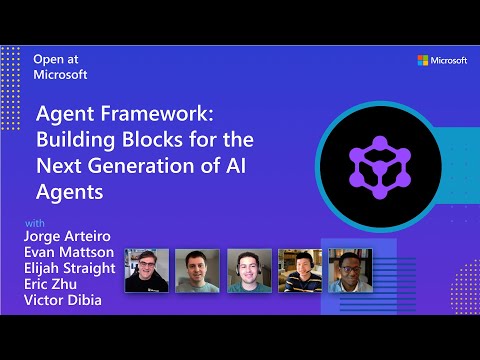
Watch the full Agent Framework introduction (30 min)
Is this the right framework for you?
MAF is a strong fit if you:
- are building agents and workflows you expect to run in production,
- need orchestration beyond a single prompt or stateless chat loop,
- want graph-based patterns such as sequential, concurrent, handoff, and group collaboration,
- care about durability, restartability, observability, governance, or human-in-the-loop control,
- need provider flexibility so your architecture can evolve without major rewrites.
Key Features
Explore new MAF capabilities and real implementation patterns on the official blog.
- Python and C#/.NET Support: Full framework support for both Python and C#/.NET implementations with consistent APIs
- Multiple Agent Provider Support: Support for various LLM providers with more being added continuously
- Middleware: Flexible middleware system for request/response processing, exception handling, and custom pipelines
- Orchestration Patterns & Workflows: Build multi-agent systems with graph-based workflows supporting sequential, concurrent, handoff, and group collaboration patterns; includes checkpointing, streaming, human-in-the-loop, and time-travel
- Foundry Hosted Agents (new): Deploy and host your agents to Foundry-hosted infrastructure with just 2 additional lines of code
- Observability: Built-in OpenTelemetry integration for distributed tracing, monitoring, and debugging
- Declarative Agents: Define agents using YAML for faster setup and versioning
- Agent Skills: Build domain-specific knowledge bases from multiple sources—files, inline code, class libraries—for agents to discover and use
- AF Labs: Experimental packages for cutting-edge features including benchmarking, reinforcement learning, and research initiatives
- DevUI: Interactive developer UI for agent development, testing, and debugging workflows
Table of Contents
Getting Started
Installation
Python
pip install agent-framework
# This will install all sub-packages, see `python/packages` for individual packages.
# It may take a minute on first install on Windows.
.NET
dotnet add package Microsoft.Agents.AI
# For Foundry integration (used in the .NET quickstart below):
dotnet add package Microsoft.Agents.AI.Foundry
dotnet add package Azure.AI.Projects
dotnet add package Azure.Identity
Learning Resources
- Overview - High level overview of the framework
- Quick Start - Get started with a simple agent
- Tutorials - Step by step tutorials
- User Guide - In-depth user guide for building agents and workflows
- Migration from Semantic Kernel - Guide to migrate from Semantic Kernel
- Migration from AutoGen - Guide to migrate from AutoGen
Quickstart
Basic Agent - Python
Create a simple Azure Responses Agent that writes a haiku about the Microsoft Agent Framework
# pip install agent-framework
# Use `az login` to authenticate with Azure CLI
import os
import asyncio
from agent_framework import Agent
from agent_framework.foundry import FoundryChatClient
from azure.identity import AzureCliCredential


async def main():
    # Initialize a chat agent with Microsoft Foundry
    # the endpoint, deployment name, and api version can be set via environment variables
    # or they can be passed in directly to the FoundryChatClient constructor
    agent = Agent(
      client=FoundryChatClient(
          credential=AzureCliCredential(),
          # project_endpoint=os.environ["FOUNDRY_PROJECT_ENDPOINT"],
          # model=os.environ["FOUNDRY_MODEL_DEPLOYMENT_NAME"],
      ),
      name="HaikuAgent",
      instructions="You are an upbeat assistant that writes beautifully.",
    )

    print(await agent.run("Write a haiku about Microsoft Agent Framework."))

if __name__ == "__main__":
    asyncio.run(main())
Basic Agent - .NET
Create a simple Agent, using Microsoft Foundry that writes a haiku about the Microsoft Agent Framework
// This sample shows how to create and run a basic agent with AIProjectClient.AsAIAgent(...).

using Azure.AI.Projects;
using Azure.Identity;
using Microsoft.Agents.AI;

string endpoint = Environment.GetEnvironmentVariable("AZURE_AI_PROJECT_ENDPOINT") ?? throw new InvalidOperationException("AZURE_AI_PROJECT_ENDPOINT is not set.");
string deploymentName = Environment.GetEnvironmentVariable("AZURE_AI_MODEL_DEPLOYMENT_NAME") ?? "gpt-5.4-mini";

AIAgent agent =
    new AIProjectClient(new Uri(endpoint), new DefaultAzureCredential())
    .AsAIAgent(model: deploymentName, instructions: "You are an upbeat assistant that writes beautifully.", name: "HaikuAgent");

// Once you have the agent, you can invoke it like any other AIAgent.
Console.WriteLine(await agent.RunAsync("Write a haiku about Microsoft Agent Framework."));
More Examples & Samples
Python
- Getting Started: progressive tutorial from hello-world to hosting
- Agent Concepts: deep-dive samples by topic (tools, middleware, providers, etc.)
- Workflows: workflow creation and integration with agents
- Hosting: A2A, Azure Functions, Durable Task hosting
- End-to-End: full applications, evaluation, and demos
.NET
- Getting Started: progressive tutorial from hello agent to hosting
- Agent Concepts: basic agent creation and tool usage
- Agent Providers: samples showing different agent providers
- Workflows: advanced multi-agent patterns and workflow orchestration
- Hosting: A2A, Durable Agents, Durable Workflows
- End-to-End: full applications and demos
Community & Feedback
- Found a bug? File a GitHub issue to help us improve.
- Enjoying MAF?
to show your support and help others discover the project.
- Have questions? Join our Discord or visit weekly office hours.
Troubleshooting
Authentication
| Problem | Cause | Fix |
|---|---|---|
| Authentication errors when using Azure credentials | Not signed in to Azure CLI | Run az login before starting your app |
| API key errors | Wrong or missing API key | Verify the key and ensure it's for the correct resource/provider |
Tip:
DefaultAzureCredentialis convenient for development but in production, consider using a specific credential (e.g.,ManagedIdentityCredential) to avoid latency issues, unintended credential probing, and potential security risks from fallback mechanisms.
Environment Variables
For environment variable configuration specific to each sample, refer to the README in the sample directory (Python samples | .NET samples).
Contributor Resources
Important Notes
Important
If you use Microsoft Agent Framework to build applications that operate with any third-party servers, agents, code, or non-Azure Direct models (“Third-Party Systems”), you do so at your own risk. Third-Party Systems are Non-Microsoft Products under the Microsoft Product Terms and are governed by their own third-party license terms. You are responsible for any usage and associated costs.
We recommend reviewing all data being shared with and received from Third-Party Systems and being cognizant of third-party practices for handling, sharing, retention and location of data. It is your responsibility to manage whether your data will flow outside of your organization’s Azure compliance and geographic boundaries and any related implications, and that appropriate permissions, boundaries and approvals are provisioned.
You are responsible for carefully reviewing and testing applications you build using Microsoft Agent Framework in the context of your specific use cases, and making all appropriate decisions and customizations. This includes implementing your own responsible AI mitigations such as metaprompt, content filters, or other safety systems, and ensuring your applications meet appropriate quality, reliability, security, and trustworthiness standards. See also: Transparency FAQ