 Ben Thomas
8e54f0b0e7
Ben Thomas
8e54f0b0e7
* feat(tools): add cross-OS LocalShellTool in new agent-framework-tools package

Introduces a safe, cross-OS local shell tool as the first citizen of a new

agent-framework-tools workspace package. Supports persistent (default) and

stateless modes across pwsh/powershell.exe/bash/sh, with policy denylist,

allowlist, approval gating, process-tree kill on timeout, output truncation,

and audit hooks. Integrates with existing provider get_shell_tool(func=...)

factories via FunctionTool kind='shell'.

See docs/decisions/0026-builtin-tools-local-shell.md for the full design.

Co-authored-by: Copilot <223556219+Copilot@users.noreply.github.com>

* feat(tools): security hardening for LocalShellTool

Codifies what LocalShellTool does and does not defend against, and

delegates the security-relevant lifecycle primitive to a battle-tested

library instead of hand-rolled per-OS code.

Changes:

- Adopt psutil for cross-OS process-tree termination (executor + session).

  Replaces hand-rolled taskkill/killpg with one canonical implementation.

- Resolve taskkill.exe to absolute %SystemRoot%\System32 path so PATH

  poisoning cannot redirect us to an attacker-supplied binary.

- Reframe ShellPolicy docstring + ADR + README: denylist is a guardrail,

  not a security boundary.

- Require acknowledge_unsafe=True to set approval_mode='never_require',

  making the unsafe path explicitly opt-in with a self-documenting name.

- Add tests/test_security.py codifying named CVE-style cases. Defenses

  we DO claim are asserted; non-defenses (denylist bypasses via

  backslash insertion, variable expansion, interpreter escape, base64,

  alternative tools, PowerShell-native verbs) are documented as

  expected-to-pass tests so residual risk stays visible.

- Add Threat Model + Confidence Strategy sections to ADR 0026.

Co-authored-by: Copilot <223556219+Copilot@users.noreply.github.com>

* feat(tools): add DockerShellTool sandboxed shell tier

Adds a container-backed shell executor as the recommended pattern for untrusted-input shell workflows. The container provides the security boundary (--network none, non-root user, --read-only, --cap-drop ALL, no-new-privileges, memory/pids limits, tmpfs /tmp), so approval gating is optional unlike LocalShellTool.

Also introduces a ShellExecutor Protocol so callers can plug in custom backends (Firecracker, SSH, WASI) without forking the framework.

Removes the planned HyperlightShellExecutor follow-up from ADR 0026: Hyperlight is a WASM code sandbox with no kernel/userland/shell binary, so a Hyperlight-backed shell is not viable. Docker is the realistic sandbox tier for shell.

Tests: 11 unit tests for argv builders + lifecycle (no Docker daemon required); 3 integration tests gated on is_docker_available().

Co-authored-by: Copilot <223556219+Copilot@users.noreply.github.com>

* fix(tools): backport shell-tool fixes from .NET parity review

Applies the applicable subset of bug fixes accumulated during the
.NET shell-tool PR review (microsoft/agent-framework#5604) to the
Python shell tool.

A1 - Quote workdir safely in _maybe_reanchor

  Previously _tool.py used double-quote interpolation when emitting
  the cd/Set-Location prefix, which expanded $VAR, $(), and backticks
  in the workdir path. A workdir containing shell metacharacters could
  trigger arbitrary command execution before the user command ran.

  Replaced with single-quote escaping helpers _quote_posix and
  _quote_powershell that emit literal-string forms safe for both
  hosts.

A5/A6 - Consolidate truncation to a single byte-aware helper

  Extracted a shared truncate_head_tail / truncate_text_head_tail
  helper in _truncate.py. The new implementation distributes odd
  caps so head receives floor(cap/2) and tail receives ceil(cap/2)
  bytes, matching the .NET round-9 fix and ensuring no input bytes
  are silently dropped on the boundary.

  _session.py previously truncated by Python str length while the
  caller passed _max_output_bytes - the unit mismatch is now gone:
  raw byte buffers go through truncate_head_tail and decoded text
  goes through truncate_text_head_tail.

Unit tests added for the truncate and quote helpers.

Co-authored-by: Copilot <223556219+Copilot@users.noreply.github.com>

* docs(tools): tone down narrative and overconfident comments in shell tool

The shell tool's docstrings and comments contained two patterns that
the .NET review pushed back on:

- Narrative framing about implementation history ("hard-won",
  "we sidestep", "design inspiration: ...", competitor framework
  name-drops in module docstrings).
- Overstated security guarantees ("battle-tested",
  "reasonable for untrusted input", "recommended executor for any
  agent that runs commands from untrusted input",
  "destructive commands are blocked", "safe local shell tool",
  "blocks shell injection").

Rewrites the affected docstrings and comments to describe what the
code does in neutral terms. Behaviour is unchanged.

Co-authored-by: Copilot <223556219+Copilot@users.noreply.github.com>

* feat(tools): add ShellEnvironmentProvider for the Python shell tool

Ports the .NET ShellEnvironmentProvider as a Python ContextProvider
so agents using LocalShellTool or DockerShellTool can be primed with
an accurate description of the shell they're talking to (family,
version, OS, working directory, and which CLIs are available).

The provider runs probes through any ShellExecutor, caches the
resulting snapshot, and on every before_run extends the session
instructions with a markdown block describing the shell idiom to
use. A failed first probe leaves the cache empty so the next call
retries (no permanent poisoning).

Probe failures from a narrow set of expected error types
(ShellCommandError, ShellExecutionError, ShellTimeoutError, and
asyncio.TimeoutError from the per-probe timeout) are recorded as
None fields in the snapshot. Other exceptions propagate. Tool
names are validated against ^[A-Za-z0-9._-]+$ before being
interpolated into a probe command.

Includes 12 unit tests covering happy path, stderr fallback,
timeout handling, expected/unexpected exception paths, malicious
tool name rejection, case-insensitive deduplication, retry after
failure, concurrent first-callers sharing one probe, and the
default and custom formatter paths.

Co-authored-by: Copilot <223556219+Copilot@users.noreply.github.com>

* docs(tools): document ShellEnvironmentProvider and finish comment cleanup

Add a README section introducing ShellEnvironmentProvider, soften two remaining overconfident security-boundary comments in _executor_base.py and the DockerShellTool class docstring, and add a sample (shell_with_environment_provider.py) that demonstrates the provider in stateless and persistent modes.

Co-authored-by: Copilot <223556219+Copilot@users.noreply.github.com>

* refactor(tools): move shell samples to python/samples/02-agents/tools

The repository convention is to host samples under python/samples/ rather than inside the package directory. Move the two net-new shell samples (allow-list and environment-provider) to python/samples/02-agents/tools/ and drop the in-package samples/ directory; the existing top-level providers/openai/client_with_local_shell.py already covers the basic LocalShellTool walkthrough.

Co-authored-by: Copilot <223556219+Copilot@users.noreply.github.com>

* test(tools): cover confine_workdir default and ShellResult.format_for_model

Two new tests in test_local_shell_tool.py exercise the default confine_workdir=True behaviour on POSIX and PowerShell, asserting that 'cd' inside one persistent-mode call does not leak into the next. A new test_shell_result.py module provides direct unit coverage for every conditional branch of ShellResult.format_for_model (stdout, truncated, stderr, timed_out, exit_code) so regressions in the LLM-facing format are caught immediately.

Co-authored-by: Copilot <223556219+Copilot@users.noreply.github.com>

* fix(tools): address PR #5664 review feedback

- _tool.py: detect PowerShell via is_powershell() helper instead of basename string match

- _environment.py: use public ContextProvider import (no private _ prefix)

- _session.py: trim _stdout_buf/_stderr_buf after copying to avoid unbounded retention across calls

- _docker.py: short-circuit start()/close() in stateless mode; add configurable shell kwarg (default bash, e.g. 'sh' for alpine)

- tests: parenthesized multi-line assert; alpine integration tests now pass shell='sh'

Co-authored-by: Copilot <223556219+Copilot@users.noreply.github.com>

* fix(tools): satisfy CI quality gates

- pyupgrade: drop quoted self-class refs in __aenter__/method annotations

- ruff format: reflow long lines per workspace style

- pyright: assert psutil non-None in optional-import branch; lowercase mutable module globals; annotate _approval_mode as Literal so tool() Literal-typed kwarg is accepted; add ... body to ShellExecutor.run protocol; remove unused deprecated _kill_tree wrapper

- tests: skip docker integration tests on win32 (Windows containers don't support --read-only / alpine images)

Co-authored-by: Copilot <223556219+Copilot@users.noreply.github.com>

* Remove DEFAULT_DENYLIST; document single-session ownership; fix bandit findings

Mirrors the .NET PR #5604 cleanup:

- Remove DEFAULT_DENYLIST from ShellPolicy. ShellPolicy() now ships with an empty deny-list; operators opt into site-specific patterns explicitly. No major agent framework uses regex matching as a primary security control; AutoGen v2 removed theirs. Approval gating + sandbox tier remain the real boundaries.

- Rewrite module / class docstrings to frame ShellPolicy as a UX pre-filter, not a security control.

- Add Single-session ownership paragraphs to ShellExecutor, ShellSession, LocalShellTool, and DockerShellTool: a persistent-mode tool is owned by exactly one conversation / agent session; do not share across users or concurrent conversations.

- Tests now supply explicit deny patterns instead of relying on a default.

- Address Pre-commit Hooks (bandit) CI failures: convert internal-invariant asserts to explicit RuntimeError, annotate intentional subprocess/shell usage with # nosec, document container-internal /tmp paths.

Co-authored-by: Copilot <223556219+Copilot@users.noreply.github.com>

* Address PR #5664 round-2 review feedback

Deny-list documentation drift:

- README and the OpenAI/local-shell sample no longer claim a built-in deny-list of destructive commands. ShellPolicy is described as an optional, operator-supplied UX pre-filter; the real boundaries remain approval gating and the sandbox tier.

Behavioural fixes called out in review:

- ShellPolicy.evaluate() now denies empty / whitespace-only commands explicitly instead of returning allow with no rationale.

- truncate_head_tail() raises ValueError for cap <= 0 instead of silently returning the full input with truncated=False, which previously could defeat output-capping in callers that mis-configured the budget.

- LocalShellTool.as_function() / DockerShellTool.as_function() return the ShellCommandError text directly so the model sees a single, non-redundant 'Command rejected by policy: …' message instead of the prior duplicated 'Command blocked by policy: Command rejected …' wrapping.

- ShellSession POSIX sentinel trailer now snapshots and restores the prior errexit (set -e) state around the trailer, so a user 'set -e' in the persistent shell is no longer permanently disabled by the next run().

Tests:

- New test_shell_parse_rc.py covers the full _parse_rc() edge-case surface (zero, positive, negative, CRLF, no newline, missing prefix, empty input, non-digits, trailing garbage, partial digits).

- test_policy.py asserts the new empty-command deny.

- test_shell_truncate_and_quote.py asserts ValueError for cap=0 and cap<0.

Co-authored-by: Copilot <223556219+Copilot@users.noreply.github.com>

* Address PR review feedback for shell tool

- _resolve.py: reject empty/whitespace shell override string
- _tool.py / _docker.py: mode-aware default tool description (persistent vs stateless)
- _tool.py: fix misleading workdir docstring (re-anchor, not blocking)
- _types.py: emit stream-agnostic [output truncated] marker
- _policy.py: declare _denies/_allows as dataclass fields
- _environment.py: use $(pwd) instead of $PWD in POSIX probe

Co-authored-by: Copilot <223556219+Copilot@users.noreply.github.com>

* Address PR review feedback: shell override flag + probe timeout safety

- _resolve.py: in stateless mode, ensure shell overrides end with -c/-Command so commands aren't misinterpreted as script-file paths.
- ShellExecutor.run / LocalShellTool.run / DockerShellTool.run now accept an optional 	imeout kwarg; ShellEnvironmentProvider drops the outer asyncio.wait_for and lets the executor enforce the probe timeout internally, so cancellation no longer risks leaving a hung subprocess or corrupted session.

Co-authored-by: Copilot <223556219+Copilot@users.noreply.github.com>

* Address review feedback: docker isolation + lifecycle robustness

- pyproject.toml: bump agent-framework-core minimum from 1.2.0 to 1.2.2 to align with the rest of the workspace.
- _docker.py: validate extra_run_args at construction time and reject flags that would dismantle the isolation defaults (--privileged, --cap-add, --security-opt, --network/--net, -v/--volume/--mount, --device, --pid, --ipc, --userns, --user, --read-only, --tmpfs, --add-host, --gpus, --cgroupns, --device-cgroup-rule); also documented the warning on the docstring.
- _docker._stop_container: retry docker rm -f once and log a warning/error when it does not succeed, so operators can audit leaked containers instead of getting a silent success.
- _docker._run_stateless timeout path: fall back to docker rm -f when docker kill fails or times out (--rm only reaps on clean exit), and log instead of silently swallowing communicate() errors.

Co-authored-by: Copilot <223556219+Copilot@users.noreply.github.com>

---------

Co-authored-by: alliscode <bentho@microsoft.com>
Co-authored-by: Copilot <223556219+Copilot@users.noreply.github.com>
Co-authored-by: alliscode <25218250+alliscode@users.noreply.github.com>

Welcome to Microsoft Agent Framework!




Microsoft Agent Framework (MAF) is an open, multi-language framework for building production-grade AI agents and multi-agent workflows in .NET and Python.
Microsoft Agent Framework is built for teams taking agents from prototype to production. It provides a consistent foundation for building, orchestrating, and operating agent systems across Python and .NET, while keeping architecture choices open as requirements evolve, and supports a broad ecosystem including Microsoft Foundry, Azure OpenAI, OpenAI, and the GitHub Copilot SDK, with samples and hosting patterns for both local development and cloud deployment.
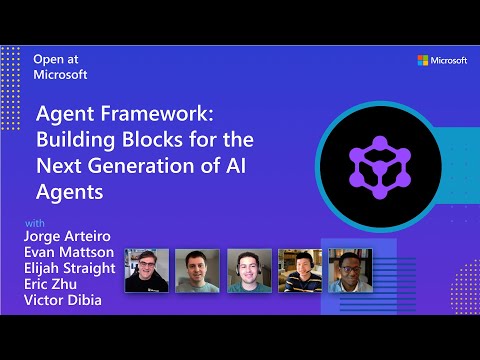
Watch the full Agent Framework introduction (30 min)
Is this the right framework for you?
MAF is a strong fit if you:
- are building agents and workflows you expect to run in production,
- need orchestration beyond a single prompt or stateless chat loop,
- want graph-based patterns such as sequential, concurrent, handoff, and group collaboration,
- care about durability, restartability, observability, governance, or human-in-the-loop control,
- need provider flexibility so your architecture can evolve without major rewrites.
Key Features
Explore new MAF capabilities and real implementation patterns on the official blog.
- Python and C#/.NET Support: Full framework support for both Python and C#/.NET implementations with consistent APIs
- Multiple Agent Provider Support: Support for various LLM providers with more being added continuously
- Middleware: Flexible middleware system for request/response processing, exception handling, and custom pipelines
- Orchestration Patterns & Workflows: Build multi-agent systems with graph-based workflows supporting sequential, concurrent, handoff, and group collaboration patterns; includes checkpointing, streaming, human-in-the-loop, and time-travel
- Foundry Hosted Agents (new): Deploy and host your agents to Foundry-hosted infrastructure with just 2 additional lines of code
- Observability: Built-in OpenTelemetry integration for distributed tracing, monitoring, and debugging
- Declarative Agents: Define agents using YAML for faster setup and versioning
- Agent Skills: Build domain-specific knowledge bases from multiple sources—files, inline code, class libraries—for agents to discover and use
- AF Labs: Experimental packages for cutting-edge features including benchmarking, reinforcement learning, and research initiatives
- DevUI: Interactive developer UI for agent development, testing, and debugging workflows
Table of Contents
Getting Started
Installation
Python
pip install agent-framework
# This will install all sub-packages, see `python/packages` for individual packages.
# It may take a minute on first install on Windows.
.NET
dotnet add package Microsoft.Agents.AI
# For Foundry integration (used in the .NET quickstart below):
dotnet add package Microsoft.Agents.AI.Foundry
dotnet add package Azure.AI.Projects
dotnet add package Azure.Identity
Learning Resources
- Overview - High level overview of the framework
- Quick Start - Get started with a simple agent
- Tutorials - Step by step tutorials
- User Guide - In-depth user guide for building agents and workflows
- Migration from Semantic Kernel - Guide to migrate from Semantic Kernel
- Migration from AutoGen - Guide to migrate from AutoGen
Quickstart
Basic Agent - Python
Create a simple Azure Responses Agent that writes a haiku about the Microsoft Agent Framework
# pip install agent-framework
# Use `az login` to authenticate with Azure CLI
import os
import asyncio
from agent_framework import Agent
from agent_framework.foundry import FoundryChatClient
from azure.identity import AzureCliCredential


async def main():
    # Initialize a chat agent with Microsoft Foundry
    # the endpoint, deployment name, and api version can be set via environment variables
    # or they can be passed in directly to the FoundryChatClient constructor
    agent = Agent(
      client=FoundryChatClient(
          credential=AzureCliCredential(),
          # project_endpoint=os.environ["FOUNDRY_PROJECT_ENDPOINT"],
          # model=os.environ["FOUNDRY_MODEL_DEPLOYMENT_NAME"],
      ),
      name="HaikuAgent",
      instructions="You are an upbeat assistant that writes beautifully.",
    )

    print(await agent.run("Write a haiku about Microsoft Agent Framework."))

if __name__ == "__main__":
    asyncio.run(main())
Basic Agent - .NET
Create a simple Agent, using Microsoft Foundry that writes a haiku about the Microsoft Agent Framework
// This sample shows how to create and run a basic agent with AIProjectClient.AsAIAgent(...).

using Azure.AI.Projects;
using Azure.Identity;
using Microsoft.Agents.AI;

string endpoint = Environment.GetEnvironmentVariable("AZURE_AI_PROJECT_ENDPOINT") ?? throw new InvalidOperationException("AZURE_AI_PROJECT_ENDPOINT is not set.");
string deploymentName = Environment.GetEnvironmentVariable("AZURE_AI_MODEL_DEPLOYMENT_NAME") ?? "gpt-5.4-mini";

AIAgent agent =
    new AIProjectClient(new Uri(endpoint), new DefaultAzureCredential())
    .AsAIAgent(model: deploymentName, instructions: "You are an upbeat assistant that writes beautifully.", name: "HaikuAgent");

// Once you have the agent, you can invoke it like any other AIAgent.
Console.WriteLine(await agent.RunAsync("Write a haiku about Microsoft Agent Framework."));
More Examples & Samples
Python
- Getting Started: progressive tutorial from hello-world to hosting
- Agent Concepts: deep-dive samples by topic (tools, middleware, providers, etc.)
- Workflows: workflow creation and integration with agents
- Hosting: A2A, Azure Functions, Durable Task hosting
- End-to-End: full applications, evaluation, and demos
.NET
- Getting Started: progressive tutorial from hello agent to hosting
- Agent Concepts: basic agent creation and tool usage
- Agent Providers: samples showing different agent providers
- Workflows: advanced multi-agent patterns and workflow orchestration
- Hosting: A2A, Durable Agents, Durable Workflows
- End-to-End: full applications and demos
Community & Feedback
- Found a bug? File a GitHub issue to help us improve.
- Enjoying MAF?
to show your support and help others discover the project.
- Have questions? Join our Discord or visit weekly office hours.
Troubleshooting
Authentication
| Problem | Cause | Fix |
|---|---|---|
| Authentication errors when using Azure credentials | Not signed in to Azure CLI | Run az login before starting your app |
| API key errors | Wrong or missing API key | Verify the key and ensure it's for the correct resource/provider |
Tip:
DefaultAzureCredentialis convenient for development but in production, consider using a specific credential (e.g.,ManagedIdentityCredential) to avoid latency issues, unintended credential probing, and potential security risks from fallback mechanisms.
Environment Variables
For environment variable configuration specific to each sample, refer to the README in the sample directory (Python samples | .NET samples).
Contributor Resources
Important Notes
Important
If you use Microsoft Agent Framework to build applications that operate with any third-party servers, agents, code, or non-Azure Direct models (“Third-Party Systems”), you do so at your own risk. Third-Party Systems are Non-Microsoft Products under the Microsoft Product Terms and are governed by their own third-party license terms. You are responsible for any usage and associated costs.
We recommend reviewing all data being shared with and received from Third-Party Systems and being cognizant of third-party practices for handling, sharing, retention and location of data. It is your responsibility to manage whether your data will flow outside of your organization’s Azure compliance and geographic boundaries and any related implications, and that appropriate permissions, boundaries and approvals are provisioned.
You are responsible for carefully reviewing and testing applications you build using Microsoft Agent Framework in the context of your specific use cases, and making all appropriate decisions and customizations. This includes implementing your own responsible AI mitigations such as metaprompt, content filters, or other safety systems, and ensuring your applications meet appropriate quality, reliability, security, and trustworthiness standards. See also: Transparency FAQ