


 57fa8ea902
* Fix OpenAIEmbeddingClient with /openai/v1 endpoint (#5068)

When base_url ends with /openai/v1/ and a credential is provided,
load_openai_service_settings was creating an AsyncAzureOpenAI client.
The Azure SDK rewrites deployment-based endpoints (including /embeddings)
by inserting /deployments/{model}/ into the URL, producing 404s on the
OpenAI-compatible /openai/v1 endpoint.

Use AsyncOpenAI instead of AsyncAzureOpenAI when the resolved base_url
targets /openai/v1, converting the Azure token provider to an async
api_key callable. The responses_mode path is unaffected because the
Responses API (/responses) is not in the SDK's rewrite list.

Co-authored-by: Copilot <223556219+Copilot@users.noreply.github.com>

* Python: Fix OpenAIEmbeddingClient to use AsyncOpenAI for /openai/v1 endpoints

Fixes #5068

* Address review feedback: improve test coverage and remove unrelated changes

- Revert unrelated formatting change in test_a2a_agent.py
- Fix test_init_with_openai_v1_base_url_and_api_key_uses_openai_client to
  exercise the Azure settings path (via AZURE_OPENAI_BASE_URL env var)
  instead of the plain OpenAI path, covering the elif api_key branch
- Add _ensure_async_token_provider unit tests for both sync and async
  token providers

Co-authored-by: Copilot <223556219+Copilot@users.noreply.github.com>

* Address review feedback for #5068: Python: [Bug]: `OpenAIEmbeddingClient` does not work with `/openai/v1` endpoint

---------

Co-authored-by: MAF Dashboard Bot <maf-dashboard-bot@users.noreply.github.com>
Co-authored-by: Copilot <223556219+Copilot@users.noreply.github.com>
Co-authored-by: Evan Mattson <35585003+moonbox3@users.noreply.github.com>

Welcome to Microsoft Agent Framework!



Welcome to Microsoft's comprehensive multi-language framework for building, orchestrating, and deploying AI agents with support for both .NET and Python implementations. This framework provides everything from simple chat agents to complex multi-agent workflows with graph-based orchestration.
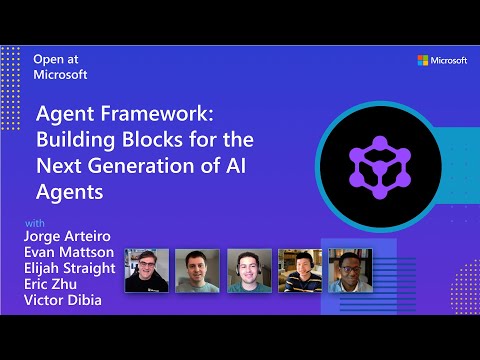
Watch the full Agent Framework introduction (30 min)
📋 Getting Started
📦 Installation
Python
pip install agent-framework
# This will install all sub-packages, see `python/packages` for individual packages.
# It may take a minute on first install on Windows.
.NET
dotnet add package Microsoft.Agents.AI
📚 Documentation
- Overview - High level overview of the framework
- Quick Start - Get started with a simple agent
- Tutorials - Step by step tutorials
- User Guide - In-depth user guide for building agents and workflows
- Migration from Semantic Kernel - Guide to migrate from Semantic Kernel
- Migration from AutoGen - Guide to migrate from AutoGen
Still have questions? Join our weekly office hours or ask questions in our Discord channel to get help from the team and other users.
✨ Highlights
- Graph-based Workflows: Connect agents and deterministic functions using data flows with streaming, checkpointing, human-in-the-loop, and time-travel capabilities
- AF Labs: Experimental packages for cutting-edge features including benchmarking, reinforcement learning, and research initiatives
- DevUI: Interactive developer UI for agent development, testing, and debugging workflows
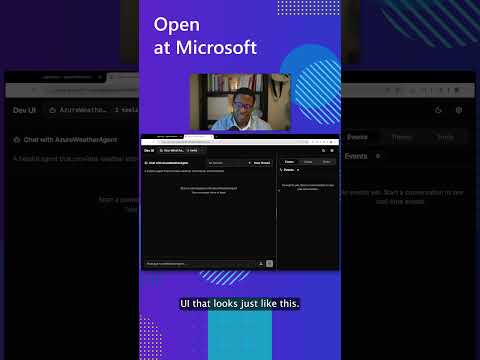
See the DevUI in action (1 min)
- Python and C#/.NET Support: Full framework support for both Python and C#/.NET implementations with consistent APIs
- Observability: Built-in OpenTelemetry integration for distributed tracing, monitoring, and debugging
- Multiple Agent Provider Support: Support for various LLM providers with more being added continuously
- Middleware: Flexible middleware system for request/response processing, exception handling, and custom pipelines
💬 We want your feedback!
- For bugs, please file a GitHub issue.
Quickstart
Basic Agent - Python
Create a simple Azure Responses Agent that writes a haiku about the Microsoft Agent Framework
# pip install agent-framework
# Use `az login` to authenticate with Azure CLI
import os
import asyncio
from agent_framework import Agent
from agent_framework.foundry import FoundryChatClient
from azure.identity import AzureCliCredential


async def main():
    # Initialize a chat agent with Microsoft Foundry
    # the endpoint, deployment name, and api version can be set via environment variables
    # or they can be passed in directly to the FoundryChatClient constructor
    agent = Agent(
      client=FoundryChatClient(
          credential=AzureCliCredential(),
          # project_endpoint=os.environ["FOUNDRY_PROJECT_ENDPOINT"],
          # model=os.environ["FOUNDRY_MODEL_DEPLOYMENT_NAME"],
      ),
      name="HaikuBot",
      instructions="You are an upbeat assistant that writes beautifully.",
    )

    print(await agent.run("Write a haiku about Microsoft Agent Framework."))

if __name__ == "__main__":
    asyncio.run(main())
Basic Agent - .NET
Create a simple Agent, using Microsoft Foundry with token-based auth, that writes a haiku about the Microsoft Agent Framework
// dotnet add package Microsoft.Agents.AI.Foundry
// Use `az login` to authenticate with Azure CLI
using Azure.AI.Projects;
using Azure.Identity;
using System;
using Azure.AI.Projects;
using Azure.Identity;

var endpoint = Environment.GetEnvironmentVariable("AZURE_AI_PROJECT_ENDPOINT") ?? throw new InvalidOperationException("AZURE_AI_PROJECT_ENDPOINT is not set.");
var deploymentName = Environment.GetEnvironmentVariable("AZURE_AI_MODEL_DEPLOYMENT_NAME") ?? "gpt-5.4-mini";

var agent = new AIProjectClient(new Uri(endpoint), new DefaultAzureCredential())
    .AsAIAgent(model: deploymentName, name: "HaikuBot", instructions: "You are an upbeat assistant that writes beautifully.");

Console.WriteLine(await agent.RunAsync("Write a haiku about Microsoft Agent Framework."));
Create a simple Agent, using OpenAI Responses, that writes a haiku about the Microsoft Agent Framework
// dotnet add package Microsoft.Agents.AI.OpenAI
using System;
using OpenAI;
using OpenAI.Responses;

// Replace the <apikey> with your OpenAI API key.
var agent = new OpenAIClient("<apikey>")
    .GetResponsesClient()
    .AsAIAgent(model: "gpt-5.4-mini", name: "HaikuBot", instructions: "You are an upbeat assistant that writes beautifully.");

Console.WriteLine(await agent.RunAsync("Write a haiku about Microsoft Agent Framework."));
More Examples & Samples
Python
- Getting Started: progressive tutorial from hello-world to hosting
- Agent Concepts: deep-dive samples by topic (tools, middleware, providers, etc.)
- Workflows: workflow creation and integration with agents
- Hosting: A2A, Azure Functions, Durable Task hosting
- End-to-End: full applications, evaluation, and demos
.NET
- Getting Started: progressive tutorial from hello agent to hosting
- Agent Concepts: basic agent creation and tool usage
- Agent Providers: samples showing different agent providers
- Workflows: advanced multi-agent patterns and workflow orchestration
- Hosting: A2A, Durable Agents, Durable Workflows
- End-to-End: full applications and demos
Troubleshooting
Authentication
| Problem | Cause | Fix |
|---|---|---|
| Authentication errors when using Azure credentials | Not signed in to Azure CLI | Run az login before starting your app |
| API key errors | Wrong or missing API key | Verify the key and ensure it's for the correct resource/provider |
Tip:
DefaultAzureCredentialis convenient for development but in production, consider using a specific credential (e.g.,ManagedIdentityCredential) to avoid latency issues, unintended credential probing, and potential security risks from fallback mechanisms.
Environment Variables
The samples typically read configuration from environment variables. Common required variables:
| Variable | Used by | Purpose |
|---|---|---|
AZURE_OPENAI_ENDPOINT |
Azure OpenAI samples | Your Azure OpenAI resource URL |
AZURE_OPENAI_DEPLOYMENT_NAME |
Azure OpenAI samples | Model deployment name (e.g. gpt-4o-mini) |
AZURE_AI_PROJECT_ENDPOINT |
Microsoft Foundry samples | Your Microsoft Foundry project endpoint |
AZURE_AI_MODEL_DEPLOYMENT_NAME |
Microsoft Foundry samples | Model deployment name |
OPENAI_API_KEY |
OpenAI (non-Azure) samples | Your OpenAI platform API key |
Contributor Resources
Important Notes
Important
If you use Microsoft Agent Framework to build applications that operate with any third-party servers, agents, code, or non-Azure Direct models (“Third-Party Systems”), you do so at your own risk. Third-Party Systems are Non-Microsoft Products under the Microsoft Product Terms and are governed by their own third-party license terms. You are responsible for any usage and associated costs.
We recommend reviewing all data being shared with and received from Third-Party Systems and being cognizant of third-party practices for handling, sharing, retention and location of data. It is your responsibility to manage whether your data will flow outside of your organization’s Azure compliance and geographic boundaries and any related implications, and that appropriate permissions, boundaries and approvals are provisioned.
You are responsible for carefully reviewing and testing applications you build using Microsoft Agent Framework in the context of your specific use cases, and making all appropriate decisions and customizations. This includes implementing your own responsible AI mitigations such as metaprompt, content filters, or other safety systems, and ensuring your applications meet appropriate quality, reliability, security, and trustworthiness standards. See also: Transparency FAQ