


 4b5a8478de
* Make DeclarativeWorkflowExecutor ChatProtocol-compatible for AsAIAgent hosting

Extends the existing DeclarativeWorkflowExecutor<TInput> root executor with
additional ChatProtocol-compatible input routes (string, ChatMessage,
IEnumerable<ChatMessage>, ChatMessage[], TurnToken) so that workflows built
via DeclarativeWorkflowBuilder.Build<TInput>(...) work both for direct
invocation and when hosted via Workflow.AsAIAgent(...).

- Each input message advances the declarative graph immediately; the
  TurnToken that the host sends after the message batch is treated as a
  no-op since the message has already been processed.
- Conversation id resolution now prefers persisted workflow system state,
  then DeclarativeWorkflowOptions.ConversationId, then a newly created
  conversation. This makes multi-turn invocations reuse the prior
  conversation rather than creating a fresh one each turn.
- The separate DeclarativeChatProtocolStartExecutor and
  DeclarativeWorkflowBuilder.BuildChatProtocol overloads introduced
  earlier are removed; callers continue to use Build<TInput>(...).

Co-authored-by: Copilot <223556219+Copilot@users.noreply.github.com>

* fix: use DeclarativeWorkflowContext when reading workflow conversation id

GetWorkflowConversation() requires a DeclarativeWorkflowContext (it calls ReadState which dynamic-casts via the DeclarativeContext helper). The chat-protocol auxiliary handlers receive a BoundWorkflowContext, so calling the extension on the raw IWorkflowContext throws `Invalid workflow context: BoundWorkflowContext`. Use the wrapped declarativeContext that we already constructed.

Co-authored-by: Copilot <223556219+Copilot@users.noreply.github.com>

* fix: surface ExecutorFailedEvent as ErrorContent in AsAIAgent response

WorkflowSession.InvokeStageAsync only converted WorkflowErrorEvent into an ErrorContent payload. ExecutorFailedEvent fell through to the default branch which emits an empty AgentResponseUpdate carrying the event in RawRepresentation. OutputConverter then mapped that to a workflow_action item with status=failed and dropped the exception entirely, so callers got status=completed and error=null even when an executor threw.

- WorkflowSession.cs: add ExecutorFailedEvent case mirroring WorkflowErrorEvent. Honors _includeExceptionDetails.

- OutputConverter.cs: when an update carries both a WorkflowEvent in RawRepresentation and non-empty Contents, fall through to content processing so the unwrapped error (or any future content payload from a workflow event) is actually emitted.

Co-authored-by: Copilot <223556219+Copilot@users.noreply.github.com>

* improve: walk inner exceptions when surfacing ExecutorFailedEvent

DeclarativeActionExecutor wraps inner exceptions in DeclarativeActionException with a generic `Unhandled workflow failure` message, hiding the real cause. Walk InnerException so the response shows the full chain (e.g. the underlying HTTP 400 / auth error).

Co-authored-by: Copilot <223556219+Copilot@users.noreply.github.com>

* Surface declarative SendActivity output as chat content

SendActivityExecutor now emits AgentResponseEvent in addition to
MessageActivityEvent so chat protocols (e.g. AsAIAgent) receive the
formatted activity text. The existing MessageActivityEvent is preserved
for DevUI/observability.

Also extend WorkflowSession.WorkflowOutputEvent handling to accept
AgentResponse payloads, mapping them to their constituent ChatMessages.

Co-authored-by: Copilot <223556219+Copilot@users.noreply.github.com>

* Persist hosted-agent sessions to disk; fix System.LastMessageText

Adds FileSystemAgentSessionStore that writes the serialized AgentSession JSON

(which already embeds the workflow's in-memory checkpoint manager) to a per-

conversation file under /.checkpoints when running in a Foundry hosted env

or {cwd}/.checkpoints locally. Mirrors the python foundry_hosting._responses

FileCheckpointStorage pattern so multi-turn workflow state survives process

restarts without requiring callers to wire up storage themselves.

AddFoundryResponses now defaults to FileSystemAgentSessionStore.CreateDefault()

instead of InMemoryAgentSessionStore; callers can still override via DI.

Also fixes {System.LastMessageText} resolving empty: DeclarativeWorkflowExecutor

.AdvanceAsync was passing the message rehydrated from CreateMessageAsync to

SetLastMessageAsync, but ResponseItem -> ChatMessage round-trip drops the .Text

extension content. Use the original input ChatMessage (which still has the

user-supplied text) and copy the server-assigned MessageId across when present.

Co-authored-by: Copilot <223556219+Copilot@users.noreply.github.com>

* Close multi-modal input parity gaps with python foundry_hosting

InputConverter now mirrors the python _responses.py content handling:

- ComputerScreenshotContent maps to UriContent/HostedFileContent (was dropped).

- Plain TextContent and SummaryTextContent map to MEAI TextContent.

- MessageContentReasoningTextContent maps to MEAI TextReasoningContent.

- input_file with text/* file_data data URIs is decoded inline into

  TextContent with a [File: name] prefix, matching python _convert_file_data

  so {System.LastMessageText} surfaces the file body. Non-text data URIs and

  hosted/url file references preserve filename as AdditionalProperties.

Image/file extraction logic is extracted into shared AppendImageContent and

AppendFileContent helpers used by both the fresh-input and history-replay

switches. Existing 37 InputConverter tests still pass.

Co-authored-by: Copilot <223556219+Copilot@users.noreply.github.com>

* Foundry hosting: round-trip tool-approval (HITL) content as mcp_approval_request/response

Closes the gap where Microsoft.Agents.AI.Foundry.Hosting silently dropped
MEAI ToolApprovalRequestContent/ToolApprovalResponseContent in both
directions. We now serialize them onto the wire as the standard Responses
API mcp_approval_request/mcp_approval_response items with
server_label='agent_framework', and parse the symmetric inbound shapes
back into MEAI content.

Wire format:
- The Responses API only standardizes mcp_approval_* as the approval
  primitive. We declare AF as a virtual MCP server via the server_label
  field, which is honest for AF's server-side tool-call holding pattern.
- The SDK enforces a strict {prefix}_{50hex} wire-id format, so we hash
  the AF RequestId and persist a wireId<->afRequestId mapping in
  AgentSession.StateBag so a later mcp_approval_response can be matched
  back to the originating workflow request.

Coexists with the existing ConsentAwareMcpClientAIFunction flow
(AgentFrameworkResponseHandler.cs) which emits mcp_approval_request from
a side-channel, not via OutputConverter's content switch.

Known follow-up: python (foundry_hosting/_responses.py) has the same
output-side gap (ToolApprovalRequestContent emission). Out of scope here.

Tests: +9 unit tests covering both fresh-input and history-replay shapes,
StateBag mapping resolution, and the non-FunctionCallContent skip path.
Existing 108 converter tests still pass; full suite 370/370.

Co-authored-by: Copilot <223556219+Copilot@users.noreply.github.com>

* Address PR review feedback for hosted-declarative-dotnet

FileSystemAgentSessionStore reliability/scoping:

- Bound Sanitize() stackalloc at 256 chars, fall back to ArrayPool for longer ids so a long conversationId can no longer crash the hosting process with StackOverflowException.

- Use a Guid-suffixed temp file (\{path}.{guid}.tmp\) so concurrent SaveSessionAsync calls on the same conversation can no longer race on the same temp file. Best-effort temp cleanup on failure.

- Bucket session files by agent.Name when set so two keyed agents that happen to share a conversationId no longer overwrite each other's persisted state. Single-agent / unnamed-agent cases keep the original flat layout (Python parity).

DeclarativeWorkflowExecutor chat-protocol routing:

- ConfigureChatProtocolRoutes uses IsAssignableFrom rather than exact type equality so a broader TInput (object, base interfaces) does not have its inherited inputTransform shadowed by handlers we register here.

- HandleChatMessagesAsync / HandleChatMessageArrayAsync now advance through every message in the batch instead of keeping only the trailing one, so multi-message turns and replayed history are no longer silently truncated. AdvanceAsync gains a finalizeTurn flag so only the last message in the batch sends the result.

Tests:

- New FileSystemAgentSessionStoreTests covering constructor, fresh-session fallback for missing/empty files, root-directory creation, save/get round-trip, agent-Name scoping isolation, long conversationId, invalid-character sanitization, and concurrent-save behavior.

- New InputConverterTests covering AppendFileContent: text/* data URI decode (with and without filename prefix), non-text data URI passthrough, malformed data URI fallback, and filename propagation onto UriContent / HostedFileContent.

Co-authored-by: Copilot <223556219+Copilot@users.noreply.github.com>

* Add tests for remaining PR review feedback (C2, D1, E1)

C2: InputConverter — add 9 tests covering SDK content types that previously
had no coverage:
  - SdkTextContent → TextContent (input + output paths)
  - SummaryTextContent → TextContent (input + output paths)
  - MessageContentReasoningTextContent → TextReasoningContent (input + output)
  - ComputerScreenshotContent (HTTP URL → UriContent, data: URI → DataContent,
    output path → UriContent)

D1: OutputConverter — add 2 tests for the WorkflowEvent + Contents fall-through:
  - WorkflowEvent in RawRepresentation with text Contents must flow through
    the content-processing path (text-delta event emitted).
  - WorkflowEvent + ErrorContent must produce a failed event rather than be
    swallowed by the workflow branch.

E1: SendActivityExecutor — extend CaptureActivityAsync to assert that the
executor emits an AgentResponseEvent carrying the activity text with the
correct ExecutorId and ChatRole.Assistant role.

Co-authored-by: Copilot <223556219+Copilot@users.noreply.github.com>

* Defense-in-depth: neutralize dot-segments in Sanitize and cap TryDecodeTextDataUri input size

Addresses claude-opus-4.6 security review on PR #5589:

- FileSystemAgentSessionStore.Sanitize now replaces all-dot segments
  (., .., ...) with underscores so a developer-controlled agent.Name
  cannot escape the root directory on Linux (where Path.GetInvalidFileNameChars
  only contains NUL and '/').

- InputConverter.TryDecodeTextDataUri rejects encoded payloads larger than
  16 MiB before calling Convert.FromBase64String, preventing a single
  oversized data URI from triggering a multi-megabyte allocation.

- Adds unit tests covering both fixes.

Co-authored-by: Copilot <223556219+Copilot@users.noreply.github.com>

* Fix Linux-only failure in SaveSessionAsync_SanitizesInvalidPathCharactersAsync

'?' is in Path.GetInvalidFileNameChars only on Windows, not on Linux/macOS,
so the test failed on Ubuntu in CI. Use Path.GetInvalidFileNameChars()[0]
(skipping NUL) to pick a guaranteed-invalid character for the running OS,
and assert the result no longer contains it.

Co-authored-by: Copilot <223556219+Copilot@users.noreply.github.com>

* Address claude-opus-4.6 security/reliability review feedback

WorkflowSession.cs:
- ExecutorFailedEvent handler no longer leaks the internal executor ID
  in error messages. Mirror the WorkflowErrorEvent pattern: surface the
  exception's Message when _includeExceptionDetails is true, fall back
  to the generic 'An error occurred while executing the workflow.' otherwise.
  This also resolves the failing WorkflowHostSmokeTests assertions.

FileSystemAgentSessionStore.cs:
- GetSessionPath no longer has a write side effect. Directory.CreateDirectory
  for the per-agent bucket is now performed only on the SaveSessionAsync
  path, so a read miss on GetSessionAsync no longer leaves an empty
  directory on disk.
- Adds GetSessionAsync_NoExistingFile_DoesNotCreateAgentDirectoryAsync
  to lock in the no-side-effect-on-read contract.

OutputConverterTests.cs:
- Strengthen ConvertUpdatesToEventsAsync_ToolApprovalRequest_NonFunctionToolCall_SkippedAsync
  to assert exactly one event (the terminal ResponseCompletedEvent) so a
  spurious output-item-added/-done leak would now fail the test.

Co-authored-by: Copilot <223556219+Copilot@users.noreply.github.com>

* Address PR review: clean up comments and rename TryParseArguments

- Remove Python-codebase references from C# XML docs and inline comments.
- Drop fix-history comments referring to previously-resolved issues.
- Drop `Defense-in-depth:` prefixes; keep the concrete `what & why`.
- Drop `previously we kept only the trailing message` comment in
  DeclarativeWorkflowExecutor; just describe current loop behavior.
- Rename InputConverter.TryParseArguments to ParseFunctionArgumentsObject
  to make the intent obvious at the call site.

Co-authored-by: Copilot <223556219+Copilot@users.noreply.github.com>

* Address PR review: collision-free Sanitize, MAF-style refactors

- FileSystemAgentSessionStore.Sanitize now percent-encodes invalid chars
  (and `%` itself) instead of replacing them with `_`, eliminating
  collisions like `foo/bar` vs `foo_bar` mapping to the same bucket.
  All-dot segments encode every dot so Windows trailing-dot trimming
  cannot reintroduce a navigable name.
- AddFoundryResponses XML doc updated to accurately describe the default
  store root (/.checkpoints when hosted, {cwd}/.checkpoints locally).
- DeclarativeWorkflowExecutor.ConfigureChatProtocolRoutes now uses exact
  type equality instead of IsAssignableFrom so a broad TInput (e.g.
  object) does not skip registering IEnumerable<ChatMessage>, which
  ChatProtocolExtensions.IsChatProtocol requires verbatim.
- SendActivityExecutor uses context.YieldOutputAsync(response) instead
  of manually constructing AgentResponseEvent, so the activity will
  participate in any future OutputFilter coverage.
- WorkflowSession handles AgentResponseEvent in its own switch case,
  avoiding the second typecheck against output.Data.

Co-authored-by: Copilot <223556219+Copilot@users.noreply.github.com>

* fix(workflows): bridge declarative HITL through Foundry hosting via IExternalRequestEnvelope

Introduce a new public interface IExternalRequestEnvelope in
Microsoft.Agents.AI.Workflows that lets the runtime peek through a
declarative-layer envelope without taking a circular reference back into
the declarative package. ExternalInputRequest (declarative) implements
it; ExternalInputResponse is constructed via the request's CreateResponse
factory. WorkflowSession unwraps inner AIContent on the request side and
rewraps the client's ChatMessage reply into an ExternalInputResponse on
the response side. PortableValue cannot deserialize directly into an
interface, so TryGetRequestEnvelope resolves the concrete type via
RequestPortInfo.RequestType (TypeId -> Type.GetType) before casting.

Public WorkflowHarness contract preserved: InvokeFunctionToolExecutor
and WorkflowActionVisitor are unchanged from upstream, so public
InvokeToolWorkflowTest scenarios continue to drive
ExternalInputRequest / ExternalInputResponse directly through the
harness.

AgentFrameworkResponseHandler: skip prior conversation history replay
when an existing session is being resumed (workflow checkpoint already
holds the prior messages).

WorkflowSession: when includeExceptionDetails is opted in, also unwrap
DeclarativeActionException so HITL failures are debuggable.

Co-authored-by: Copilot <223556219+Copilot@users.noreply.github.com>

---------

Co-authored-by: alliscode <bentho@microsoft.com>
Co-authored-by: Copilot <223556219+Copilot@users.noreply.github.com>

Welcome to Microsoft Agent Framework!



Welcome to Microsoft's comprehensive multi-language framework for building, orchestrating, and deploying AI agents with support for both .NET and Python implementations. This framework provides everything from simple chat agents to complex multi-agent workflows with graph-based orchestration.
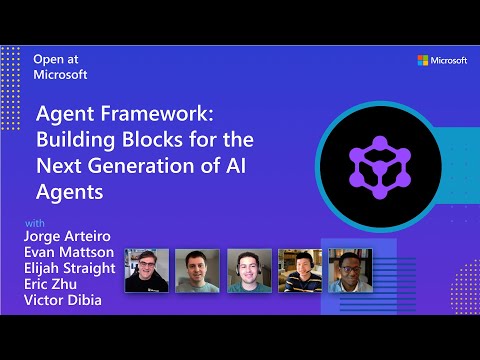
Watch the full Agent Framework introduction (30 min)
📋 Getting Started
📦 Installation
Python
pip install agent-framework
# This will install all sub-packages, see `python/packages` for individual packages.
# It may take a minute on first install on Windows.
.NET
dotnet add package Microsoft.Agents.AI
📚 Documentation
- Overview - High level overview of the framework
- Quick Start - Get started with a simple agent
- Tutorials - Step by step tutorials
- User Guide - In-depth user guide for building agents and workflows
- Migration from Semantic Kernel - Guide to migrate from Semantic Kernel
- Migration from AutoGen - Guide to migrate from AutoGen
Still have questions? Join our weekly office hours or ask questions in our Discord channel to get help from the team and other users.
✨ Highlights
- Graph-based Workflows: Connect agents and deterministic functions using data flows with streaming, checkpointing, human-in-the-loop, and time-travel capabilities
- AF Labs: Experimental packages for cutting-edge features including benchmarking, reinforcement learning, and research initiatives
- DevUI: Interactive developer UI for agent development, testing, and debugging workflows
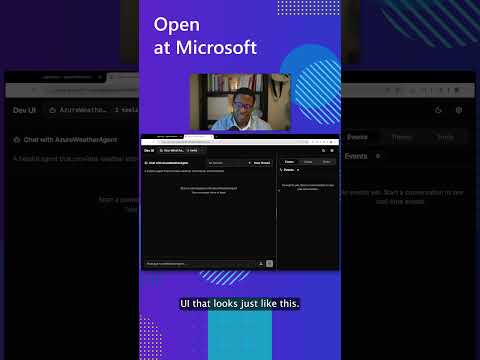
See the DevUI in action (1 min)
- Python and C#/.NET Support: Full framework support for both Python and C#/.NET implementations with consistent APIs
- Observability: Built-in OpenTelemetry integration for distributed tracing, monitoring, and debugging
- Multiple Agent Provider Support: Support for various LLM providers with more being added continuously
- Middleware: Flexible middleware system for request/response processing, exception handling, and custom pipelines
💬 We want your feedback!
- For bugs, please file a GitHub issue.
Quickstart
Basic Agent - Python
Create a simple Azure Responses Agent that writes a haiku about the Microsoft Agent Framework
# pip install agent-framework
# Use `az login` to authenticate with Azure CLI
import os
import asyncio
from agent_framework import Agent
from agent_framework.foundry import FoundryChatClient
from azure.identity import AzureCliCredential


async def main():
    # Initialize a chat agent with Microsoft Foundry
    # the endpoint, deployment name, and api version can be set via environment variables
    # or they can be passed in directly to the FoundryChatClient constructor
    agent = Agent(
      client=FoundryChatClient(
          credential=AzureCliCredential(),
          # project_endpoint=os.environ["FOUNDRY_PROJECT_ENDPOINT"],
          # model=os.environ["FOUNDRY_MODEL_DEPLOYMENT_NAME"],
      ),
      name="HaikuBot",
      instructions="You are an upbeat assistant that writes beautifully.",
    )

    print(await agent.run("Write a haiku about Microsoft Agent Framework."))

if __name__ == "__main__":
    asyncio.run(main())
Basic Agent - .NET
Create a simple Agent, using Microsoft Foundry with token-based auth, that writes a haiku about the Microsoft Agent Framework
// dotnet add package Microsoft.Agents.AI.Foundry
// Use `az login` to authenticate with Azure CLI
using Azure.AI.Projects;
using Azure.Identity;
using System;
using Azure.AI.Projects;
using Azure.Identity;

var endpoint = Environment.GetEnvironmentVariable("AZURE_AI_PROJECT_ENDPOINT") ?? throw new InvalidOperationException("AZURE_AI_PROJECT_ENDPOINT is not set.");
var deploymentName = Environment.GetEnvironmentVariable("AZURE_AI_MODEL_DEPLOYMENT_NAME") ?? "gpt-5.4-mini";

var agent = new AIProjectClient(new Uri(endpoint), new DefaultAzureCredential())
    .AsAIAgent(model: deploymentName, name: "HaikuBot", instructions: "You are an upbeat assistant that writes beautifully.");

Console.WriteLine(await agent.RunAsync("Write a haiku about Microsoft Agent Framework."));
Create a simple Agent, using OpenAI Responses, that writes a haiku about the Microsoft Agent Framework
// dotnet add package Microsoft.Agents.AI.OpenAI
using System;
using OpenAI;
using OpenAI.Responses;

// Replace the <apikey> with your OpenAI API key.
var agent = new OpenAIClient("<apikey>")
    .GetResponsesClient()
    .AsAIAgent(model: "gpt-5.4-mini", name: "HaikuBot", instructions: "You are an upbeat assistant that writes beautifully.");

Console.WriteLine(await agent.RunAsync("Write a haiku about Microsoft Agent Framework."));
More Examples & Samples
Python
- Getting Started: progressive tutorial from hello-world to hosting
- Agent Concepts: deep-dive samples by topic (tools, middleware, providers, etc.)
- Workflows: workflow creation and integration with agents
- Hosting: A2A, Azure Functions, Durable Task hosting
- End-to-End: full applications, evaluation, and demos
.NET
- Getting Started: progressive tutorial from hello agent to hosting
- Agent Concepts: basic agent creation and tool usage
- Agent Providers: samples showing different agent providers
- Workflows: advanced multi-agent patterns and workflow orchestration
- Hosting: A2A, Durable Agents, Durable Workflows
- End-to-End: full applications and demos
Troubleshooting
Authentication
| Problem | Cause | Fix |
|---|---|---|
| Authentication errors when using Azure credentials | Not signed in to Azure CLI | Run az login before starting your app |
| API key errors | Wrong or missing API key | Verify the key and ensure it's for the correct resource/provider |
Tip:
DefaultAzureCredentialis convenient for development but in production, consider using a specific credential (e.g.,ManagedIdentityCredential) to avoid latency issues, unintended credential probing, and potential security risks from fallback mechanisms.
Environment Variables
The samples typically read configuration from environment variables. Common required variables:
| Variable | Used by | Purpose |
|---|---|---|
AZURE_OPENAI_ENDPOINT |
Azure OpenAI samples | Your Azure OpenAI resource URL |
AZURE_OPENAI_DEPLOYMENT_NAME |
Azure OpenAI samples | Model deployment name (e.g. gpt-4o-mini) |
AZURE_AI_PROJECT_ENDPOINT |
Microsoft Foundry samples | Your Microsoft Foundry project endpoint |
AZURE_AI_MODEL_DEPLOYMENT_NAME |
Microsoft Foundry samples | Model deployment name |
OPENAI_API_KEY |
OpenAI (non-Azure) samples | Your OpenAI platform API key |
Contributor Resources
Important Notes
Important
If you use Microsoft Agent Framework to build applications that operate with any third-party servers, agents, code, or non-Azure Direct models (“Third-Party Systems”), you do so at your own risk. Third-Party Systems are Non-Microsoft Products under the Microsoft Product Terms and are governed by their own third-party license terms. You are responsible for any usage and associated costs.
We recommend reviewing all data being shared with and received from Third-Party Systems and being cognizant of third-party practices for handling, sharing, retention and location of data. It is your responsibility to manage whether your data will flow outside of your organization’s Azure compliance and geographic boundaries and any related implications, and that appropriate permissions, boundaries and approvals are provisioned.
You are responsible for carefully reviewing and testing applications you build using Microsoft Agent Framework in the context of your specific use cases, and making all appropriate decisions and customizations. This includes implementing your own responsible AI mitigations such as metaprompt, content filters, or other safety systems, and ensuring your applications meet appropriate quality, reliability, security, and trustworthiness standards. See also: Transparency FAQ