
 ISHAN RAJ SINGHandGitHub
36c1217605
ISHAN RAJ SINGHandGitHub
36c1217605
* Fix: Prevent duplicate MCP tools and prompts (#1876)

- Added deduplication logic in MCPTool.load_tools() method
- Added deduplication logic in MCPTool.load_prompts() method
- Track existing function names before loading from MCP server
- Skip tools/prompts that are already registered in _functions list
- Prevents 400 error from Azure AI Foundry caused by duplicate tool names

The issue occurred because load_tools() was being called multiple times
(during connect() and by notification handlers), causing tools to be
appended without duplicate checking.

Changes made:
1. In load_tools(): Added existing_names set to track registered functions
2. In load_tools(): Added check to skip tools already in existing_names
3. In load_prompts(): Applied same deduplication pattern

Testing:
- Created unit test verifying deduplication logic
- Confirmed duplicates are skipped correctly
- Confirmed new functions are added correctly
- Prevents duplicate tool names being sent to LLM

Fixes #1876

* Address review feedback: Prevent multiple calls to load_tools and load_prompts

- Added _tools_loaded and _prompts_loaded flags to MCPTool class
- Modified load_tools() to check if already loaded and return early
- Modified load_prompts() to check if already loaded and return early
- Moved test cases from test_mcp_fix.py to test_mcp.py
- Added tests for multiple call prevention
- Deleted separate test_mcp_fix.py file

Addresses review feedback from @eavanvalkenburg:
- Prevents accidental multiple calls to load_tools()
- Prevents accidental multiple calls to load_prompts()
- Test file now in proper location (test_mcp.py)

* Address review feedback: Move flag checks to connect() and remove comments

- Removed verbose comments from code
- Moved _tools_loaded and _prompts_loaded checks to connect() method
- Allows manual calls to load_tools() and load_prompts() for updates
- Updated tests to reflect new behavior
- connect() now prevents duplicate loading during connection
- Users can still manually call load_tools()/load_prompts() to refresh

Addresses feedback from @eavanvalkenburg

* Fix: Code quality and formatting issues

- Applied black formatting
- Fixed ruff linting issues
- All tests passing locally

* chore: Re-run uv lock per review request

* Apply pre-commit formatting: consolidate type annotations

- Consolidate multi-line type annotations to single line
- Remove unnecessary parentheses
- Apply ruff format and security checks

Welcome to Microsoft Agent Framework!



Welcome to Microsoft's comprehensive multi-language framework for building, orchestrating, and deploying AI agents with support for both .NET and Python implementations. This framework provides everything from simple chat agents to complex multi-agent workflows with graph-based orchestration.
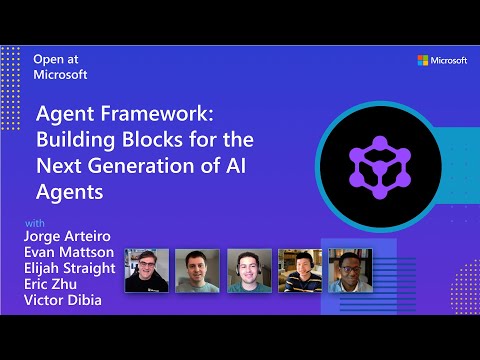
Watch the full Agent Framework introduction (30 min)
📋 Getting Started
📦 Installation
Python
pip install agent-framework --pre
# This will install all sub-packages, see `python/packages` for individual packages.
# It may take a minute on first install on Windows.
.NET
dotnet add package Microsoft.Agents.AI
📚 Documentation
- Overview - High level overview of the framework
- Quick Start - Get started with a simple agent
- Tutorials - Step by step tutorials
- User Guide - In-depth user guide for building agents and workflows
- Migration from Semantic Kernel - Guide to migrate from Semantic Kernel
- Migration from AutoGen - Guide to migrate from AutoGen
✨ Highlights
- Graph-based Workflows: Connect agents and deterministic functions using data flows with streaming, checkpointing, human-in-the-loop, and time-travel capabilities
- AF Labs: Experimental packages for cutting-edge features including benchmarking, reinforcement learning, and research initiatives
- DevUI: Interactive developer UI for agent development, testing, and debugging workflows
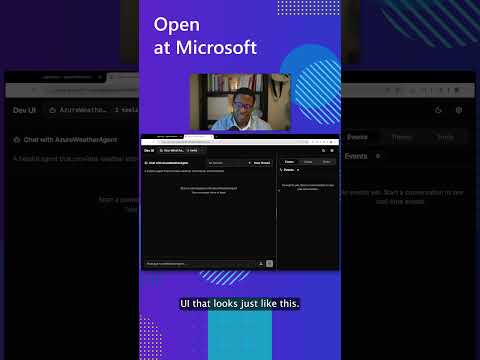
See the DevUI in action (1 min)
- Python and C#/.NET Support: Full framework support for both Python and C#/.NET implementations with consistent APIs
- Observability: Built-in OpenTelemetry integration for distributed tracing, monitoring, and debugging
- Multiple Agent Provider Support: Support for various LLM providers with more being added continuously
- Middleware: Flexible middleware system for request/response processing, exception handling, and custom pipelines
💬 We want your feedback!
- For bugs, please file a GitHub issue.
Quickstart
Basic Agent - Python
Create a simple Azure Responses Agent that writes a haiku about the Microsoft Agent Framework
# pip install agent-framework --pre
# Use `az login` to authenticate with Azure CLI
import os
import asyncio
from agent_framework.azure import AzureOpenAIResponsesClient
from azure.identity import AzureCliCredential


async def main():
    # Initialize a chat agent with Azure OpenAI Responses
    # the endpoint, deployment name, and api version can be set via environment variables
    # or they can be passed in directly to the AzureOpenAIResponsesClient constructor
    agent = AzureOpenAIResponsesClient(
        # endpoint=os.environ["AZURE_OPENAI_ENDPOINT"],
        # deployment_name=os.environ["AZURE_OPENAI_RESPONSES_DEPLOYMENT_NAME"],
        # api_version=os.environ["AZURE_OPENAI_API_VERSION"],
        # api_key=os.environ["AZURE_OPENAI_API_KEY"],  # Optional if using AzureCliCredential
        credential=AzureCliCredential(), # Optional, if using api_key
    ).create_agent(
        name="HaikuBot",
        instructions="You are an upbeat assistant that writes beautifully.",
    )

    print(await agent.run("Write a haiku about Microsoft Agent Framework."))

if __name__ == "__main__":
    asyncio.run(main())
Basic Agent - .NET
Create a simple Agent, using OpenAI Responses, that writes a haiku about the Microsoft Agent Framework
// dotnet add package Microsoft.Agents.AI.OpenAI --prerelease
using System;
using OpenAI;

// Replace the <apikey> with your OpenAI API key.
var agent = new OpenAIClient("<apikey>")
    .GetOpenAIResponseClient("gpt-4o-mini")
    .CreateAIAgent(name: "HaikuBot", instructions: "You are an upbeat assistant that writes beautifully.");

Console.WriteLine(await agent.RunAsync("Write a haiku about Microsoft Agent Framework."));
Create a simple Agent, using Azure OpenAI Responses with token based auth, that writes a haiku about the Microsoft Agent Framework
// dotnet add package Microsoft.Agents.AI.OpenAI --prerelease
// dotnet add package Azure.Identity
// Use `az login` to authenticate with Azure CLI
using System;
using OpenAI;

// Replace <resource> and gpt-4o-mini with your Azure OpenAI resource name and deployment name.
var agent = new OpenAIClient(
    new BearerTokenPolicy(new AzureCliCredential(), "https://ai.azure.com/.default"),
    new OpenAIClientOptions() { Endpoint = new Uri("https://<resource>.openai.azure.com/openai/v1") })
    .GetOpenAIResponseClient("gpt-4o-mini")
    .CreateAIAgent(name: "HaikuBot", instructions: "You are an upbeat assistant that writes beautifully.");

Console.WriteLine(await agent.RunAsync("Write a haiku about Microsoft Agent Framework."));
More Examples & Samples
Python
- Getting Started with Agents: basic agent creation and tool usage
- Chat Client Examples: direct chat client usage patterns
- Getting Started with Workflows: basic workflow creation and integration with agents
.NET
- Getting Started with Agents: basic agent creation and tool usage
- Agent Provider Samples: samples showing different agent providers
- Workflow Samples: advanced multi-agent patterns and workflow orchestration
Contributor Resources
Important Notes
If you use the Microsoft Agent Framework to build applications that operate with third-party servers or agents, you do so at your own risk. We recommend reviewing all data being shared with third-party servers or agents and being cognizant of third-party practices for retention and location of data. It is your responsibility to manage whether your data will flow outside of your organization's Azure compliance and geographic boundaries and any related implications.