

 25692a17a8
* first iteration of channel spec

* added deny link setup

* clarify invocation hook role and dedupe ADR/spec

ADR 0026:
- Tighten Decision Outcome Summary so each concept is mentioned once;
  defer full definitions to the Terminology section.
- Update ChannelInvocationHook bullet to match the clarified gap #7
  language (uniform ChannelRequest envelope, hook timing, illustrative
  examples).
- Drop Decision Drivers bullets that just restated Business Goals;
  cross-link to the goals section instead.
- Replace the More Information bullet list with a pointer to Non-Goals.

Spec 002:
- Trim requirement #21 to point at the canonical LinkPolicy section
  instead of restating the full contract.
- Add a #linkpolicy-and-trust_level subsection anchor for cross-refs.
- Trim the Terminology LinkPolicy entry's two-hosts caveat (canonical
  version stays in the Key Types section).

Co-authored-by: Copilot <223556219+Copilot@users.noreply.github.com>

* updated adr and spec

* Update hosting channels ADR and spec

- Document FoundryHostedAgentHistoryProvider roundtrip of additional_properties namespaces via the agent_framework container key on stored OutputItems.
- Add Foundry storage gap subsection capturing the update_item service ask required for post-push delivery_tracking[] mutation.
- Triage open questions: 18 resolved (now in a Resolved Questions decisions log), 3 notes-updated, 6 unchanged. Capture spec-body follow-ups implied by the resolutions in a new Decisions-driven follow-ups subsection.

Co-authored-by: Copilot <223556219+Copilot@users.noreply.github.com>

* Refine hosting ADR + spec: A2A/MCP-tool channels, store-parameter matrix, open-question pass

- Surface A2A and MCP-tool channels as explicitly designed-in but fast-follow work after the first Responses + Invocations + Telegram release. Updated ADR business goals, non-goals, and More Information; added spec reqs #25 (A2AChannel) and #26 (MCPToolChannel) under v1 Fast Follow; renumbered the WhatsApp/Teams entry to #27.
- New 'The Responses store parameter' subsection in the spec: 2x3 destination matrix making explicit that 'store' has no canonical meaning at the hosted-agent layer — the developer decides what it maps to across service-side, hosted-agent storage, and caller-side. Includes design properties on forwarding-vs-mapping, per-deployment documentation responsibility, and richer storage vocabulary via OpenAI's extra_body.
- Fixed contradicting spec text that previously claimed ResponsesChannel maps store=False to session_mode=disabled by default; updated channel options table, session_mode terminology entry, and Scenario 3 prose/comment to match the new model.
- Renamed FoundryHistoryProvider -> FoundryHostedAgentHistoryProvider throughout the spec (9 occurrences) so the name reinforces the intended hosted-agent use case.
- ADR open-questions pass: walked through all 15 entries with the user. 13 resolved (moved to a new 'Resolved Questions (decisions log)' table), 2 kept open with refined wording (Q6 'Channel' GA name, Q14 Responses WS subprotocol). Added a 'Decisions-driven follow-ups' bullet list capturing the spec-body / sample edits implied by the resolutions.

Co-authored-by: Copilot <223556219+Copilot@users.noreply.github.com>

* Hosting ADR + spec: rename Teams channel to Activity Protocol, add multi-user conversation design

- Rename the planned Teams channel to ActivityChannel (package agent-framework-hosting-activity). Promoted to req #27 (v1 fast follow) alongside A2A and MCP-tool, with native translations from Activity Protocol objects to AF types so the contract is explicit rather than implicit through Invocations. Channel sits behind Azure Bot Service, which fronts Teams / Web Chat / Slack / etc. Naming reserves a TeamsChannel name for any future direct-to-Teams transport that bypasses Bot Service (now stretch req #28 with WhatsApp). ResponseTarget channel ids and JSON examples updated from "teams" to "activity". Appendix B updated to acknowledge that ActivityChannel deliberately reuses the Bot Service connector model (the no-connector stance applies to the rest of the channel set).

- Add first-class design for multi-user surfaces (Telegram groups / supergroups / forum topics; Activity Protocol groupChat and team channels). Cleanly separate user identity (ChannelIdentity.native_id = from.id / from.aadObjectId) from conversation locator (ChannelRequest.conversation_id = chat.id (+ message_thread_id / replyToId)). New per-channel options: conversation_scope (per_user / per_user_per_conversation (default in groups) / per_conversation) and accept_in_group addressing rule (mention_only (default) / command_only / mention_or_command / all). Specifies originating reply must include conversation + thread locator, ChannelPush behavior in groups, link-ceremony privacy (challenges redirected to user DMs), and the Activity-channel mapping for personal / groupChat / channel conversationType plus Teams replyToId threading. Broadcast Telegram Channels and adaptive-card Invoke activity flows scoped as fast follow.

Co-authored-by: Copilot <223556219+Copilot@users.noreply.github.com>

* docs(hosting): rename RunHandle → ContinuationToken; HostStateStore (file-based v1); align agentserver dependency posture

- Rename RunHandle → ContinuationToken (opaque URL-safe `token` field) throughout
  ADR + spec; update routes to /{continuation_token}; spec out equivalent
  continuation-token support for the Invocations channel (Q20 done).
- Introduce HostStateStore as the single persistence seam for host-execution
  metadata (continuation tokens, identity-link grants, last-seen records).
  V1 default: FileHostStateStore (atomic JSON-per-record under ./.af-hosting/,
  per-namespace TTLs) — background runs and link grants now survive host
  restarts. InMemoryHostStateStore for tests; pluggable Cosmos / SQL / Redis
  remain v1 fast follow under req #23. Closes Q9, Q11, Q14.
- Drop blanket "no agentserver dependency" claims. Hosting core is still
  independent of agentserver, but channel packages MAY consume lower-level
  building blocks (notably the Foundry response-store SDK that
  FoundryHostedAgentHistoryProvider builds on).

Co-authored-by: Copilot <223556219+Copilot@users.noreply.github.com>

* docs(hosting): swap Scenarios 6 and 7 so the linker comes before cross-channel continuity

Scenario 6 (cross-channel continuity) previously forward-referenced Scenario 7
(linker) twice, since continuity depends on the link/merge ceremony. Invert the
order so the linker scenario establishes the mechanism first and the continuity
scenario builds on it. Update internal cross-references, the require_link
section anchor, and Scenario 8's prerequisites/comment to match. Also tightened
the new Scenario 7's closing note to point at HostStateStore (file-based
default) for cross-host continuity, and dropped a stale MfaIdentityLinker
reference from the linker variants paragraph (Q13 dropped MFA from phase 1).

Co-authored-by: Copilot <223556219+Copilot@users.noreply.github.com>

* docs(hosting): rewrite Scenario 7 as trusted-relay + add ResponseTarget.identities

The previous Scenario 7 (cross-channel chat continuity) implied two independent
auto-issued isolation_keys would converge by themselves — they don't, that
needs a linker. Replace with a more realistic and complementary scenario:
a trusted server-side application backend exposes Responses + Telegram against
the same agent and uses extra_body to carry app-internal identity hints
(app_user_id, push_to_telegram_chat_id) that a Responses run_hook translates
into both an isolation_key promotion and a push to a known Telegram chat.
Includes a closing variant pointing back at Scenario 6's linker for the
no-app-table flow.

Adds the ResponseTarget.identities([ChannelIdentity(...)]) variant to the
type table and req #12 to support 'caller already knows the channel-native
recipient' delivery without going through the link store. Bypasses the link
store but still consults LinkPolicy per delivery.

Drops MfaIdentityLinker references from req #11, req #24, and the linker
helpers table (Q13 had already dropped MFA from phase 1; the spec body just
hadn't caught up). Marks ADR Q8 follow-up done.

Co-authored-by: Copilot <223556219+Copilot@users.noreply.github.com>

* docs(hosting): wire FileCheckpointStorage into Scenario 9 + show resume-from-checkpoint flow

Scenario 9 now builds the workflow with a FileCheckpointStorage so executor
frames are persisted across runs, and demonstrates how the run_hook surfaces
a caller-supplied resume_from_checkpoint into request.attributes so the host's
workflow dispatch can pass it to Workflow.run(checkpoint_id=...). Closing
paragraph clarifies that CheckpointStorage is workflow-runtime state, kept
structurally separate from HostStateStore and ContextProvider — three
protocols that MAY share a backend but stay independently typed.

Co-authored-by: Copilot <223556219+Copilot@users.noreply.github.com>

* docs(hosting): emphasize result richness in Scenario 10 (channels are not limited to result.text)

Add a 'Result is rich, not just text' callout under the channel-authoring
sample. Inventories the typed Contents on the underlying AgentRunResult
(TextContent, DataContent, UriContent, FunctionCallContent /
FunctionResultContent, HostedFile/VectorStoreContent, UsageContent,
TextReasoningContent, ErrorContent + additional_properties), the typed
structured output via result.value, and shows concrete examples per channel
shape: Telegram (MarkdownV2 + sendPhoto/sendAudio + inline keyboards),
Responses (full content-list round-trip), chat UI (GFM/HTML +
collapsible tool/reasoning panels), voice (TTS + earcons), typed RPC
(result.value first). result.text is positioned as a convenience for
single-string channels, not the contract.

Co-authored-by: Copilot <223556219+Copilot@users.noreply.github.com>

* spec: add TeamsChannel (microsoft/teams.py) as fast-follow req #28

Add a Teams-native channel package built on the MIT-licensed
microsoft/teams.py SDK as fast-follow alongside the generic
ActivityChannel (req #27). Where ActivityChannel targets the
generic Activity Protocol surface, TeamsChannel exploits
Teams-specific affordances the generic protocol does not surface
natively: Adaptive Cards (typed builder), streamed replies,
AI-generated badge, feedback controls + form, suggested-prompt
chips, inline citations, modal Dialogs, Message Extensions
(action / search / link unfurling), proactive / targeted /
threaded messages, and SSO via MSAL.

Mounts the SDK's App into the host's Starlette app via a custom
HttpServerAdapter; reuses the same host-tracked-session family
as ActivityChannel (from.aadObjectId -> ChannelIdentity). The
SDK already ships a 'Build an agent using Microsoft Agent
Framework' guide so the integration story is direct.

Renumber the WhatsApp / direct-to-Teams stretch item to req #29
and clarify its 'direct-to-Teams' placeholder is a future
transport that bypasses both Bot Service and the teams.py SDK.

Add the SDK to Dependencies & Commitment Status as a proposed
runtime dep of agent-framework-hosting-teams.

Co-authored-by: Copilot <223556219+Copilot@users.noreply.github.com>

* spec: clarify direct-to-Teams stretch as speculative (no Bot Service)

Split the WhatsApp + direct-to-Teams stretch entry into two
distinct items and reword the direct-to-Teams item to be honest
about its current feasibility:

- It MUST not rely on Azure Bot Service (otherwise it is just
  ActivityChannel / TeamsChannel under a different name).
- No such transport is publicly available today: Graph chat APIs
  and microsoft/teams.py both ultimately route through Bot Service
  for the bot-as-conversation-participant pattern.
- The slot is kept on the roadmap to preserve the naming line in
  case Microsoft ships a Bot-Service-free transport (native Teams
  REST/RPC, a Graph subscription strong enough to drive both
  inbound and outbound message flow, ...).
- Reaffirm TeamsChannel (req #28) as the canonical Teams channel
  until then.

Co-authored-by: Copilot <223556219+Copilot@users.noreply.github.com>

* spec: clarify TeamsChannel still rides on Bot Service in v1; add audience table

Make explicit that TeamsChannel (req #28) uses Azure Bot Service
in v1 — the microsoft/teams.py SDK is a higher-level Pythonic
wrapper over the same Activity Protocol pipeline that
ActivityChannel exposes raw. The difference is what the developer
writes against, not the network path. A Bot-Service-free Teams
transport is not currently possible and stays tracked as the
speculative req #30.

Add the ActivityChannel vs TeamsChannel audience comparison table
to req #28 so the choice is obvious to readers:
- ActivityChannel: maximum portability across all Bot Service-fronted channels.
- TeamsChannel: Teams-first deployments wanting Cards / Dialogs /
  Message Extensions / citations / feedback / suggested prompts /
  SSO out of the box.

Co-authored-by: Copilot <223556219+Copilot@users.noreply.github.com>

---------

Co-authored-by: Copilot <223556219+Copilot@users.noreply.github.com>

Welcome to Microsoft Agent Framework!




Microsoft Agent Framework (MAF) is an open, multi-language framework for building production-grade AI agents and multi-agent workflows in .NET and Python.
Microsoft Agent Framework is built for teams taking agents from prototype to production. It provides a consistent foundation for building, orchestrating, and operating agent systems across Python and .NET, while keeping architecture choices open as requirements evolve, and supports a broad ecosystem including Microsoft Foundry, Azure OpenAI, OpenAI, and the GitHub Copilot SDK, with samples and hosting patterns for both local development and cloud deployment.
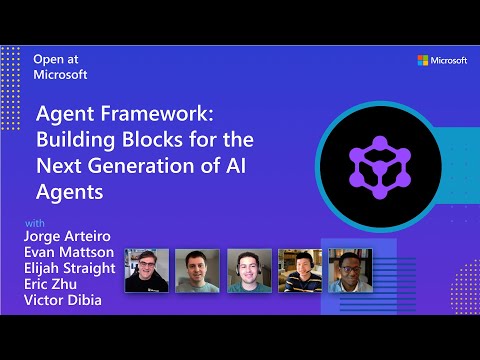
Watch the full Agent Framework introduction (30 min)
Is this the right framework for you?
MAF is a strong fit if you:
- are building agents and workflows you expect to run in production,
- need orchestration beyond a single prompt or stateless chat loop,
- want graph-based patterns such as sequential, concurrent, handoff, and group collaboration,
- care about durability, restartability, observability, governance, or human-in-the-loop control,
- need provider flexibility so your architecture can evolve without major rewrites.
Key Features
Explore new MAF capabilities and real implementation patterns on the official blog.
- Python and C#/.NET Support: Full framework support for both Python and C#/.NET implementations with consistent APIs
- Multiple Agent Provider Support: Support for various LLM providers with more being added continuously
- Middleware: Flexible middleware system for request/response processing, exception handling, and custom pipelines
- Orchestration Patterns & Workflows: Build multi-agent systems with graph-based workflows supporting sequential, concurrent, handoff, and group collaboration patterns; includes checkpointing, streaming, human-in-the-loop, and time-travel
- Foundry Hosted Agents (new): Deploy and host your agents to Foundry-hosted infrastructure with just 2 additional lines of code
- Observability: Built-in OpenTelemetry integration for distributed tracing, monitoring, and debugging
- Declarative Agents: Define agents using YAML for faster setup and versioning
- Agent Skills: Build domain-specific knowledge bases from multiple sources—files, inline code, class libraries—for agents to discover and use
- AF Labs: Experimental packages for cutting-edge features including benchmarking, reinforcement learning, and research initiatives
- DevUI: Interactive developer UI for agent development, testing, and debugging workflows
Table of Contents
Getting Started
Installation
Python
pip install agent-framework
# This will install all sub-packages, see `python/packages` for individual packages.
# It may take a minute on first install on Windows.
.NET
dotnet add package Microsoft.Agents.AI
# For Foundry integration (used in the .NET quickstart below):
dotnet add package Microsoft.Agents.AI.Foundry
dotnet add package Azure.AI.Projects
dotnet add package Azure.Identity
Learning Resources
- Overview - High level overview of the framework
- Quick Start - Get started with a simple agent
- Tutorials - Step by step tutorials
- User Guide - In-depth user guide for building agents and workflows
- Migration from Semantic Kernel - Guide to migrate from Semantic Kernel
- Migration from AutoGen - Guide to migrate from AutoGen
Quickstart
Basic Agent - Python
Create a simple Azure Responses Agent that writes a haiku about the Microsoft Agent Framework
# pip install agent-framework
# Use `az login` to authenticate with Azure CLI
import os
import asyncio
from agent_framework import Agent
from agent_framework.foundry import FoundryChatClient
from azure.identity import AzureCliCredential


async def main():
    # Initialize a chat agent with Microsoft Foundry
    # the endpoint, deployment name, and api version can be set via environment variables
    # or they can be passed in directly to the FoundryChatClient constructor
    agent = Agent(
      client=FoundryChatClient(
          credential=AzureCliCredential(),
          # project_endpoint=os.environ["FOUNDRY_PROJECT_ENDPOINT"],
          # model=os.environ["FOUNDRY_MODEL_DEPLOYMENT_NAME"],
      ),
      name="HaikuAgent",
      instructions="You are an upbeat assistant that writes beautifully.",
    )

    print(await agent.run("Write a haiku about Microsoft Agent Framework."))

if __name__ == "__main__":
    asyncio.run(main())
Basic Agent - .NET
Create a simple Agent, using Microsoft Foundry that writes a haiku about the Microsoft Agent Framework
// This sample shows how to create and run a basic agent with AIProjectClient.AsAIAgent(...).

using Azure.AI.Projects;
using Azure.Identity;
using Microsoft.Agents.AI;

string endpoint = Environment.GetEnvironmentVariable("AZURE_AI_PROJECT_ENDPOINT") ?? throw new InvalidOperationException("AZURE_AI_PROJECT_ENDPOINT is not set.");
string deploymentName = Environment.GetEnvironmentVariable("AZURE_AI_MODEL_DEPLOYMENT_NAME") ?? "gpt-5.4-mini";

AIAgent agent =
    new AIProjectClient(new Uri(endpoint), new DefaultAzureCredential())
    .AsAIAgent(model: deploymentName, instructions: "You are an upbeat assistant that writes beautifully.", name: "HaikuAgent");

// Once you have the agent, you can invoke it like any other AIAgent.
Console.WriteLine(await agent.RunAsync("Write a haiku about Microsoft Agent Framework."));
More Examples & Samples
Python
- Getting Started: progressive tutorial from hello-world to hosting
- Agent Concepts: deep-dive samples by topic (tools, middleware, providers, etc.)
- Workflows: workflow creation and integration with agents
- Hosting: A2A, Azure Functions, Durable Task hosting
- End-to-End: full applications, evaluation, and demos
.NET
- Getting Started: progressive tutorial from hello agent to hosting
- Agent Concepts: basic agent creation and tool usage
- Agent Providers: samples showing different agent providers
- Workflows: advanced multi-agent patterns and workflow orchestration
- Hosting: A2A, Durable Agents, Durable Workflows
- End-to-End: full applications and demos
Community & Feedback
- Found a bug? File a GitHub issue to help us improve.
- Enjoying MAF?
to show your support and help others discover the project.
- Have questions? Join our Discord or visit weekly office hours.
Troubleshooting
Authentication
| Problem | Cause | Fix |
|---|---|---|
| Authentication errors when using Azure credentials | Not signed in to Azure CLI | Run az login before starting your app |
| API key errors | Wrong or missing API key | Verify the key and ensure it's for the correct resource/provider |
Tip:
DefaultAzureCredentialis convenient for development but in production, consider using a specific credential (e.g.,ManagedIdentityCredential) to avoid latency issues, unintended credential probing, and potential security risks from fallback mechanisms.
Environment Variables
For environment variable configuration specific to each sample, refer to the README in the sample directory (Python samples | .NET samples).
Contributor Resources
Important Notes
Important
If you use Microsoft Agent Framework to build applications that operate with any third-party servers, agents, code, or non-Azure Direct models (“Third-Party Systems”), you do so at your own risk. Third-Party Systems are Non-Microsoft Products under the Microsoft Product Terms and are governed by their own third-party license terms. You are responsible for any usage and associated costs.
We recommend reviewing all data being shared with and received from Third-Party Systems and being cognizant of third-party practices for handling, sharing, retention and location of data. It is your responsibility to manage whether your data will flow outside of your organization’s Azure compliance and geographic boundaries and any related implications, and that appropriate permissions, boundaries and approvals are provisioned.
You are responsible for carefully reviewing and testing applications you build using Microsoft Agent Framework in the context of your specific use cases, and making all appropriate decisions and customizations. This includes implementing your own responsible AI mitigations such as metaprompt, content filters, or other safety systems, and ensuring your applications meet appropriate quality, reliability, security, and trustworthiness standards. See also: Transparency FAQ