mirror of
https://github.com/microsoft/agent-framework.git
synced 2026-06-16 21:04:09 +08:00

 ChrisandGitHub
08ea625de0
ChrisandGitHub
08ea625de0
* Fix

* Code-gen case

* Tests

* Autosend logic

* Build fix

* Namespace

* Validation enhancement

Welcome to Microsoft Agent Framework!



Welcome to Microsoft's comprehensive multi-language framework for building, orchestrating, and deploying AI agents with support for both .NET and Python implementations. This framework provides everything from simple chat agents to complex multi-agent workflows with graph-based orchestration.
Watch the full Agent Framework introduction (30 min)
📋 Getting Started
📦 Installation
Python
pip install agent-framework --prerelease=allow
# This will install all sub-packages, see `python/packages` for individual packages.
# It may take a minute on first install on Windows.
.NET
dotnet add package Microsoft.Agents.AI
📚 Documentation
- Overview - High level overview of the framework
- Quick Start - Get started with a simple agent
- Tutorials - Step by step tutorials
- User Guide - In-depth user guide for building agents and workflows
- Migration from Semantic Kernel - Guide to migrate from Semantic Kernel
- Migration from AutoGen - Guide to migrate from AutoGen
✨ Highlights
- Graph-based Workflows: Connect agents and deterministic functions using data flows with streaming, checkpointing, human-in-the-loop, and time-travel capabilities
- AF Labs: Experimental packages for cutting-edge features including benchmarking, reinforcement learning, and research initiatives
- DevUI: Interactive developer UI for agent development, testing, and debugging workflows
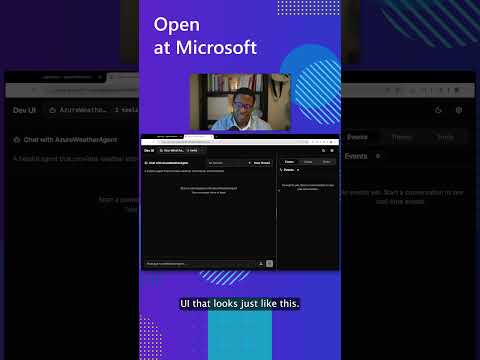
See the DevUI in action (1 min)
- Python and C#/.NET Support: Full framework support for both Python and C#/.NET implementations with consistent APIs
- Observability: Built-in OpenTelemetry integration for distributed tracing, monitoring, and debugging
- Multiple Agent Provider Support: Support for various LLM providers with more being added continuously
- Middleware: Flexible middleware system for request/response processing, exception handling, and custom pipelines
💬 We want your feedback!
- For bugs, please file a GitHub issue.
Quickstart
Basic Agent - Python
Create a simple Azure Responses Agent that writes a haiku about the Microsoft Agent Framework
# pip install agent-framework --pre
# Use `az login` to authenticate with Azure CLI
import asyncio
from agent_framework.azure import AzureOpenAIResponsesClient
from azure.identity import AzureCliCredential


async def main():
    # Initialize a chat agent with Azure OpenAI Responses
    agent = AzureOpenAIResponsesClient(
        endpoint="https://your-custom-endpoint.openai.azure.com/",
        deployment_name="gpt-5",
        api_version="2025-03-01-preview",
        credential=AzureCliCredential(),
    ).create_agent(
        name="HaikuBot",
        instructions="You are an upbeat assistant that writes beautifully.",
    )

    print(await agent.run("Write a haiku about Microsoft Agent Framework."))


asyncio.run(main())
Basic Agent - .NET
// dotnet add package Microsoft.Agents.AI.OpenAI --prerelease
// dotnet add package Azure.AI.OpenAI
// dotnet add package Azure.Identity
// Use `az login` to authenticate with Azure CLI
using System;
using Azure.AI.OpenAI;
using Azure.Identity;
using Microsoft.Agents.AI;
using OpenAI;

var endpoint = Environment.GetEnvironmentVariable("AZURE_OPENAI_ENDPOINT")!;
var deploymentName = Environment.GetEnvironmentVariable("AZURE_OPENAI_DEPLOYMENT_NAME")!;

var agent = new AzureOpenAIClient(new Uri(endpoint), new AzureCliCredential())
    .GetOpenAIResponseClient(deploymentName)
    .CreateAIAgent(name: "HaikuBot", instructions: "You are an upbeat assistant that writes beautifully.");

Console.WriteLine(await agent.RunAsync("Write a haiku about Microsoft Agent Framework."));
More Examples & Samples
Python
- Getting Started with Agents: basic agent creation and tool usage
- Chat Client Examples: direct chat client usage patterns
- Getting Started with Workflows: basic workflow creation and integration with agents
.NET
- Getting Started with Agents: basic agent creation and tool usage
- Agent Provider Samples: samples showing different agent providers
- Workflow Samples: advanced multi-agent patterns and workflow orchestration