 Farzad Sunavala
04e711cd55
Farzad Sunavala
04e711cd55
* Python: Fix pyright errors and move search provider to core (#1546)

* address pablo coments

* update azure ai search pypi version to latest prev

* init update

* Fix MyPy type annotation errors in search provider

- Add type annotation to DEFAULT_CONTEXT_PROMPT
- Add type annotation to vectorizable_fields
- Add union type annotation to vector_queries

* Fix DEFAULT_CONTEXT_PROMPT MyPy error and update test

- Rename DEFAULT_CONTEXT_PROMPT to _DEFAULT_SEARCH_CONTEXT_PROMPT to avoid conflict with base class Final variable
- Update test to use new constant name
- All core package tests passing (1123 passed)

* Python: Move Azure AI Search to separate package per PR feedback

Addresses reviewer feedback from PR #1546 by isolating the beta dependency
(azure-search-documents==11.7.0b2) into a new agent-framework-aisearch package.

Changes:
- Created new agent-framework-aisearch package with complete structure
- Moved AzureAISearchContextProvider from core to aisearch package
- Added AzureAISearchSettings class for environment variable auto-loading
- Added support for direct API key string (auto-converts to AzureKeyCredential)
- Added azure_openai_api_key parameter for Knowledge Base authentication
- Updated embedding_function type to Callable[[str], Awaitable[list[float]]]
- Moved Role import to top-level imports
- Maintained lazy loading through agent_framework.azure module
- Removed beta dependency from core package
- Updated all tests to use new package location
- All quality checks pass: ruff format/lint, pyright, mypy (0 errors)
- All 21 unit tests pass with 59% coverage

Semantic search mode verified working with both API key and managed identity authentication.

🤖 Generated with [Claude Code](https://claude.com/claude-code)

Co-Authored-By: Claude <noreply@anthropic.com>

* Python: Clarify top_k parameter only applies to semantic mode

Updated documentation to clarify that the top_k parameter only affects
semantic search mode. In agentic mode, the server-side Knowledge Base
determines retrieval based on query complexity and reasoning effort.

🤖 Generated with [Claude Code](https://claude.com/claude-code)

Co-Authored-By: Claude <noreply@anthropic.com>

* Python: Add Knowledge Base output mode and retrieval reasoning effort parameters

Added support for configurable Knowledge Base behavior in agentic mode:

- knowledge_base_output_mode: "extractive_data" (default) or "answer_synthesis"
  Some knowledge sources require answer_synthesis mode for proper functionality.

- retrieval_reasoning_effort: "minimal" (default), "medium", or "low"
  Controls query planning complexity and multi-hop reasoning depth.

These parameters give users fine-grained control over Knowledge Base behavior
and enable support for knowledge sources that require answer synthesis.

🤖 Generated with [Claude Code](https://claude.com/claude-code)

Co-Authored-By: Claude <noreply@anthropic.com>

* effort and outputmode query params

* Address PR review feedback for Azure AI Search context provider

* comments eduward

* ed latest comments

---------

Co-authored-by: Farzad Sunavala <farzad.sunavala.enovate.ai>
Co-authored-by: farzad528 <farzad528@users.noreply.github.com>
Co-authored-by: Claude <noreply@anthropic.com>

Welcome to Microsoft Agent Framework!



Welcome to Microsoft's comprehensive multi-language framework for building, orchestrating, and deploying AI agents with support for both .NET and Python implementations. This framework provides everything from simple chat agents to complex multi-agent workflows with graph-based orchestration.
Watch the full Agent Framework introduction (30 min)
📋 Getting Started
📦 Installation
Python
pip install agent-framework --pre
# This will install all sub-packages, see `python/packages` for individual packages.
# It may take a minute on first install on Windows.
.NET
dotnet add package Microsoft.Agents.AI
📚 Documentation
- Overview - High level overview of the framework
- Quick Start - Get started with a simple agent
- Tutorials - Step by step tutorials
- User Guide - In-depth user guide for building agents and workflows
- Migration from Semantic Kernel - Guide to migrate from Semantic Kernel
- Migration from AutoGen - Guide to migrate from AutoGen
✨ Highlights
- Graph-based Workflows: Connect agents and deterministic functions using data flows with streaming, checkpointing, human-in-the-loop, and time-travel capabilities
- AF Labs: Experimental packages for cutting-edge features including benchmarking, reinforcement learning, and research initiatives
- DevUI: Interactive developer UI for agent development, testing, and debugging workflows
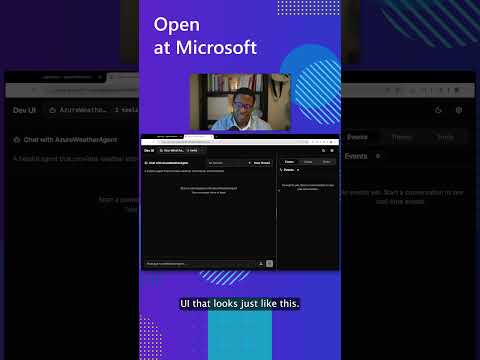
See the DevUI in action (1 min)
- Python and C#/.NET Support: Full framework support for both Python and C#/.NET implementations with consistent APIs
- Observability: Built-in OpenTelemetry integration for distributed tracing, monitoring, and debugging
- Multiple Agent Provider Support: Support for various LLM providers with more being added continuously
- Middleware: Flexible middleware system for request/response processing, exception handling, and custom pipelines
💬 We want your feedback!
- For bugs, please file a GitHub issue.
Quickstart
Basic Agent - Python
Create a simple Azure Responses Agent that writes a haiku about the Microsoft Agent Framework
# pip install agent-framework --pre
# Use `az login` to authenticate with Azure CLI
import os
import asyncio
from agent_framework.azure import AzureOpenAIResponsesClient
from azure.identity import AzureCliCredential


async def main():
    # Initialize a chat agent with Azure OpenAI Responses
    # the endpoint, deployment name, and api version can be set via environment variables
    # or they can be passed in directly to the AzureOpenAIResponsesClient constructor
    agent = AzureOpenAIResponsesClient(
        # endpoint=os.environ["AZURE_OPENAI_ENDPOINT"],
        # deployment_name=os.environ["AZURE_OPENAI_RESPONSES_DEPLOYMENT_NAME"],
        # api_version=os.environ["AZURE_OPENAI_API_VERSION"],
        # api_key=os.environ["AZURE_OPENAI_API_KEY"],  # Optional if using AzureCliCredential
        credential=AzureCliCredential(), # Optional, if using api_key
    ).create_agent(
        name="HaikuBot",
        instructions="You are an upbeat assistant that writes beautifully.",
    )

    print(await agent.run("Write a haiku about Microsoft Agent Framework."))

if __name__ == "__main__":
    asyncio.run(main())
Basic Agent - .NET
Create a simple Agent, using OpenAI Responses, that writes a haiku about the Microsoft Agent Framework
// dotnet add package Microsoft.Agents.AI.OpenAI --prerelease
using System;
using OpenAI;

// Replace the <apikey> with your OpenAI API key.
var agent = new OpenAIClient("<apikey>")
    .GetOpenAIResponseClient("gpt-4o-mini")
    .CreateAIAgent(name: "HaikuBot", instructions: "You are an upbeat assistant that writes beautifully.");

Console.WriteLine(await agent.RunAsync("Write a haiku about Microsoft Agent Framework."));
Create a simple Agent, using Azure OpenAI Responses with token based auth, that writes a haiku about the Microsoft Agent Framework
// dotnet add package Microsoft.Agents.AI.OpenAI --prerelease
// dotnet add package Azure.Identity
// Use `az login` to authenticate with Azure CLI
using System;
using OpenAI;

// Replace <resource> and gpt-4o-mini with your Azure OpenAI resource name and deployment name.
var agent = new OpenAIClient(
    new BearerTokenPolicy(new AzureCliCredential(), "https://ai.azure.com/.default"),
    new OpenAIClientOptions() { Endpoint = new Uri("https://<resource>.openai.azure.com/openai/v1") })
    .GetOpenAIResponseClient("gpt-4o-mini")
    .CreateAIAgent(name: "HaikuBot", instructions: "You are an upbeat assistant that writes beautifully.");

Console.WriteLine(await agent.RunAsync("Write a haiku about Microsoft Agent Framework."));
More Examples & Samples
Python
- Getting Started with Agents: basic agent creation and tool usage
- Chat Client Examples: direct chat client usage patterns
- Getting Started with Workflows: basic workflow creation and integration with agents
.NET
- Getting Started with Agents: basic agent creation and tool usage
- Agent Provider Samples: samples showing different agent providers
- Workflow Samples: advanced multi-agent patterns and workflow orchestration
Contributor Resources
Important Notes
If you use the Microsoft Agent Framework to build applications that operate with third-party servers or agents, you do so at your own risk. We recommend reviewing all data being shared with third-party servers or agents and being cognizant of third-party practices for retention and location of data. It is your responsibility to manage whether your data will flow outside of your organization's Azure compliance and geographic boundaries and any related implications.