 Eduard van Valkenburg
a2856d3b92
Eduard van Valkenburg
a2856d3b92
* restructure: Python samples into progressive 01-05 layout

- 01-get-started/: 6 numbered steps (hello agent → hosting)
- 02-agents/: all agent concept samples (tools, middleware, providers, etc.)
- 03-workflows/: ALL existing workflow samples preserved as-is
- 04-hosting/: azure-functions, durabletask, a2a
- 05-end-to-end/: demos, evaluation, hosted agents
- Old files moved to _to_delete/ for review
- Added AGENTS.md with structure documentation
- autogen-migration/ and semantic-kernel-migration/ preserved at root

* fix: switch to AzureOpenAI Foundry, fix CI failures

- Switch all 01-get-started samples to AzureOpenAIResponsesClient with
  Azure AI Foundry project endpoint (AZURE_AI_PROJECT_ENDPOINT +
  AZURE_OPENAI_RESPONSES_DEPLOYMENT_NAME + AzureCliCredential)
- Add _to_delete/ and 05-end-to-end/ to pyrightconfig.samples.json excludes
- Fix test paths in packages/ that referenced old getting_started/ dirs:
  durabletask conftest + streaming test, azurefunctions conftest,
  devui conftest + capture_messages + openai_sdk_integration
- Fix workflow_as_agent_human_in_the_loop.py import (sibling import)
- Update hosting READMEs and tool comment paths
- Replace root README.md with new structure overview
- Update AGENTS.md to document Azure OpenAI Foundry as default provider

* cleanup: remove _to_delete folder, copy resource files to active dirs

All files in _to_delete/ were either:
- Exact duplicates of files in the new structure (240 files)
- Same file with only comment path updates (100 files)
- One import-fix diff (workflow_as_agent_human_in_the_loop.py)
- One superseded minimal_sample.py

Resource files (sample.pdf, countries.json, employees.pdf, weather.json)
copied to 02-agents/sample_assets/ and 02-agents/resources/ since active
samples reference them.

* fix: address PR review comments, centralize resources, remove root duplicates

- Fix type annotation in 04_memory.py (string union -> proper types)
- Fix old sample paths in observability files
- Fix grammar/spelling in observability samples
- Move sample_assets/ and resources/ to shared/ folder
- Remove 8 duplicate observability files from 02-agents root
- Update resource path references in multimodal_input and provider samples

* fix: update broken links from old getting_started paths to new structure

- Update relative paths in READMEs: getting_started/ → 01-get-started/,
  02-agents/, 03-workflows/, 04-hosting/, 05-end-to-end/
- Fix absolute GitHub URLs in package READMEs
- Fix broken link in ollama package README

* fix: convert absolute GitHub URLs to relative paths for link checker

Absolute URLs to python/samples/ on main branch 404 until PR merges.
Converted to relative paths that linkspector can verify locally.

* fix: update link for handoff sample moved to orchestrations/

* fix: update chatkit-integration README path from demos/ to 05-end-to-end/

* fix: update broken links in orchestrations README to match flat directory structure
8.7 KiB

Welcome to Microsoft Agent Framework!



Welcome to Microsoft's comprehensive multi-language framework for building, orchestrating, and deploying AI agents with support for both .NET and Python implementations. This framework provides everything from simple chat agents to complex multi-agent workflows with graph-based orchestration.
Watch the full Agent Framework introduction (30 min)
📋 Getting Started
📦 Installation
Python
pip install agent-framework --pre
# This will install all sub-packages, see `python/packages` for individual packages.
# It may take a minute on first install on Windows.
.NET
dotnet add package Microsoft.Agents.AI
📚 Documentation
- Overview - High level overview of the framework
- Quick Start - Get started with a simple agent
- Tutorials - Step by step tutorials
- User Guide - In-depth user guide for building agents and workflows
- Migration from Semantic Kernel - Guide to migrate from Semantic Kernel
- Migration from AutoGen - Guide to migrate from AutoGen
Still have questions? Join our weekly office hours or ask questions in our Discord channel to get help from the team and other users.
✨ Highlights
- Graph-based Workflows: Connect agents and deterministic functions using data flows with streaming, checkpointing, human-in-the-loop, and time-travel capabilities
- AF Labs: Experimental packages for cutting-edge features including benchmarking, reinforcement learning, and research initiatives
- DevUI: Interactive developer UI for agent development, testing, and debugging workflows
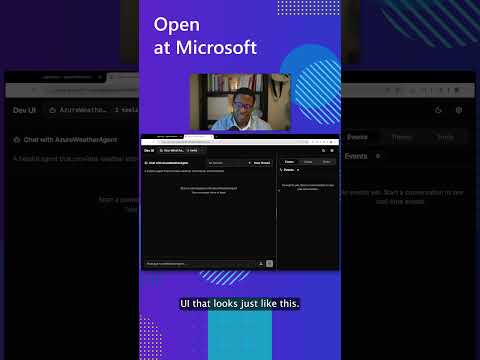
See the DevUI in action (1 min)
- Python and C#/.NET Support: Full framework support for both Python and C#/.NET implementations with consistent APIs
- Observability: Built-in OpenTelemetry integration for distributed tracing, monitoring, and debugging
- Multiple Agent Provider Support: Support for various LLM providers with more being added continuously
- Middleware: Flexible middleware system for request/response processing, exception handling, and custom pipelines
💬 We want your feedback!
- For bugs, please file a GitHub issue.
Quickstart
Basic Agent - Python
Create a simple Azure Responses Agent that writes a haiku about the Microsoft Agent Framework
# pip install agent-framework --pre
# Use `az login` to authenticate with Azure CLI
import os
import asyncio
from agent_framework.azure import AzureOpenAIResponsesClient
from azure.identity import AzureCliCredential


async def main():
    # Initialize a chat agent with Azure OpenAI Responses
    # the endpoint, deployment name, and api version can be set via environment variables
    # or they can be passed in directly to the AzureOpenAIResponsesClient constructor
    agent = AzureOpenAIResponsesClient(
        # endpoint=os.environ["AZURE_OPENAI_ENDPOINT"],
        # deployment_name=os.environ["AZURE_OPENAI_RESPONSES_DEPLOYMENT_NAME"],
        # api_version=os.environ["AZURE_OPENAI_API_VERSION"],
        # api_key=os.environ["AZURE_OPENAI_API_KEY"],  # Optional if using AzureCliCredential
        credential=AzureCliCredential(), # Optional, if using api_key
    ).as_agent(
        name="HaikuBot",
        instructions="You are an upbeat assistant that writes beautifully.",
    )

    print(await agent.run("Write a haiku about Microsoft Agent Framework."))

if __name__ == "__main__":
    asyncio.run(main())
Basic Agent - .NET
Create a simple Agent, using OpenAI Responses, that writes a haiku about the Microsoft Agent Framework
// dotnet add package Microsoft.Agents.AI.OpenAI --prerelease
using System;
using OpenAI;

// Replace the <apikey> with your OpenAI API key.
var agent = new OpenAIClient("<apikey>")
    .GetOpenAIResponseClient("gpt-4o-mini")
    .AsAIAgent(name: "HaikuBot", instructions: "You are an upbeat assistant that writes beautifully.");

Console.WriteLine(await agent.RunAsync("Write a haiku about Microsoft Agent Framework."));
Create a simple Agent, using Azure OpenAI Responses with token based auth, that writes a haiku about the Microsoft Agent Framework
// dotnet add package Microsoft.Agents.AI.OpenAI --prerelease
// dotnet add package Azure.Identity
// Use `az login` to authenticate with Azure CLI
using System;
using OpenAI;

// Replace <resource> and gpt-4o-mini with your Azure OpenAI resource name and deployment name.
var agent = new OpenAIClient(
    new BearerTokenPolicy(new AzureCliCredential(), "https://ai.azure.com/.default"),
    new OpenAIClientOptions() { Endpoint = new Uri("https://<resource>.openai.azure.com/openai/v1") })
    .GetOpenAIResponseClient("gpt-4o-mini")
    .AsAIAgent(name: "HaikuBot", instructions: "You are an upbeat assistant that writes beautifully.");

Console.WriteLine(await agent.RunAsync("Write a haiku about Microsoft Agent Framework."));
More Examples & Samples
Python
- Getting Started with Agents: progressive tutorial from hello-world to hosting
- Agent Concepts: deep-dive samples by topic (tools, middleware, providers, etc.)
- Getting Started with Workflows: workflow creation and integration with agents
.NET
- Getting Started with Agents: basic agent creation and tool usage
- Agent Provider Samples: samples showing different agent providers
- Workflow Samples: advanced multi-agent patterns and workflow orchestration
Contributor Resources
Important Notes
If you use the Microsoft Agent Framework to build applications that operate with third-party servers or agents, you do so at your own risk. We recommend reviewing all data being shared with third-party servers or agents and being cognizant of third-party practices for retention and location of data. It is your responsibility to manage whether your data will flow outside of your organization's Azure compliance and geographic boundaries and any related implications.